Using Vivitar Smart Home Security
LIVE IP CAMERA VIEW
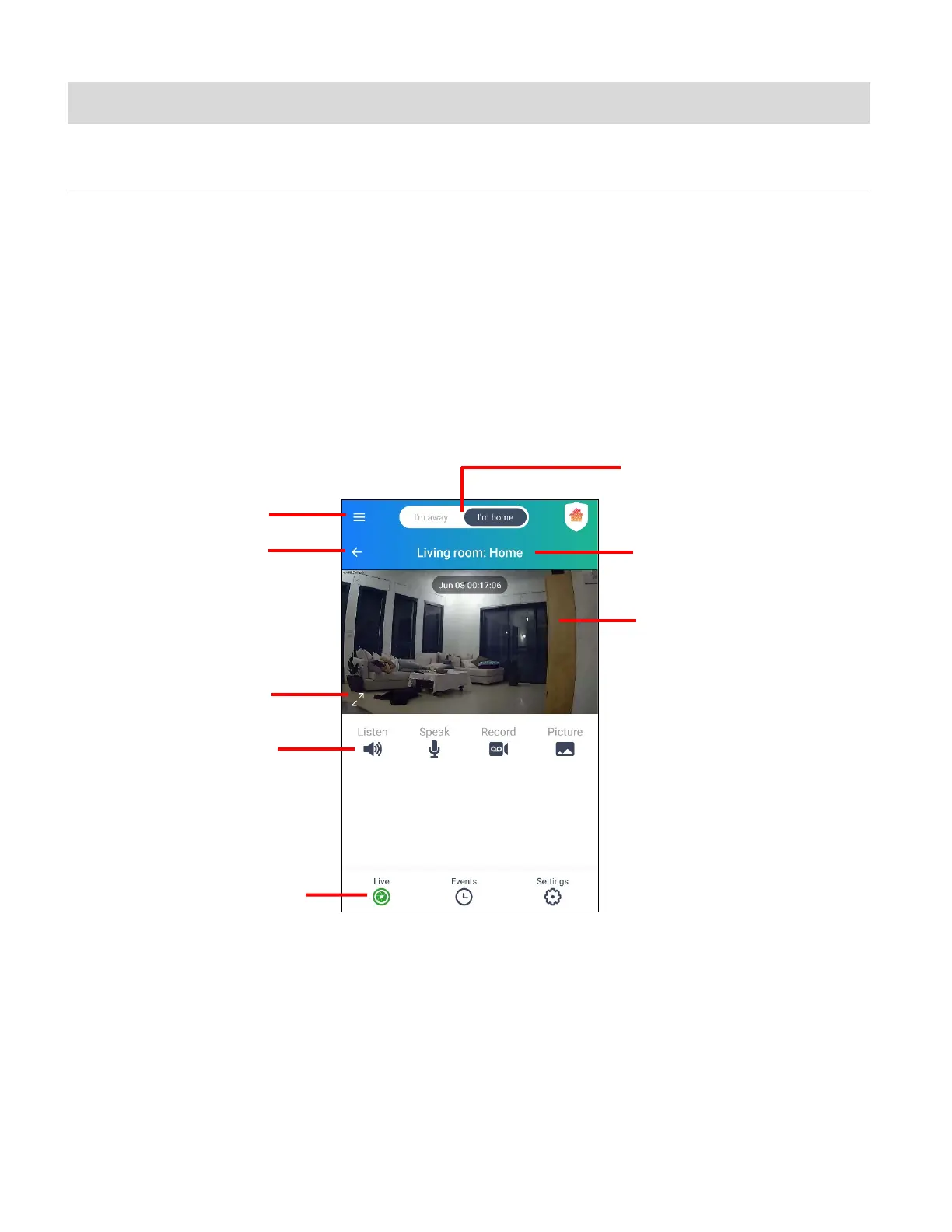
The Live IP Camera view displays the live streaming video of your selected registered IP
Camera and camera options. You must be signed in and connected
NOTE:
• You must be logged in to your account in order to view your camera’s streaming video.
• To view your camera’s Events, please sign into or sign up for a Cloud Subscription.
(with date and time
displayed)
Controls
7. Camera Location:
Camera Name
View



 To Next Page