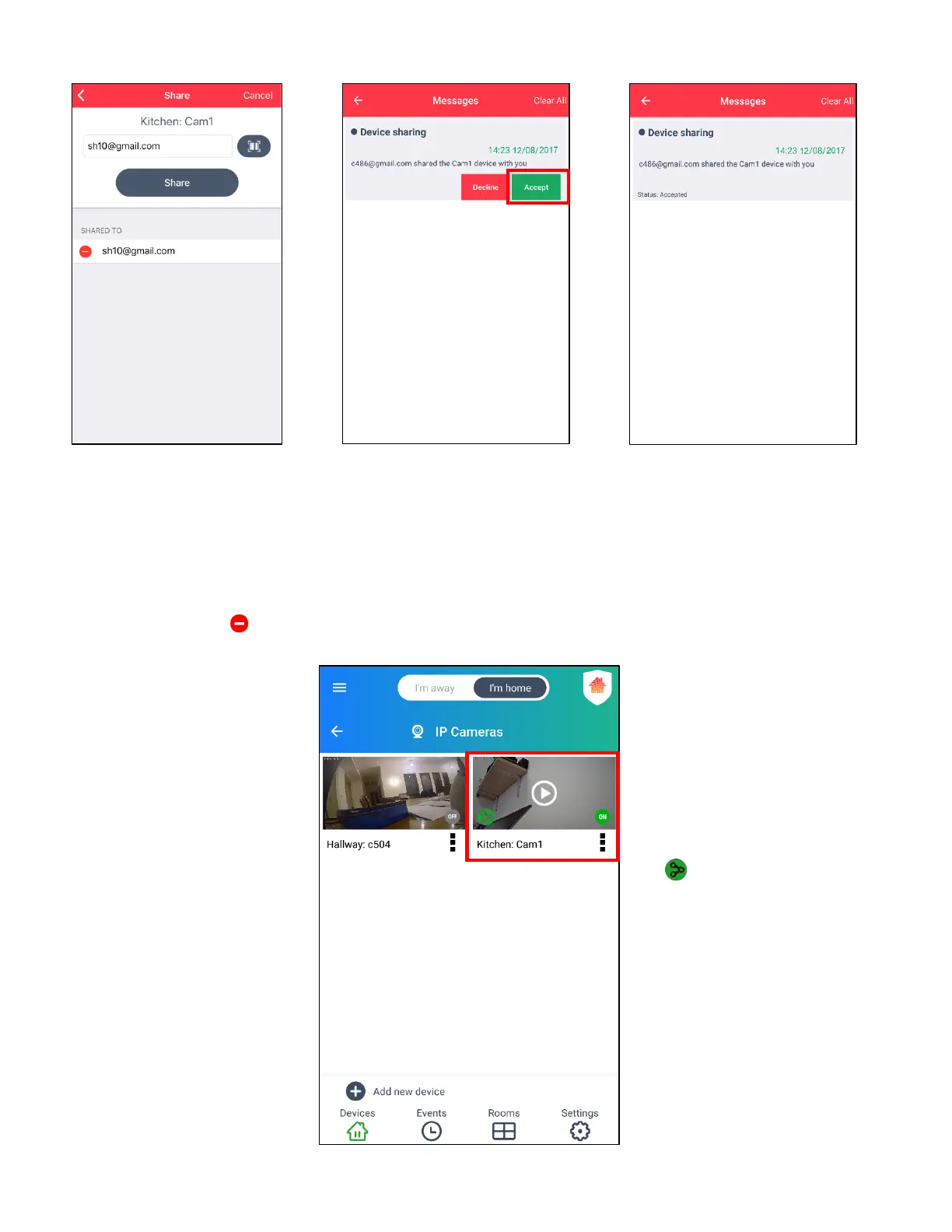
7. The SHARED TO list
appears with the recipient’s
account (email).
NOTE: To stop sharing
your camera with the
recipient, tap
the X (Android) or
(iOS) button then tap
Remove.
8. The recipient receives a
message. The recipient
must tap Accept to be
able to view your camera
in Live IP view.
9. Once the recipient accepts the
device sharing, he/she receives
an updated message showing
that the device sharing status is
‘Accepted’.
You also receive a message that
your device is being shared.
10. The recipient’s ‘IP Cameras’
screen shows your shared IP
camera in the thumbnail list of
devices.
The shared camera thumbnail
displays the current camera
status (OFF or ON) and the
Shared Device icon:



 To Next Page