D
D
D
L
L
L
P
P
P
P
P
P
r
r
r
o
o
o
j
j
j
e
e
e
c
c
c
t
t
t
o
o
o
r
r
r
–
–
–
U
U
U
s
s
s
e
e
e
r
r
r
’
’
’
s
s
s
M
M
M
a
a
a
n
n
n
u
u
u
a
a
a
l
l
l
4.
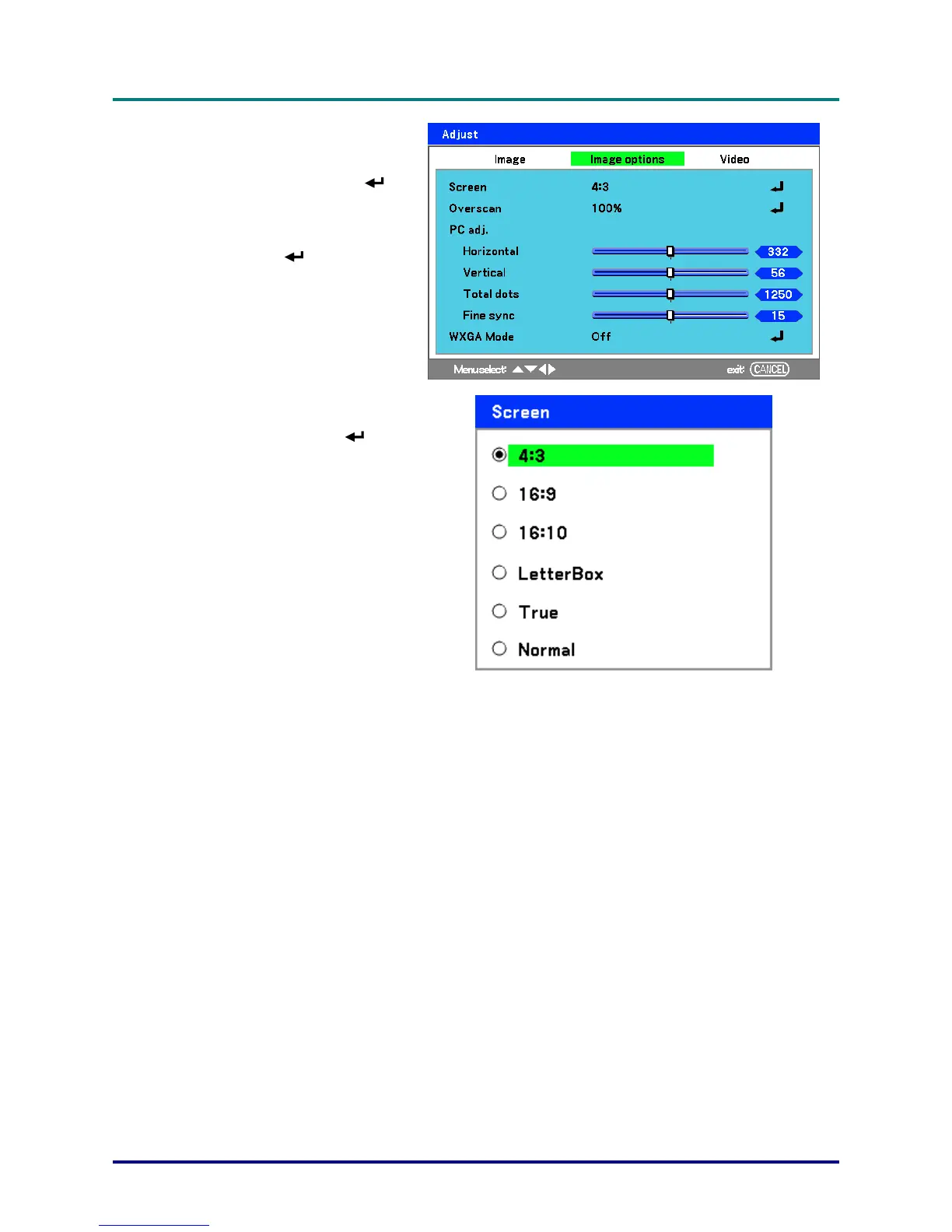
To alter the picture size, press
Menu and select the Adjust
menu using ▲or▼. Press
to
open the Adjust menu. Press
◄or► to select Image Options
followed by ▲or▼ to select
Screen. Press
.
5.
Select the desired picture size
using ▲or▼ and press
.
6.
When finished, press Menu to
return to the projected image.
– 27
–



 To Next Page