D
D
D
L
L
L
P
P
P
P
P
P
r
r
r
o
o
o
j
j
j
e
e
e
c
c
c
t
t
t
o
o
o
r
r
r
—
—
—
U
U
U
s
s
s
e
e
e
r
r
r
’
’
’
s
s
s
M
M
M
a
a
a
n
n
n
u
u
u
a
a
a
l
l
l
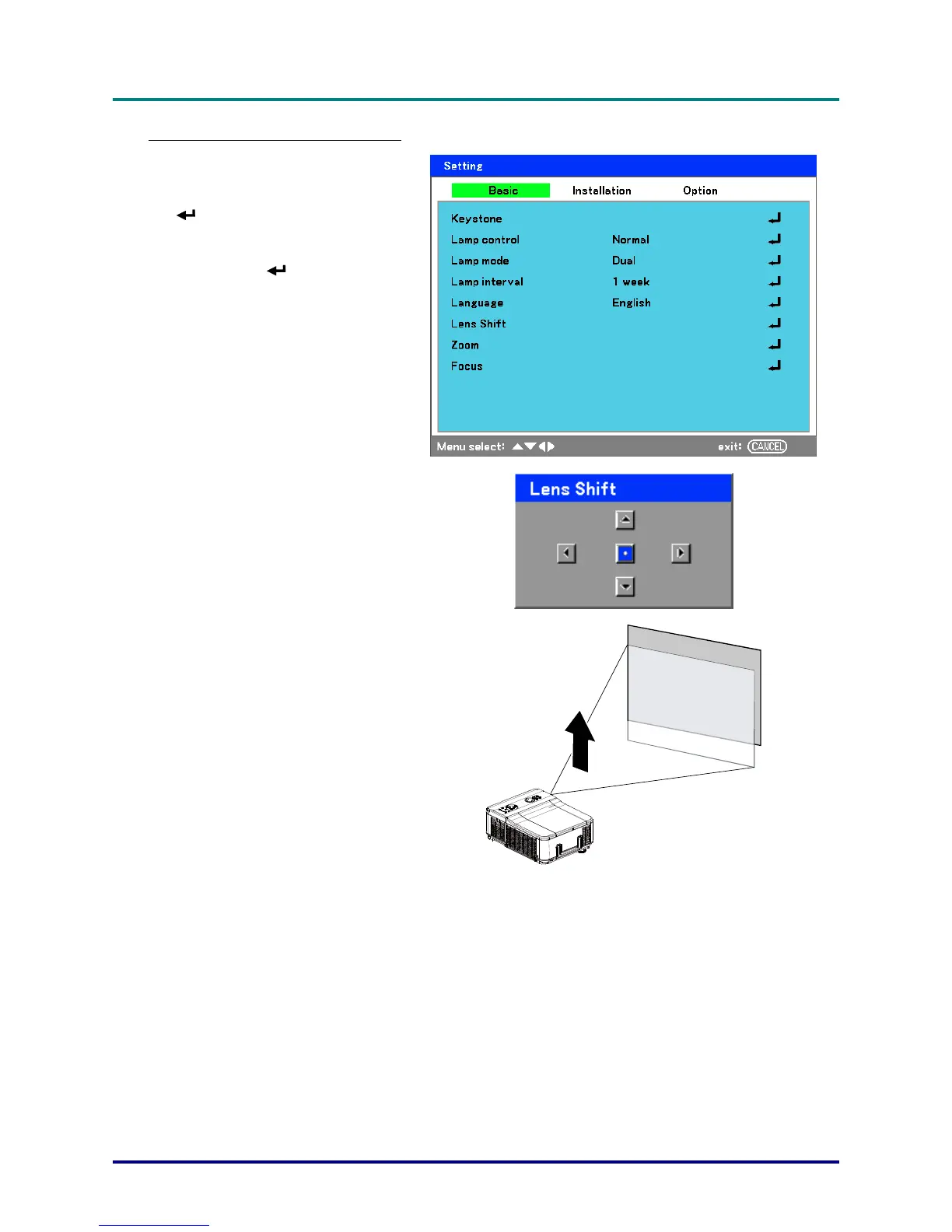
From the Remote Control Unit
1.
Press Menu and select the Set-
ting menu using ▲or▼. Press
to open the Setting menu.
Press ◄or► to select Basic fol-
lowed by ▲or▼ to select Lens
Shift. Press
.
2.
The Lens Shift window displays.
3.
Press the directional buttons as
required to shift the image. Re-
leasing the directional arrow will
re-center the cursor.
– 26 –



 To Next Page