D
D
D
L
L
L
P
P
P
P
P
P
r
r
r
o
o
o
j
j
j
e
e
e
c
c
c
t
t
t
o
o
o
r
r
r
–
–
–
U
U
U
s
s
s
e
e
e
r
r
r
’
’
’
s
s
s
M
M
M
a
a
a
n
n
n
u
u
u
a
a
a
l
l
l
Adjust Menu Descriptions and Functions
The Adjust menu contains overall projector settings for image output such as sharpness, overscan
and color matrix.
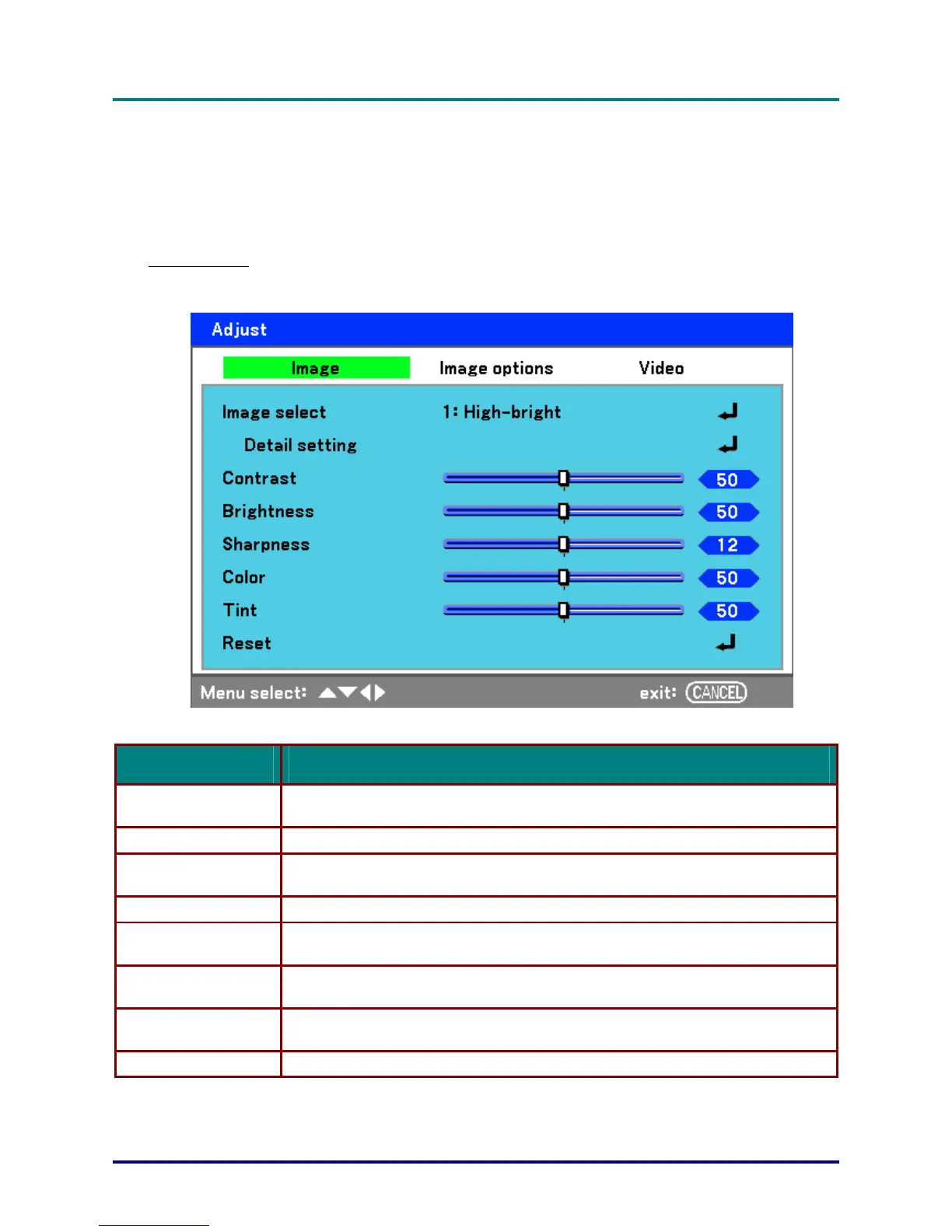
Three tabs are accessible through the Adjust menu, Image, Image Options and Video.
Image menu
The Image tab is used to alter picture settings and can be accessed from the Adjust menu.
The following table lists all functions with a description and the default setting.
LABEL DESCRIPTION
Image select
Select a set of preset values using ◄ or ► from the list. Notice that the below val-
ues will change depending on the preset selection.
Detail setting See Detail Setting Menu Descriptions and Functions on page 55.
Contrast
Adjust the Contrast value using ◄or► to highlight the differences between light
and dark areas of the picture.
Brightness Adjust the Brightness value using ◄or► to lighten or darken the picture.
Sharpness
Adjust the Sharpness value using ◄or► to sharpen or blur the borders between
colors and objects.
Color
Adjust the Color value using ◄or► to increase or decrease color input to the pic-
ture.
Tint
Adjust the Tint value using ◄or► to increase or decrease the color hue of the pic-
ture.
Reset The settings and adjustments are set to initial factory settings.
– 49 –



 To Next Page