D
D
D
L
L
L
P
P
P
P
P
P
r
r
r
o
o
o
j
j
j
e
e
e
c
c
c
t
t
t
o
o
o
r
r
r
—
—
—
U
U
U
s
s
s
e
e
e
r
r
r
’
’
’
s
s
s
M
M
M
a
a
a
n
n
n
u
u
u
a
a
a
l
l
l
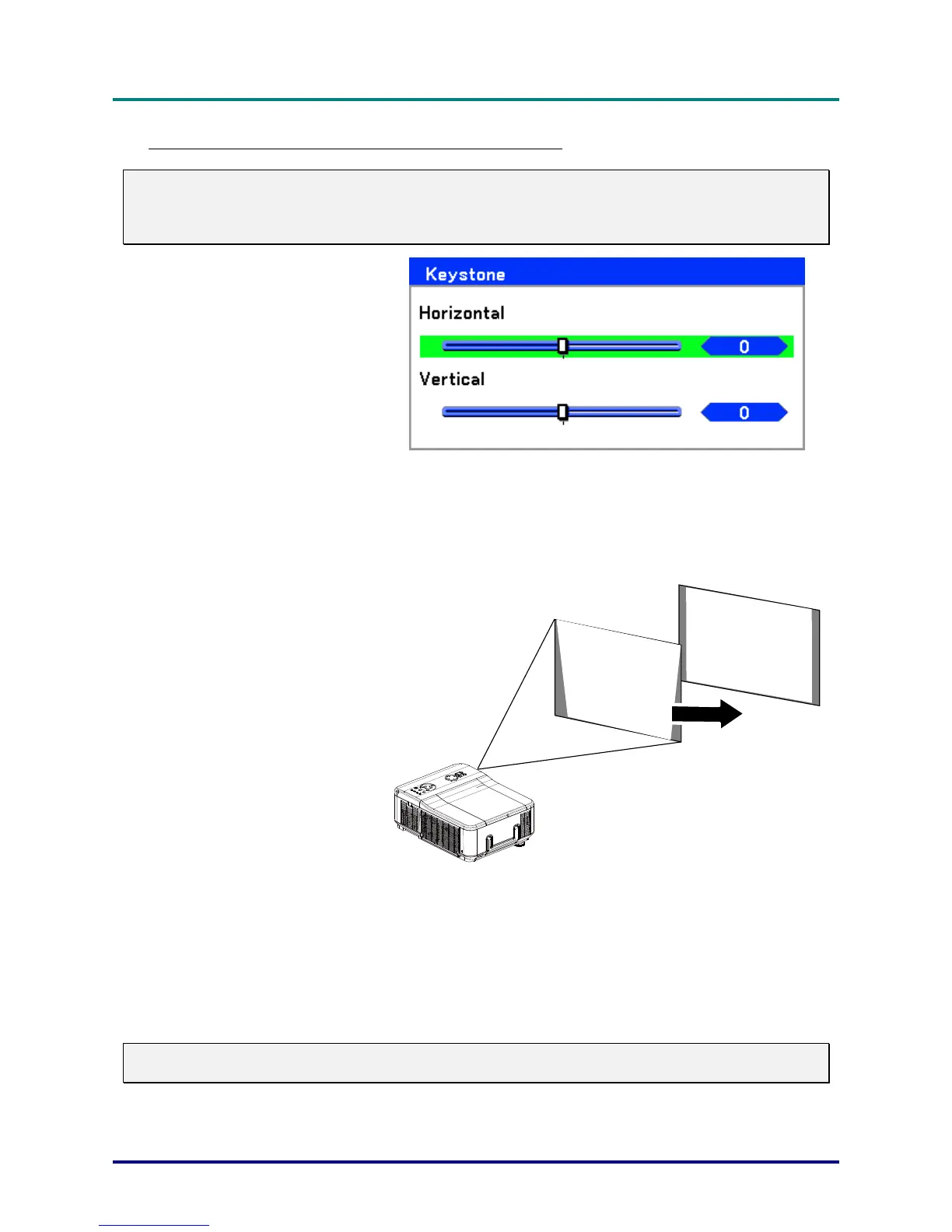
Correcting Keystone by Using the Remote Control
Important:
When adjusting the keystone, place the projector in the following position.
Horizontal: set to the lens center
Vertical: set to the maximum top
1.
Press the Keystone button
to display the Keystone
window.
2.
Adjust the Horizontal and
Vertical sliding bars using
the select ▲▼◄► but-
tons.
3.
Adjust the slide bars until
the screen trapezoid is a
regular shape (see dia-
gram).
4.
Press Cancel or Menu to
return to the projected im-
age.
Note:
Holding down the Keystone button for 2 seconds resets the default keystone values.
– 38 –



 To Next Page