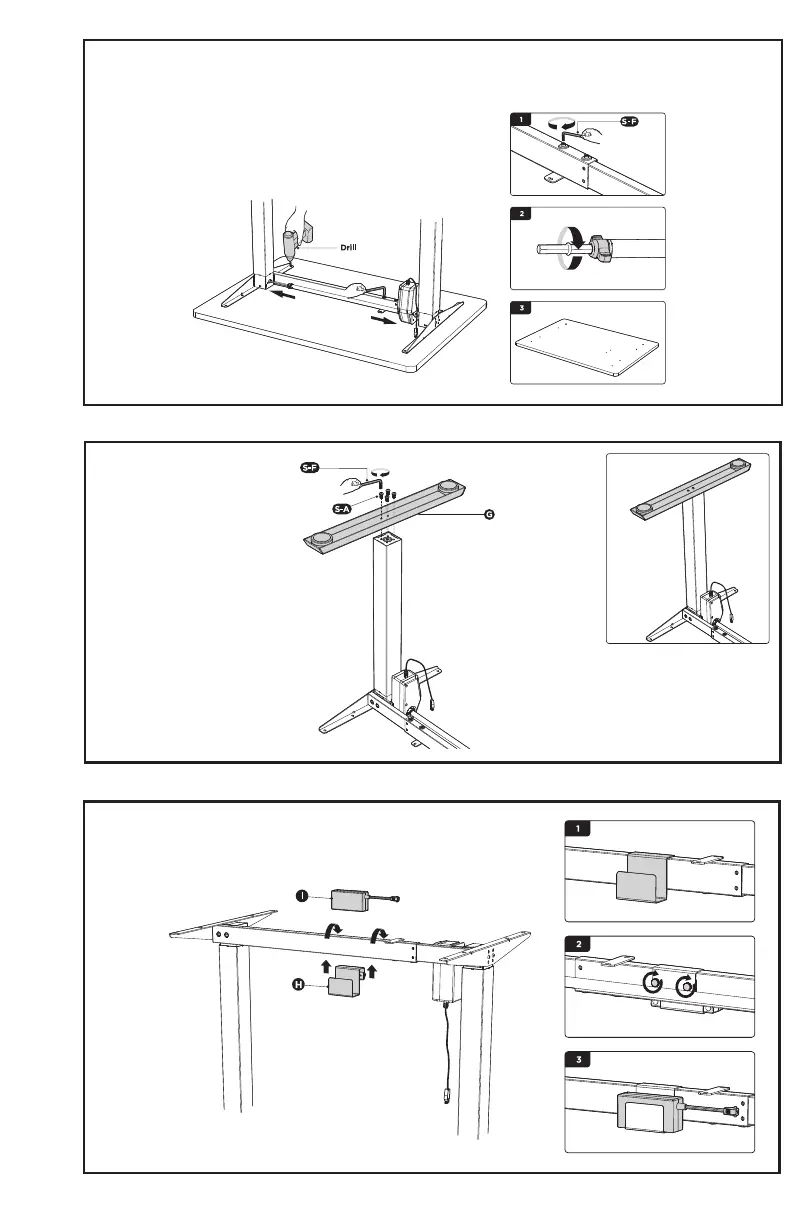
5
STEP 6
STEP 8
Place the adapter holder (H) over the telescopic crossbar and tighten
the two thumbscrews. Place the AC adapter (I) into the adapter holder.
Place the frame upside down on desktop and drill pilot holes for the screws. Use a 3/32” or 3mm bit,
and drill holes to a depth of 3/8” (10mm). Readjust the sync rod if necessary.
STEP 7
Place the feet (G) on the
legs as shown. Insert and
tighten bolts (S-A) using
the Allen wrench (S-F).




 To Next Page