EasyManua.ls Logo

Vivo STAND-TV70AB - User Manual

Vivo STAND-TV70AB
8 pages
Print Icon
To Next Page IconTo Next Page
Loading...




https://vivo-us.com/products/stand-tv70a

  
Chat live with an agent!
GET IN TOUCH CST
Question and Answer IconNeed help?

Do you have a question about the Vivo STAND-TV70AB and is the answer not in the manual?

Summary

Safety and Warnings

Tipover Prevention

Critical safety instructions to prevent tipover injuries, especially concerning children's interaction with the stand.

Product Hazard Alerts

Alerts for choking hazards from small parts and adherence to weight capacity limits for safe use.

Package Contents

TV Stand Assembly Guide

Required Tools List

Lists all necessary tools for assembling the VIVO TV stand, ensuring a smooth setup process.

Step 1: Base and Leg Attachment

Connect the legs (C) to the base (A) as the initial step in stand assembly.

Step 2: Pole Installation

Securely attach the poles (B) to the top of the assembled base.

Step 3: Support Ring Adjustment

Adjust the support rings on the poles to the correct height for your TV using the Allen wrench.

Step 4: VESA Bracket Preparation

Prepare the lower VESA bracket (E) by removing screws and opening its clamps.

Step 5: TV to VESA Bracket Mounting

Attach the VESA brackets (D, E) to the back of your TV using the specified hardware.

Step 6: TV Mounting & Cable Management

Mount the TV onto the stand poles and organize cables using the provided clips.

Step 7: Wall Mounting Procedure

Detailed instructions for securely mounting the TV stand to either a wood stud or concrete wall.

Overview

This document is an instruction manual for the Black Easel Studio TV Stand, identified by SKU: STAND-TV70AB.

Function Description:

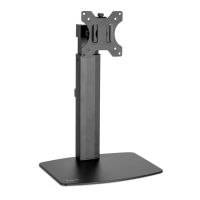
The Black Easel Studio TV Stand is a freestanding television stand designed to hold a TV in an easel-like configuration. It provides a stylish and stable platform for displaying a television, suitable for studio environments or home use where a modern aesthetic is desired. The stand is designed to accommodate various TV sizes and types, including flat and curved back monitors, through its adjustable VESA mounting brackets. It also includes features for cable management and optional wall anchoring for enhanced stability and safety.

Important Technical Specifications:

  • SKU: STAND-TV70AB
  • Weight Capacity: 88 lbs (40 kg). Exceeding this capacity may result in serious injury or damage.
  • VESA Bracket Compatibility: Supports both upper (D) and lower (E) VESA brackets.
  • Adjustable Height: The TV can be adjusted to a desired height by loosening and tightening support rings on the poles using a 4mm Allen wrench (H). The rings should be at least 2 inches (50-150 mm recommended) below the tops of the poles.
  • Mounting Hardware: Includes various screws (M-A, M-B, M-C, M-D, M-E, F, P-E), washers (P-G, D5 Washer), spacers (M-F, M-G, M-H), and security clips (P-B) for different TV back types and wall anchoring.
  • Tools Needed (not included): Phillips screwdriver, drill, tape measure, level, pencil.
  • Wall Anchoring Options:
    • Wood Stud Wall: Requires drilling 1/8" (3mm) holes at least 1.6" (40mm) deep. Uses ST4.8x38 screws (P-E) and Security Cable Clamps (P-C).
    • Concrete/Brick Wall: Requires drilling 9/32" (7mm) holes at least 1.6" (40mm) deep. Uses concrete anchors (P-F), ST4.8x38 screws (P-E), and Security Cable Clamps (P-C). Wall anchors should be spaced 400mm - 650mm (16" - 26") apart.
  • Cable Management: Includes cable clips (G) and security cable clamps (P-C) to organize cables along the rear legs.

Usage Features:

  • Assembly: The stand requires assembly, starting with screwing the legs (C) into the base (A), followed by screwing the poles (B) onto the top of the base.
  • TV Mounting:
    • Flat Back Monitors (Option A): VESA brackets (D, E) are positioned horizontally on the back of the TV, with the upper bracket (D) on top. Secured using screws (M-A or M-B), square washers (M-F), D5 Washers (P-G), and security clips (P-B) in the top holes.
    • Curved Back Monitors (Option B): VESA brackets (D, E) are positioned horizontally on the back of the TV, with the upper bracket (D) on top. Secured using screws (M-C, M-D, or M-E), square washers (M-F), spacers (M-G, M-H), and security clips (P-B) in the top holes.
  • TV Installation on Stand: The TV with VESA brackets (D, E) slides onto the poles. The clamps on the lower VESA bracket are then closed over the poles and secured with previously removed screws.
  • Cable Organization: Cable clips (G) with adhesive backing can be installed on the rear legs to manage cables. Optionally, these clips can be secured with 3/8" screws (F) into wood without pilot holes.
  • Tipover Prevention: The manual strongly emphasizes tipover prevention. Users are instructed to never allow children to climb, stand, hang, or play on any part of the TV or TV stand. The stand should be anchored to the wall using the provided security cable (P-A) and security cable clamps (P-C) to reduce the risk of tipover.
  • Adjustability: The height of the TV on the stand can be adjusted by loosening and tightening the support rings on the poles using the 4mm Allen wrench (H). It is crucial to ensure the rings are adjusted evenly.

Maintenance Features:

  • Regular Checks: Users are advised to check carefully for missing or defective parts during installation.
  • Weight Capacity Adherence: Strictly adhere to the 88 lbs (40 kg) weight capacity to prevent damage or serious injury.
  • Proper Installation: Ensure proper installation according to the instructions to avoid damage or injury. If unsure, professional assistance from a qualified technician is recommended.
  • Choking Hazard Warning: Small parts are included, posing a choking hazard for children under 3 years. Adult supervision is required during assembly and use.
  • Customer Support: VIVO offers dedicated support for missing or defective parts, installation questions, and general inquiries. Contact information includes email (help@vivo-us.com), phone (309-278-5303), and live chat on their website (www.vivo-us.com). Support hours are Monday-Friday from 7:00 am - 7:00 pm CST.

Vivo STAND-TV70AB Specifications

General IconGeneral
BrandVivo
ModelSTAND-TV70AB
CategoryRacks & Stands
LanguageEnglish

Related product manuals