VIVOTEK
100 - User's Manual
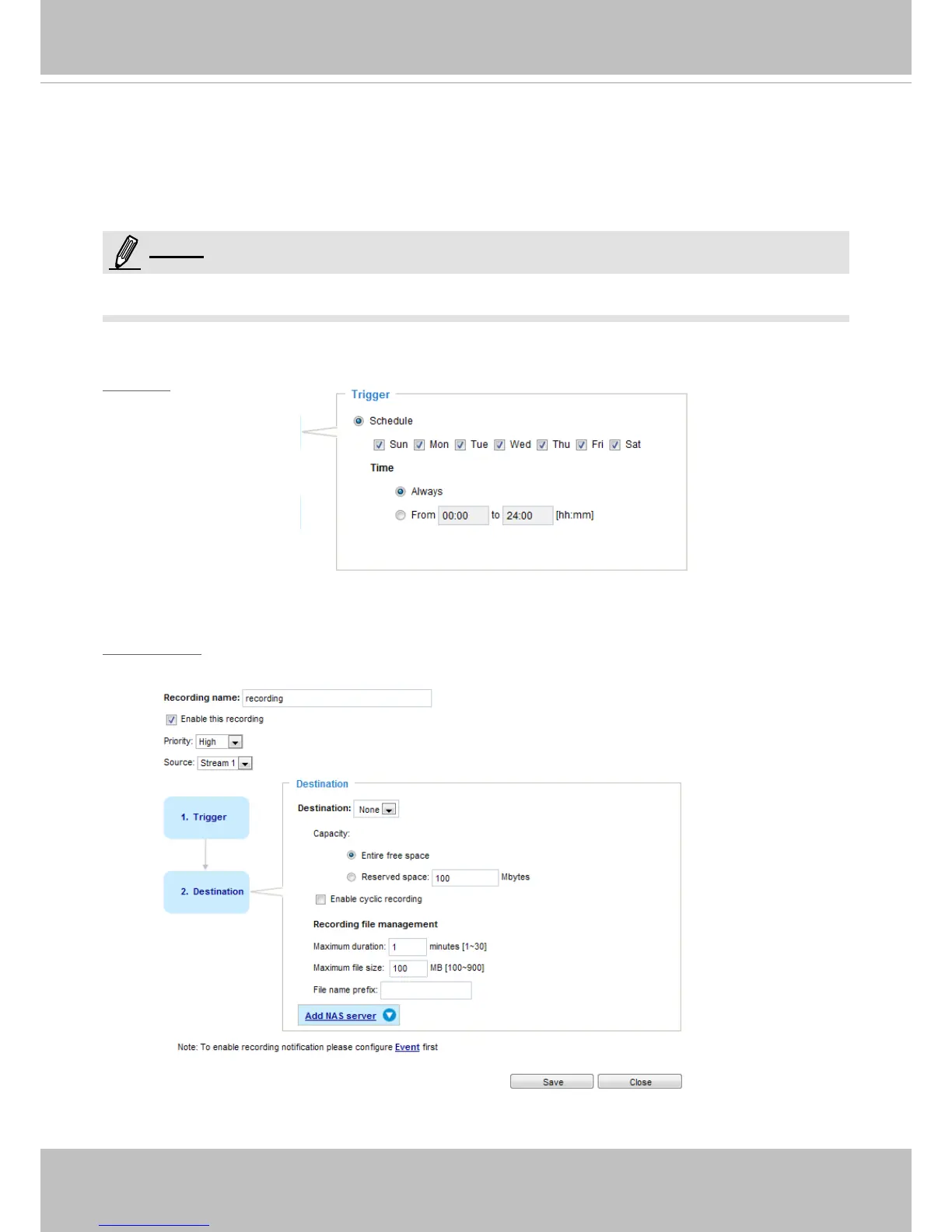
You can specify when is the time for the recording to take place.
■ Priority: Select the relative importance of this recording (High, Normal, or Low). Recording with a higher
priority setting will be executed rst.
■ Source: Select a video stream for the recording source.
► To enable recording notication please congure Event settings rst. Please refer to page 82.
Please follow steps 1~2 below to set up the recording:
1. Trigger
Select a trigger source.
■ Schedule: The server will start to record les onto the network attached storage (NAS).
2. Destination
You can select the network storage (NAS) for the recorded video les.
NOTE:














 To Next Page