VIVOTEK
User's Manual - 45
Privacy mask
Advanced Mode
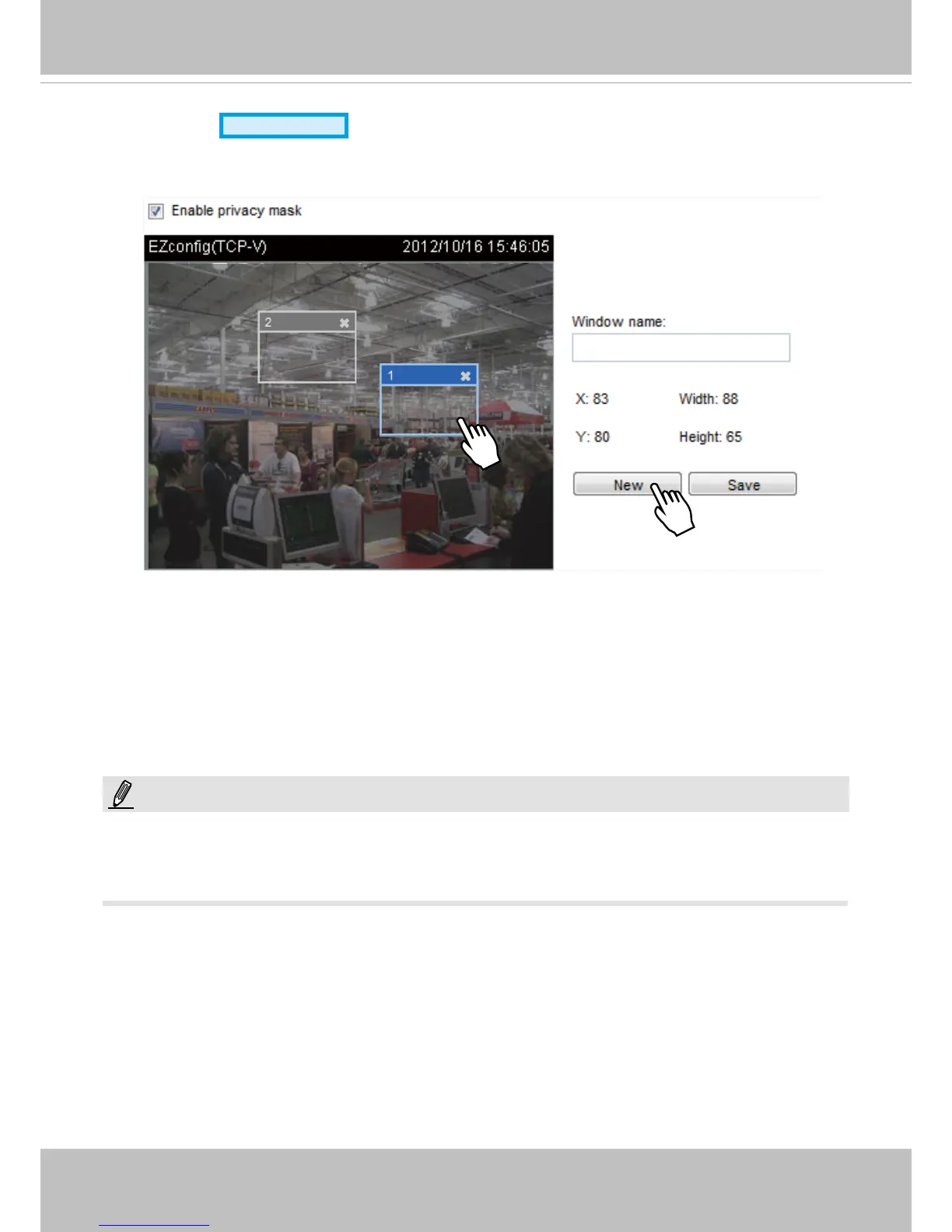
Click Privacy Mask to open the settings page. On this page, you can block out certain sensitive zones to
address privacy concerns.
■ To set the privacy mask windows, follow the steps below:
1. Click New to add a new window. A text box will appear allowing you to enter a name for the mask.
2. Drag the corners of the masking window to change its size. The size is recommended to be at least
twice the size of the object (height and width) you want to cover.
3. Enter a Window Name and click Save to enable the setting.
4. Check Enable privacy mask to enable this function. Repeat the process to create more windows.
►
Up to 5 privacy mask windows can be congured on the same screen.
►
To delete a mask, use the red cross button and then click on the Save button.
2010/12/09 17:08:56
NOTE:














 To Next Page