VIVOTEK
User's Manual - 43
Exposure
Advanced Mode
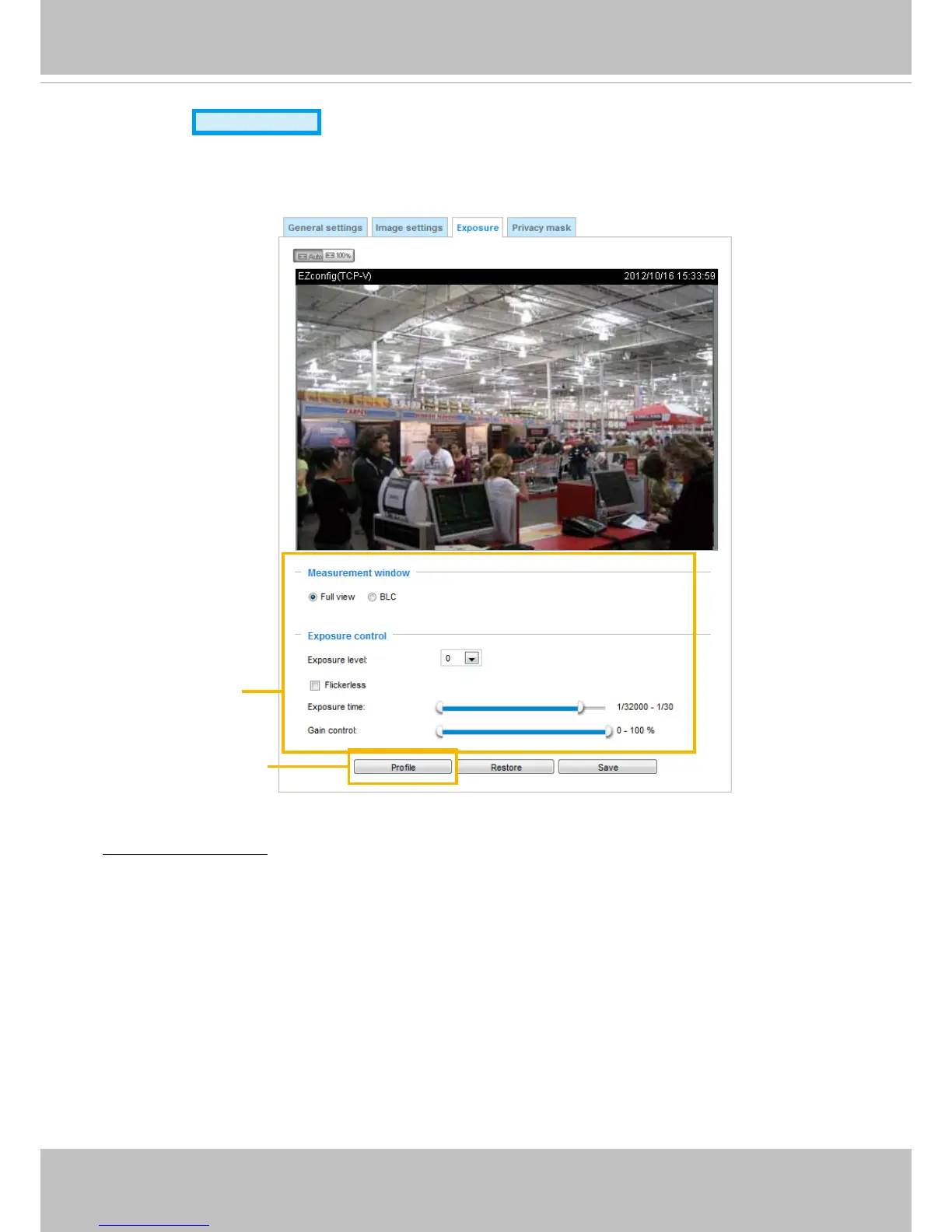
On this page, you can set the Exposure measurement window, Exposure level, Exposure mode,
Exposure time, Gain control, and Day/Night mode settings. You can configure two sets of Exposure
settings: one for normal situations, the other for special situations, such as day/night/schedule mode.
Measurement Window: This function allows users to configure a full-view measurement window or a
cental background compensation window for low light compesation.
■ Full view: Calculate the full range of view and offer appropriate
light compensation.
■ BLC: When selected, a BLC window will appear on screen meaning that the center of the scene will be
taken as a weighed area. This option enables light compensation for images that are too dark or too
bright to recognize; for example, for the dark side of objects that is posed against a bright sunlight.
Sensor Setting 1:
For normal situations
Sensor Setting 2:
For special situations














 To Next Page