VIVOTEK
User's Manual - 85
PTZ > PTZ settings
This section explains how to control the Network Camera’s Pan/Tilt/Zoom operation�
There are two ways to enable the function:
1. Digital: Control the e-PTZ operation. It allows users to quickly move the focus to a target area
for close-up viewing without moving the camera physically� Please refer to below for detailed
instruction�
Advanced Mode
Digital PTZ Operation (E-PTZ Operation)
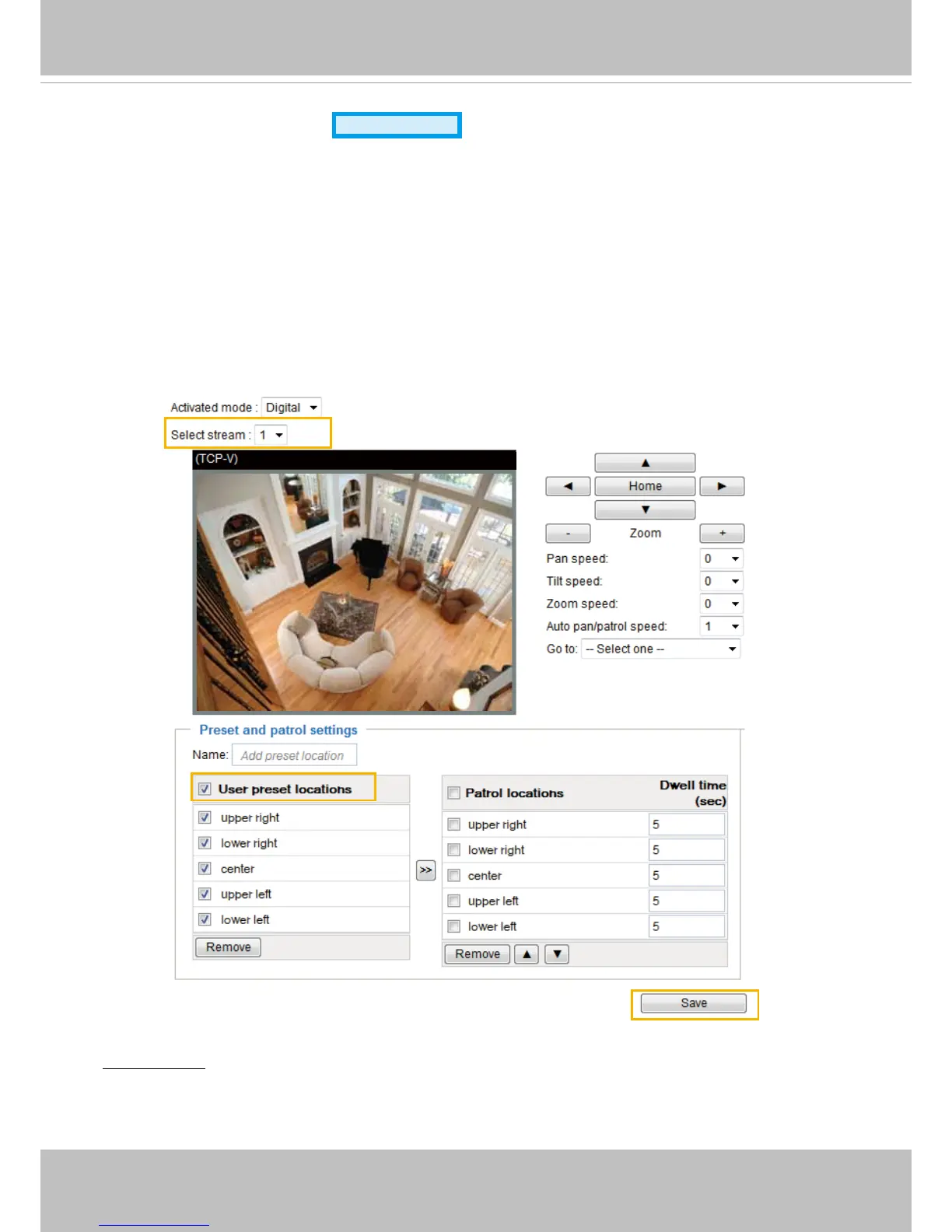
If you select “Digital“, the e-PTZ control settings section will be displayed as shown below:
Select Stream: Select the stream #1 to set up the e-PTZ control. Please note that only stream #1 can
possess its own preset and patrol settings� For detailed information about how to set up preset and patrol
settings, please refer to page 85�
2010/12/10 17:08:56
2011/12/10 17:08:56





 To Next Page