VIVOTEK
14 - User's Manual
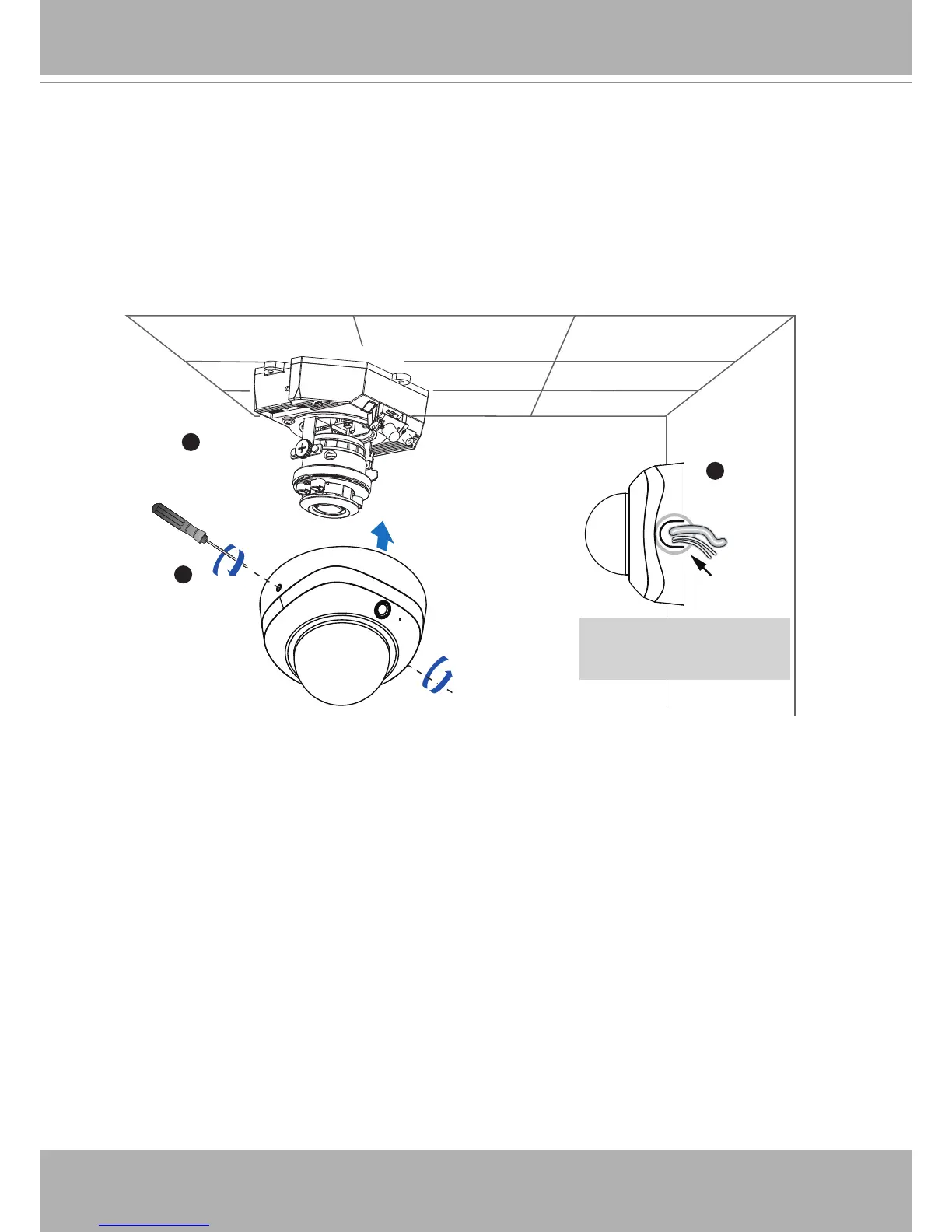
1� If you choose to feed the cable through the ceiling/wall, arrange the cables neatly
through the cable hole A (not shown in the drawing)� If you choose to feed the cable from
the side, remove plate B�
2� Attach the dome cover to the camera as the direction shown below� Tighten two screws
from the sides of the dome cover�
3� Finally, make sure all parts of the camera are securely installed�
1
B
3
2
A
Be aware of the
cable route!
Dome Cover
Completion











 To Next Page