VIVOTEK
16 - User's Manual
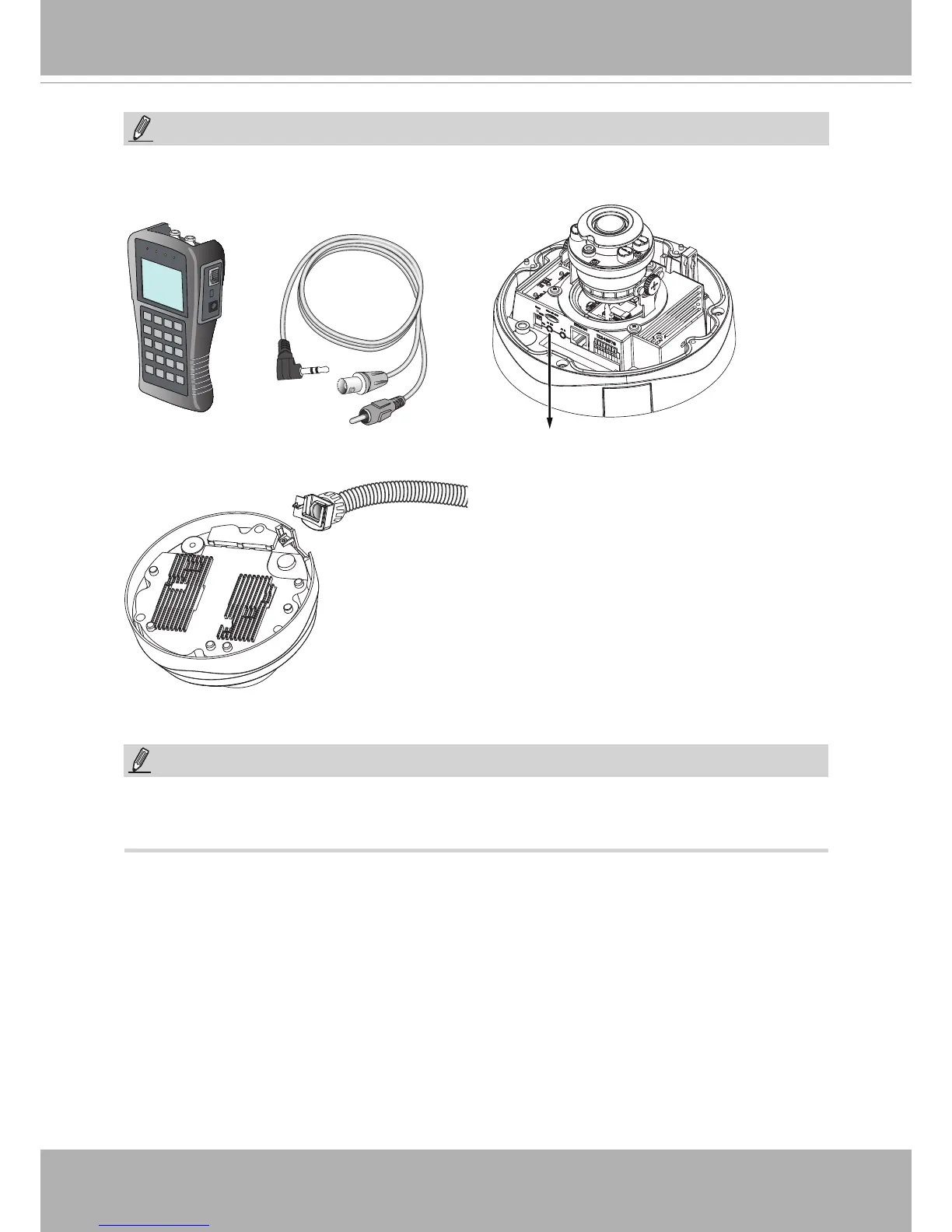
Replace the side opening cover with the included side
outlet bushing if you want to route cables from the side
of camera�
Use the included AV cable to connect to a camera tester or LCD monitor to begin initial
setup�
Camera tester
AV Out
NOTE:
NOTE:
1� This equipment is only to be connected to PoE networks without routing to outside plants�
2� For PoE input, use only UL listed I�T�E� with PoE output�











 To Next Page