VIVOTEK
User's Manual - 45
• If you want to assign Preset actions to your joystick, the PTZ preset locations should be congured
in advance�
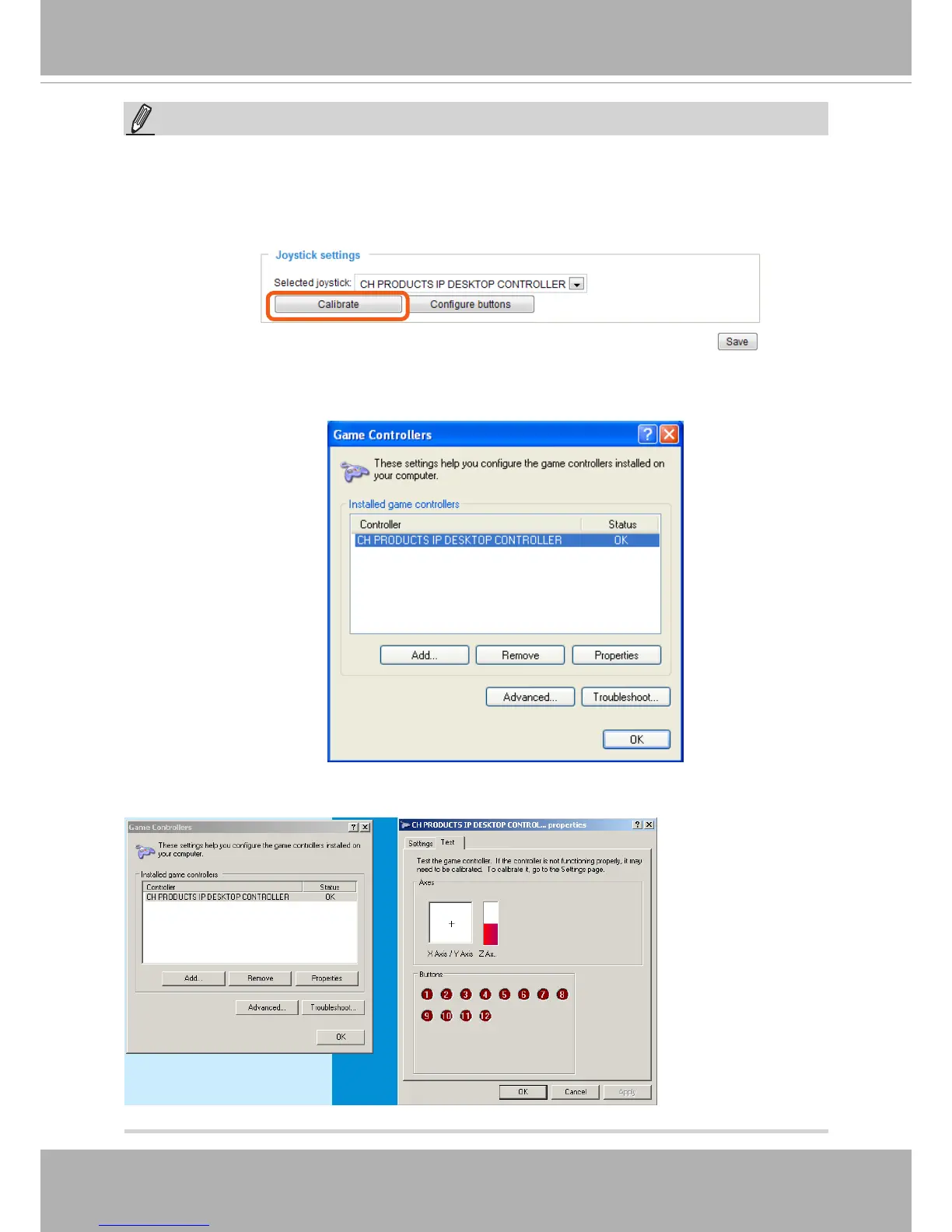
• If your joystick is not working properly, it may need to be calibrated� Click the Calibrate button to
open the Game Controllers window located in Microsoft Windows control panel and follow the
instructions for trouble shooting�
NOTE:
• The joystick will appear in the Game Controllers list in the Windows Control panel� If you want to
check out for your devices, go to the following page: Start -> Control Panel -> Game Controllers�
• Follow the onscreen instructions to calibrate your joystick�











 To Next Page