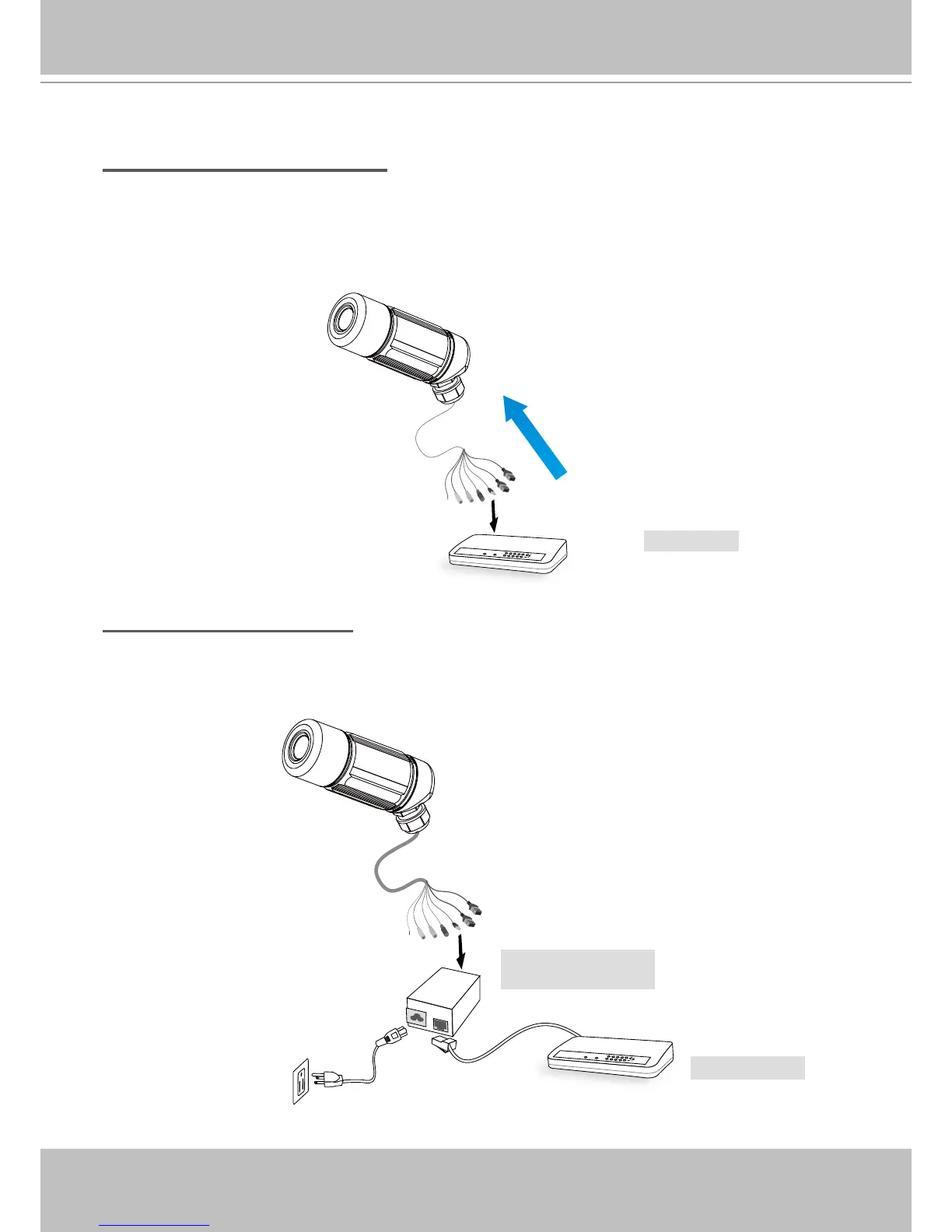
Set up the Network Camera through Power over Ethernet (PoE)
When using a PoE-enabled switch
The Network Camera is PoE-compliant, which allows it to be powered via a single Ethernet
cable� If your switch/router supports PoE, refer to the following illustration to connect the
Network Camera to a PoE-enabled switch/router�
When using a non-PoE switch
If your switch/router does not support PoE, use a PoE power injector (optional) to connect
between the Network Camera and a non-PoE switch/router�



 To Next Page