Installation
Hardware Installation
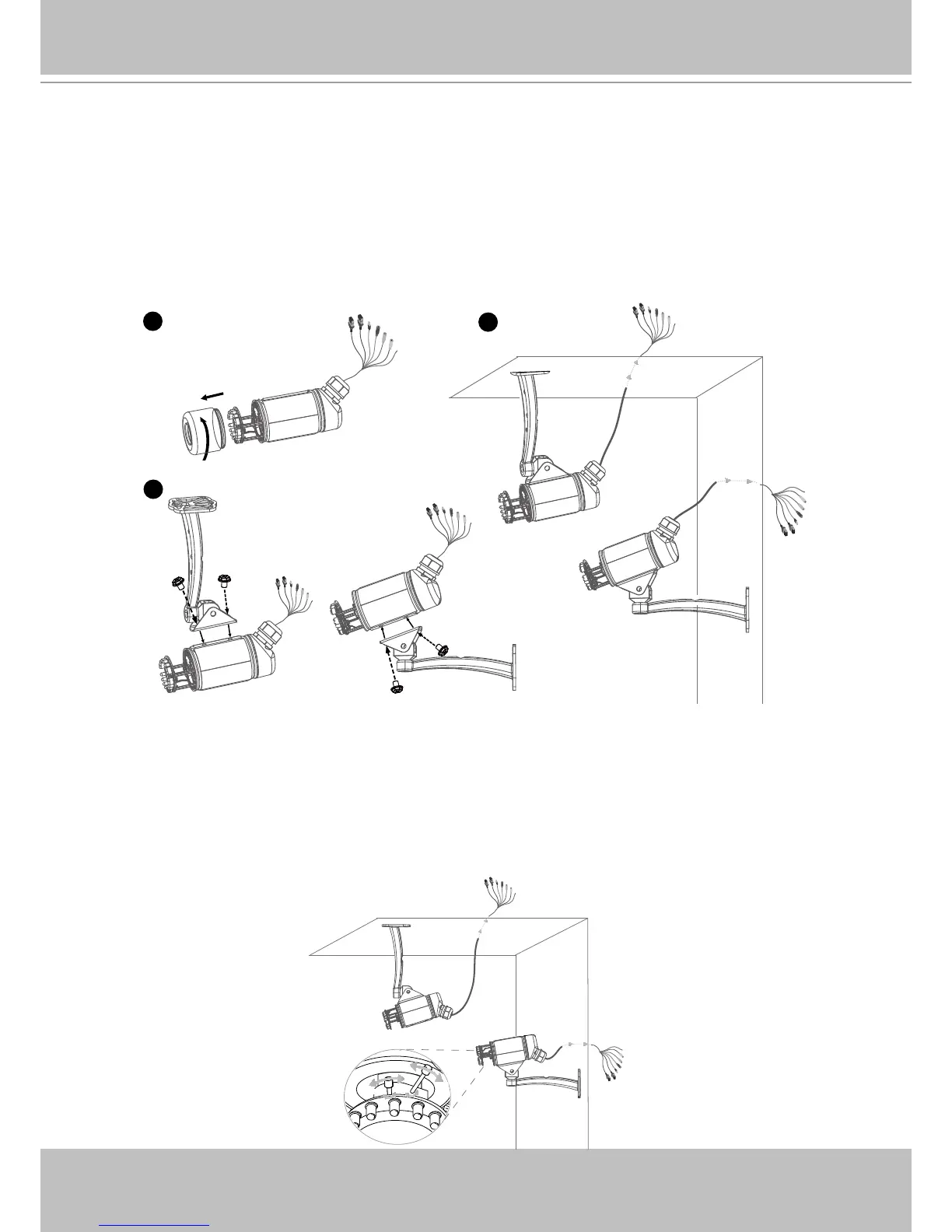
Follow the steps below to install the Network Camera:
1� Open the lens cover�
2� Secure the Network Camera to the supplied camera stand as the illustration shows�
3� Secure the Network Camera to the wall/ceiling by the supplied camera stand�
4� Feed power to the Network Camera and connect it to the Internet� For more information,
please refer to Network deployment on page 8 for details�
5� Install the “Installation Wizard 2“ to assign IP address to the Network Camera� For more
information, please refer to Software installation on page 11 for details�
6� Access to the Network Camera from the Internet� For more information, please refer to
Accessing the Network Camera on page 13 for details�
7� Unscrew the zoom controller to adjust the zoom factor� Upon completion, tighten the zoom
controller� Unscrew the focus controller to adjust the focus range� Upon completion, tighten
the focus controller�



 To Next Page