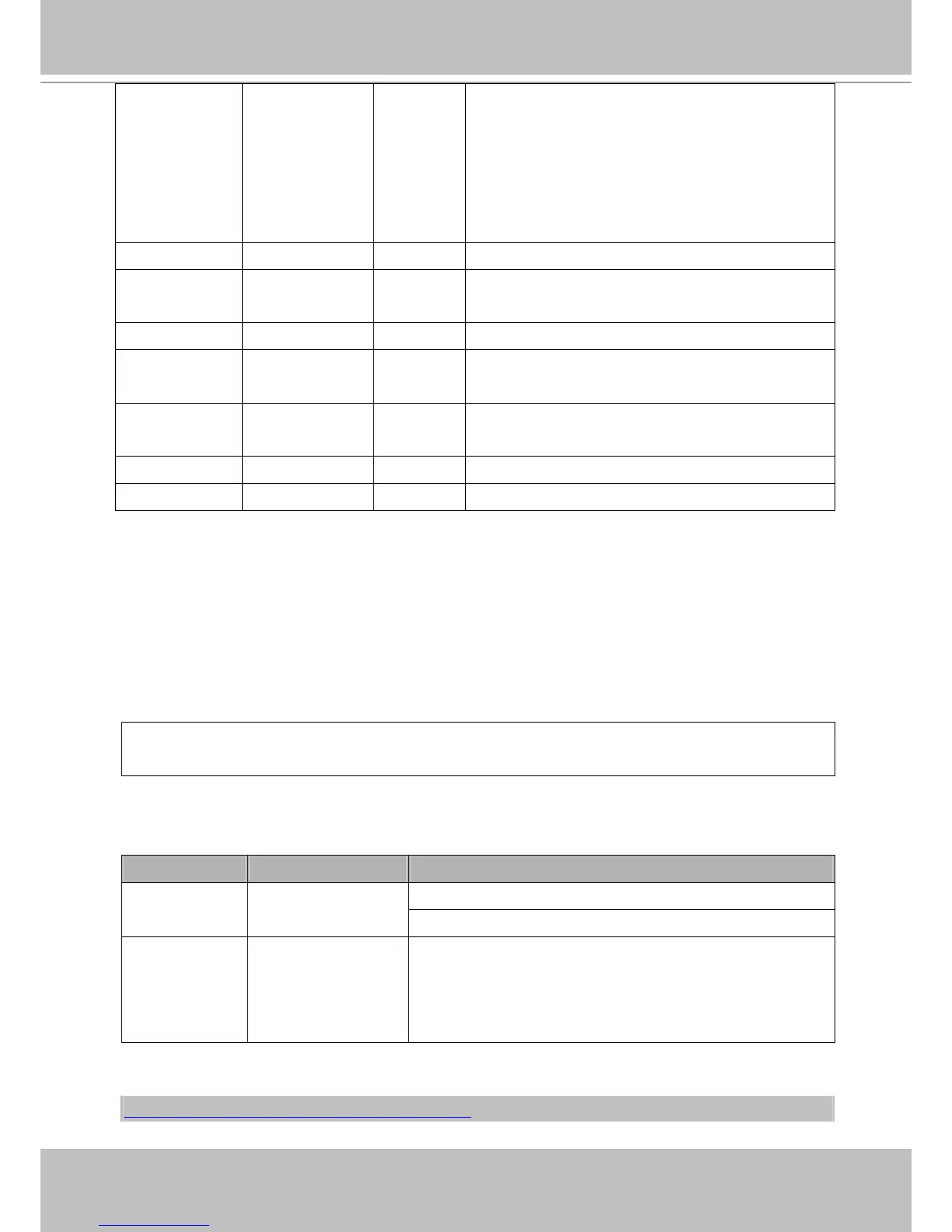
status -3 ~ 1 6/6 Specify the https status.
-3 = Certificate not installed
-2 = Invalid public key
-1 = Waiting for certificate
0 = Not installed
1 = Active
countryname string[2] 6/6 Country name in the certificate information.
stateorprovince
name
string[128] 6/6 State or province name in the certificate information.
localityname string[128] 6/6 The locality name in the certificate information.
organizationna
me
string[64] 6/6 Organization name in the certificate information.
unit string[32] 6/6 Organizational unit name in the certificate
information.
commonname string[64] 6/6 Common name in the certificate information.
validdays 0 ~ 9999 6/6 Valid period for the certification.
Drive the Digital Output
Note: This request requires Viewer privileges.
Method: GET/POST
Syntax:
http://<servername>/cgi-bin/dido/setdo.cgi?do1=<state>[&do2=<state>]
[&do3=<state>][&do4=<state>][&return=<return page>]
Where state is 0 or 1; “0” means inactive or normal state, while “1” means active or triggered state.
PARAMETER VALUE DESCRIPTION
0 – Inactive, normal state
do<num>
0, 1
1 – Active, triggered state
return
<return page> Redirect to the page <return page> after the parameter is
assigned. The <return page> can be a full URL path or relative
path according to the current path. If you omit this parameter, it
will redirect to an empty page.
Example: Drive the digital output 1 to triggered state and redirect to an empty page.
http://myserver/cgi-bin/dido/setdo.cgi?do1=1



 To Next Page