Software Installation
Installation Wizard 2 (IW2), free-bundled software included on the product CD, helps you set up
your Network Camera on the LAN�
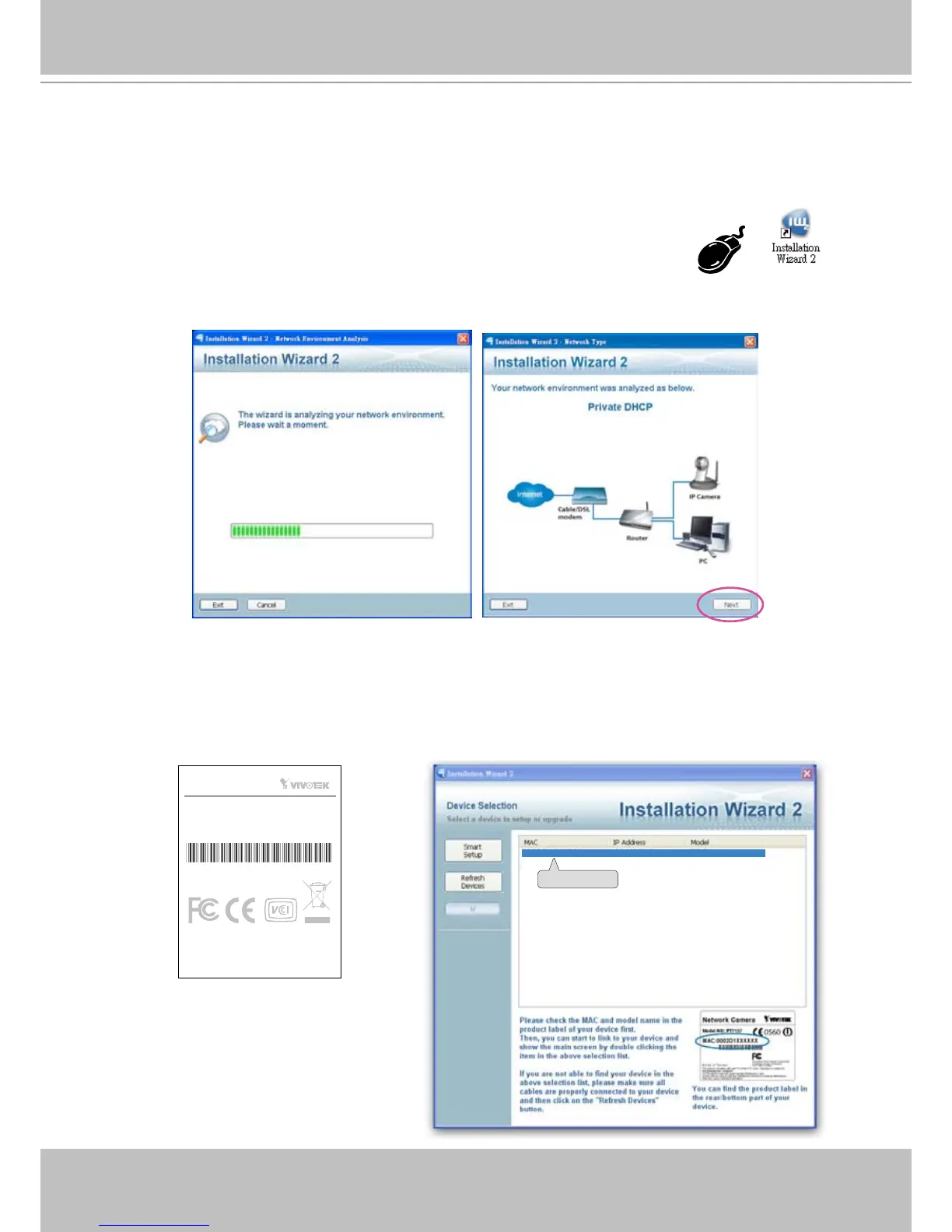
1� Install IW2 under the Software Utility directory from the software CD�
Double click the IW2 shortcut on your desktop to launch the program�
2� The program will conduct an analysis of your network environment�
After your network environment is analyzed, please click Next to continue the program�
3� The program will search for all VIVOTEK network devices on the same LAN�
4� After searching, the main installer window will pop up� Click on the MAC and model name
which matches the product label on your device to connect to the Network Camera via
Internet Explorer.
This device complies with part 15 of the FCC rules. Operation is subject to
the following two conditions:
(1)This device may not cause harmful interference, and
(2) this device must accept any interference received, including interference
that may cause undesired operation.
RoHS
Network Camera
Model No:IP7153
Pat. 6,930,709 Made in Taiwan



 To Next Page