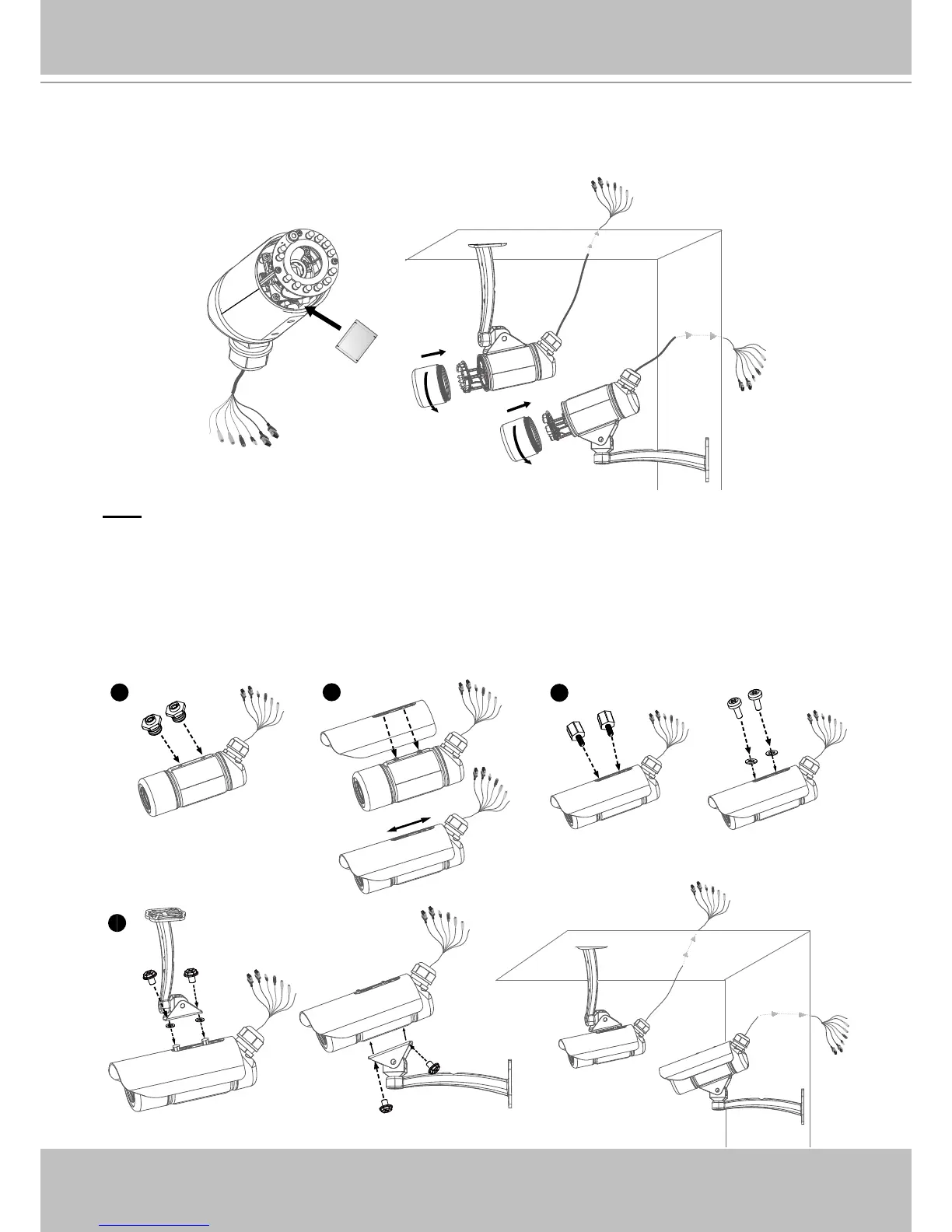
8� Tear down the aluminum foil vacuum bag and take out the silica gel� Attach the silica gel to
the inner side of the Network Camera, then tighten the lens cover� (Please replace the silica
gel with a new one if you open the back cover after installation�)
Note
If you want to use the supplied sun shield for outdoor environments, please follow the steps
below to install:
1� Tighten the supplied two screws�
2� Attach the supplied sun shield to the Network Camera and slide it to the desired position�
3. Fix the sun shield with supplied screws and washers. (Please use different screws for ceiling
mount�)
4� Secure the Network Camera to the wall/ceiling by the supplied camera stand�



 To Next Page