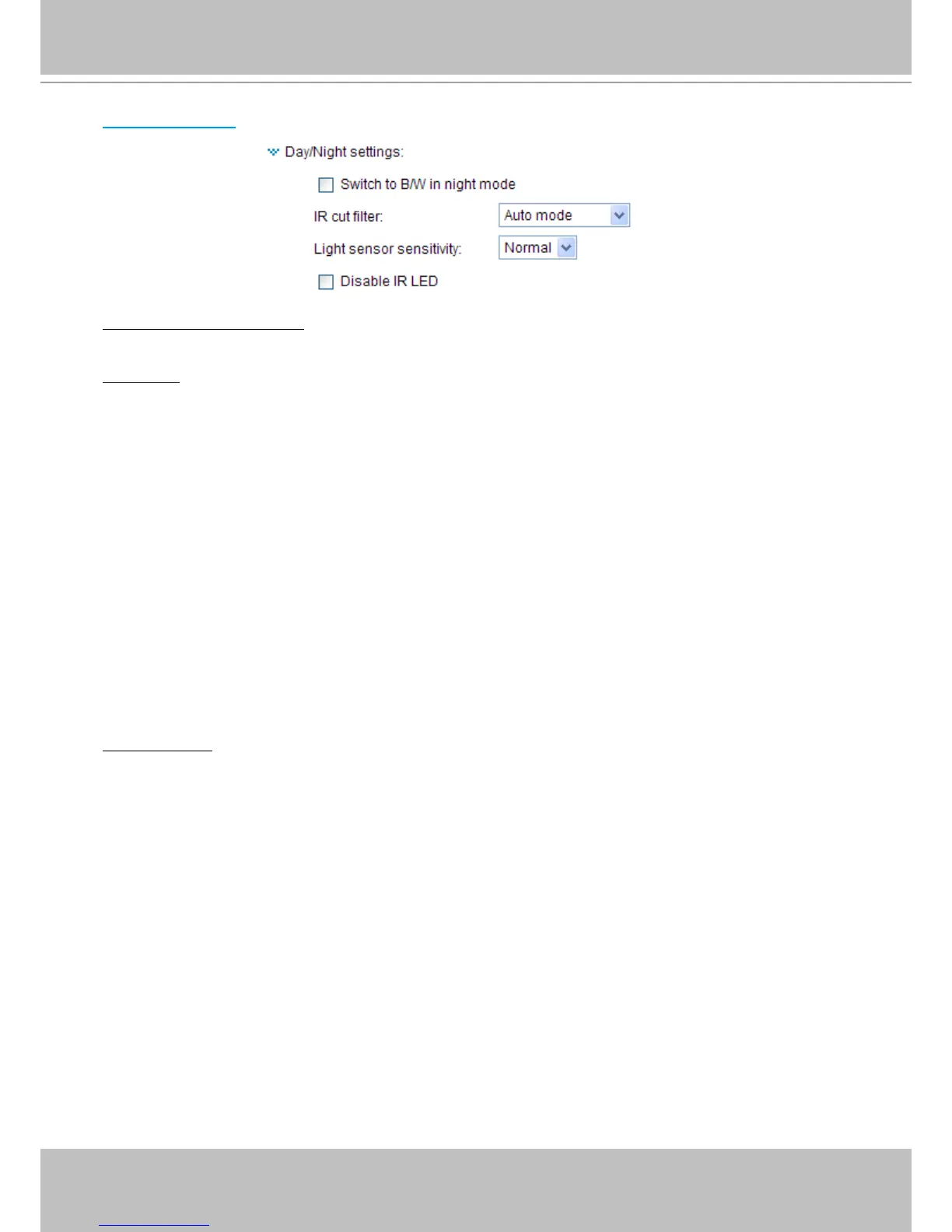
Day/Night Settings
Switch to B/W in night mode
Select this to enable the Network Camera to automatically switch to B/W during night mode�
IR cut lter
With a removable IR-cut lter and built-in IR illuminators effective up to 15m, this Network Camera can
automatically remove the lter and turn on the IR illuminators to let IR light into the sensor during low
light conditions�
■ Auto mode
The Network Camera automatically removes the lter by judging the level of ambient light.
■ Day mode
In day mode, the Network Camera switches on the IR cut lter at all times to block infrared light from
reaching the sensor so that the colors will not be distorted�
■ Night mode
In night mode, the Network Camera switches off the IR cut lter at all times for the sensor to accept
infrared light, thus helping to improve low light sensitivity�
■ Schedule mode
The Network Camera switches between day mode and night mode based on a specied schedule.
Enter the start and end time for day mode. Note that the time format is [hh:mm] and is expressed in
24-hour clock time� By default, the start and end time of day mode are set to 07:00 and 18:00�
Disable IR LED:
If you do not want to use the IR illuminators, you can select this option to turn it off�



 To Next Page