VIVOTEK
50 - User's Manual
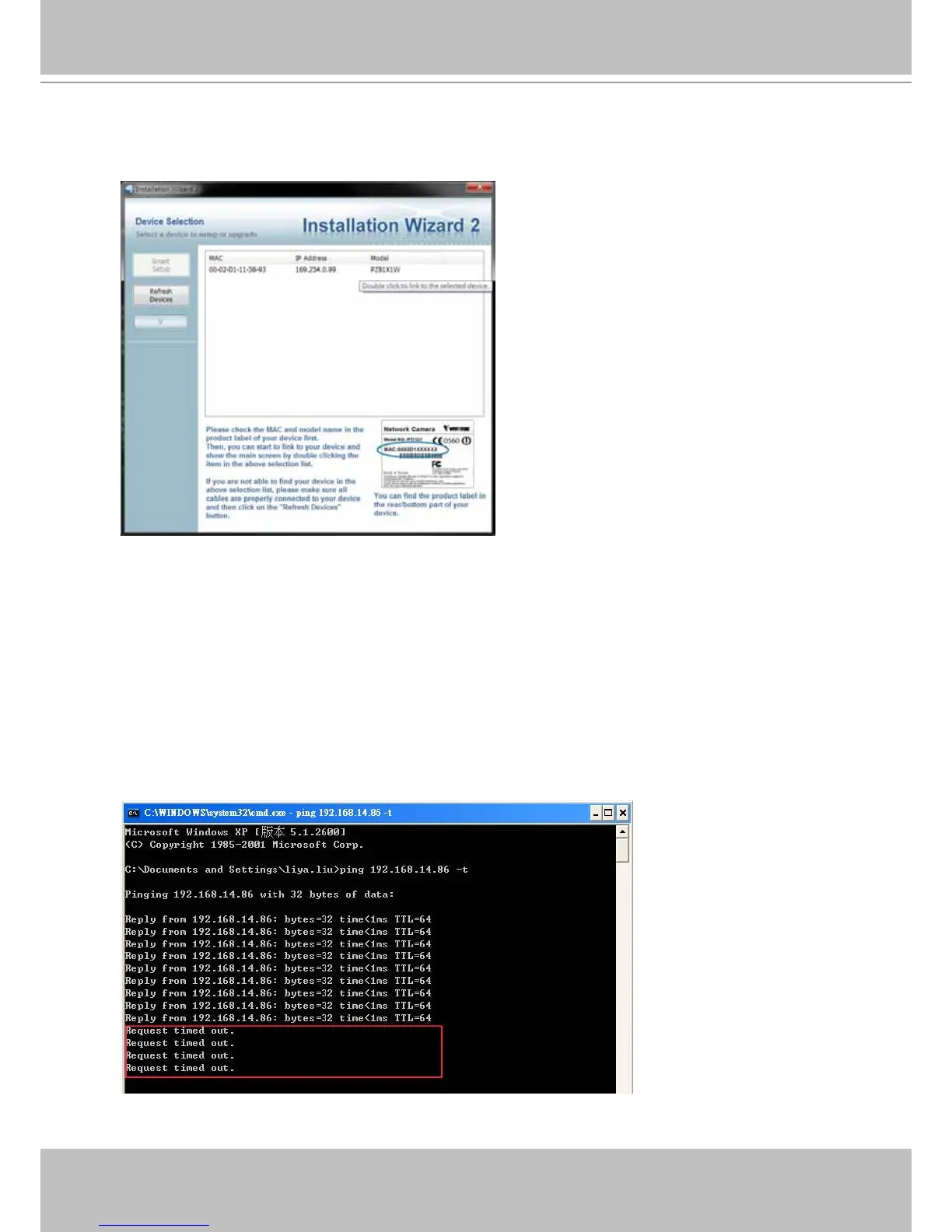
3� Attach a LAN cable between your wireless camera and router� Use the IW2 utility in the
product CD to locate the camera in LAN� Double-click on the IP address to start an IE session
with the camera�
4� Enter the Configuration > Wireless menu, and enter the name (SSID) of the existing
wireless network, channel number, and other related information� See the following pages for
more details� You may enter the Conguration > Network page to setup a DHCP or a static
IP�
5� You may then use the ping command to detect if your camera is switching from “wired”
connection to “wireless” connection. Open a command prompt window (or click on
Windows Start menu, type “cmd” in the Run command eld). Ping the camera’s LAN port IP
address (use the <ping xxx.xxx.xx.xx –t> argument in the command).
Watch closely when the pinging process displays “Request timed out�” That means the
wireless connection is taking over� Unplug your LAN cable immediately�



 To Next Page