VIVOTEK
8 - User's Manual
Network Deployment
Setting up the Network Camera over the Internet
This section explains how to congure the Network Camera to an Internet connection�
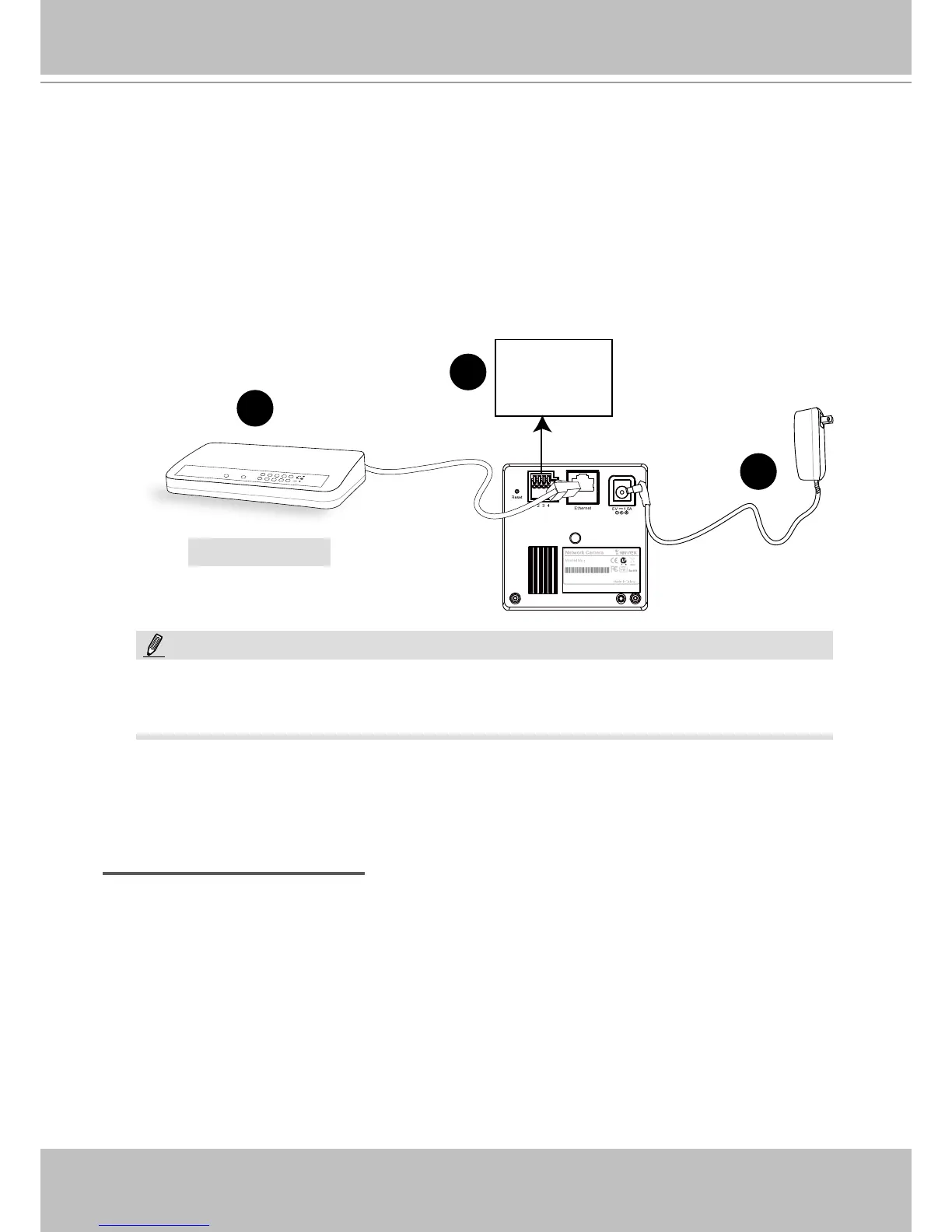
1� If you have external devices such as sensors and alarms, make connections from general I/O
terminal block�
2� Connect the camera to a switch via Ethernet cable� Use a Category 5 Cross Cable when
Network Camera is directly connected to PC�
3� Connect the power cable from the Network Camera to a power outlet�
There are several ways to set up the Network Camera over the Internet� The rst way is to set
up the Network Camera behind a router� The second way is to utilize a static IP� The third way is
to use PPPoE�
Internet connection via a router
Before setting up the Network Camera over the Internet, make sure you have a router and follow
the steps below�
1� Connect your Network Camera behind a router, the Internet environment is illustrated below�
Regarding how to obtain your IP address, please refer to Software Installation on page 10 for
details�
MAC:0002D132C353
IP8132
This device complies with part 15 of the FCC rules. Operation is subject to the following two conditions:
(1)This device may not cause harmful interference, and
(2) this device must accept any interference received, including interference that may cause undesired operation.
Pat. 6,930,709
POW ER
COLLISION
LINK
RECEIV E
PARTITION
1
2
3
4
5
2
3
Ethernet Switch
4: Power
3: Digital output
2: Digital input
1: Ground
1
NOTE:
The IP8133 can acquire power through a cable connection with a PoE switch� However,
when so connected, the camera is only to be connected to PoE networks without routing
to outside plants�



 To Next Page