VIVOTEK
User's Manual - 97
Recording
Advanced Mode
This section explains how to congure the recording settings for the Network Camera.
Recording Settings
Network Storage Setting
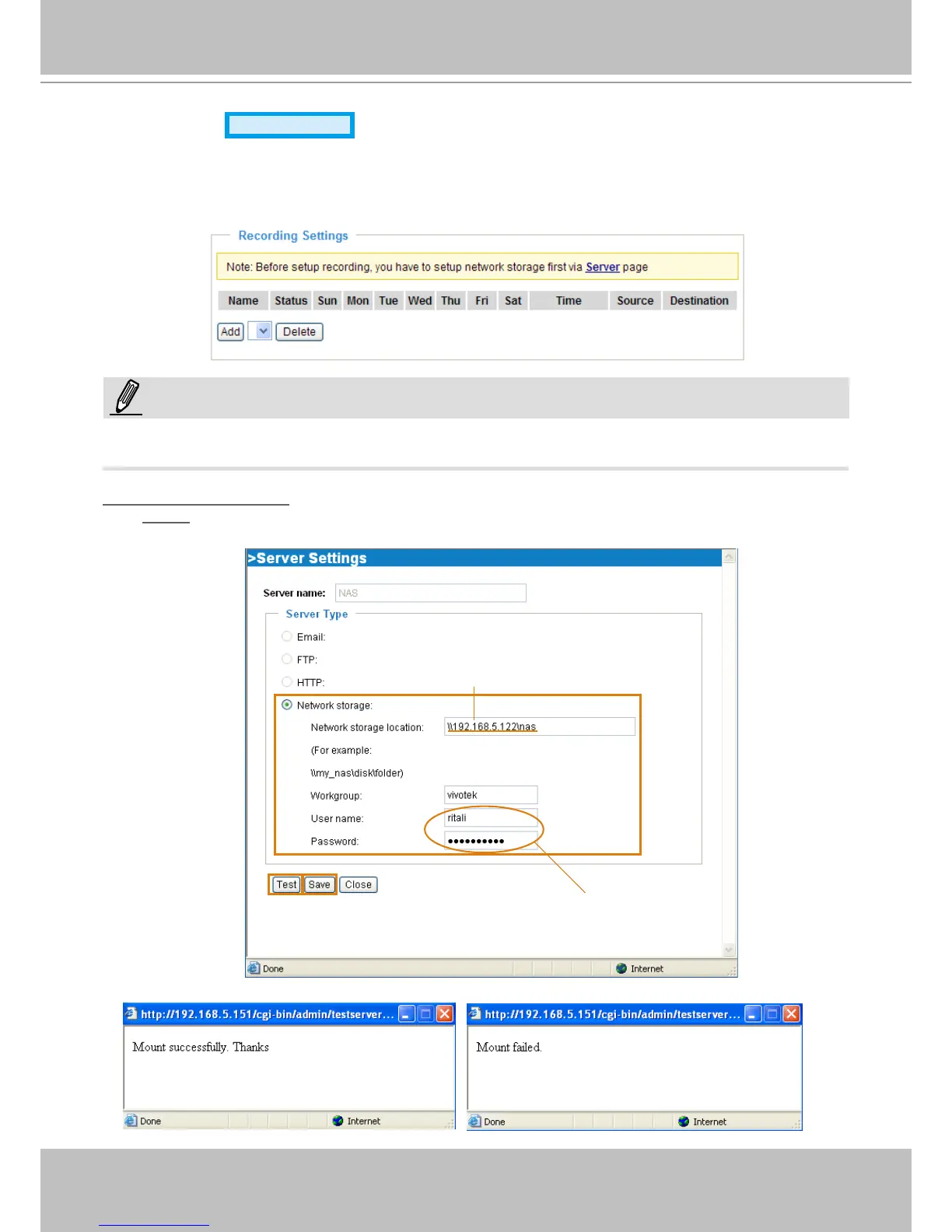
Click Server to open the Server Settings page and follow the steps below to set up:
1� Fill in the information for your server�
For example:
2� Click Test to check the setting� The result will be shown in the pop-up window�
1
2
3
4
Network storage path
(\\server name or IP address\folder name)
User name and password for your server
NOTE:
Before setting up this page, please congure the Network Storage on the Server Settings page rst.



 To Next Page