VIVOTEK
User's Manual - 13
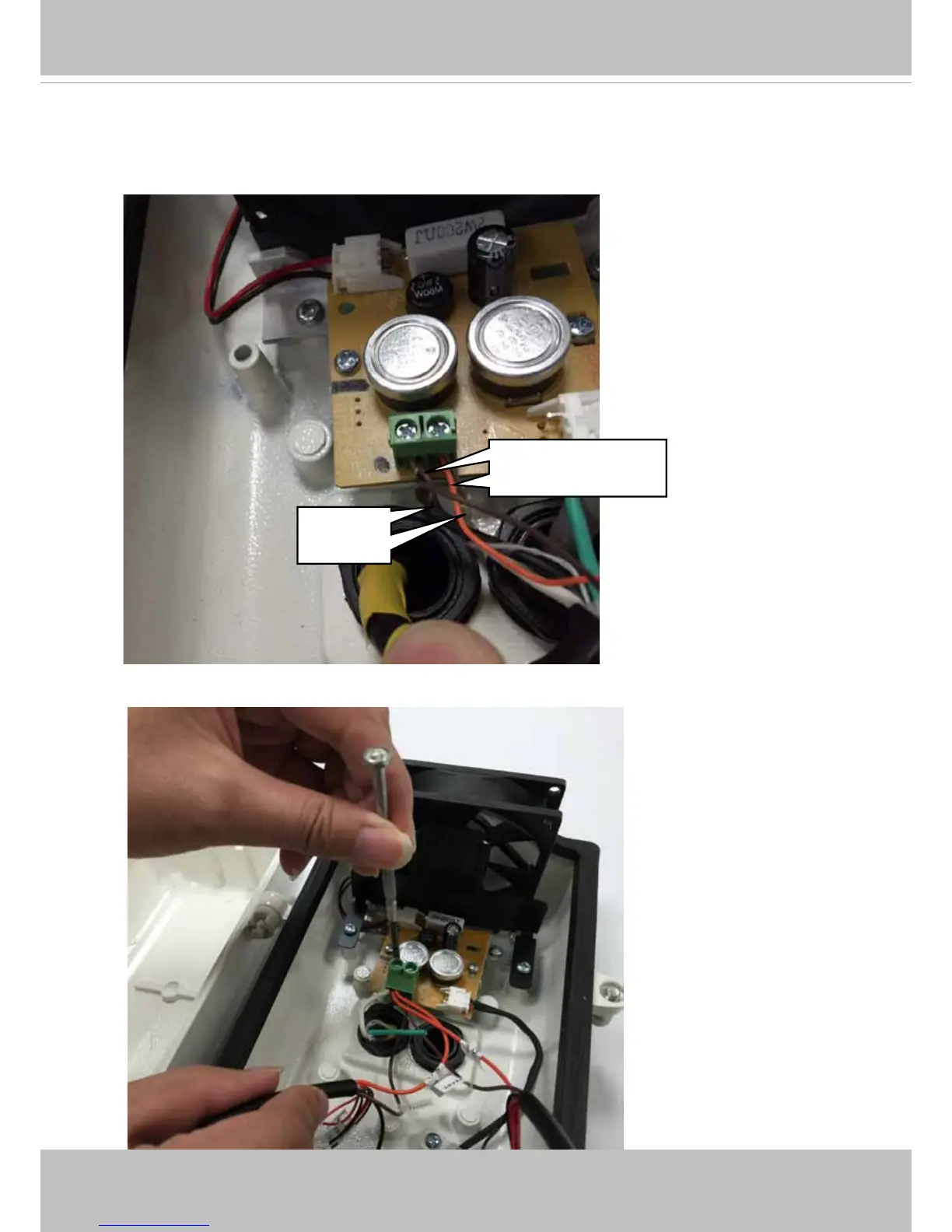
12. Attach the AC24V power wires and power inputs from the IR light units to the terminal
connector. Connect the Brown and Orange (26AWG) wires from both IR units to the
terminal. Since AC 24V is polarity free, Connect AC 24V from outer source, 24V inputs
for IR (2 pairs), and 24V inputs for camera, all to the same terminal connector.
AC24V
power
Power to IR:
Brown & Orange
Connect the power inputs from another IR light unit to the same terminal connector.



 To Next Page