VIVOTEK
User's Manual - 45
Media > Image
Advanced Mode
This section explains how to configure the image settings of the Network Camera� It is
composed of the following four columns: General settings, Image settings, Exposure, and
Privacy mask�
General settings
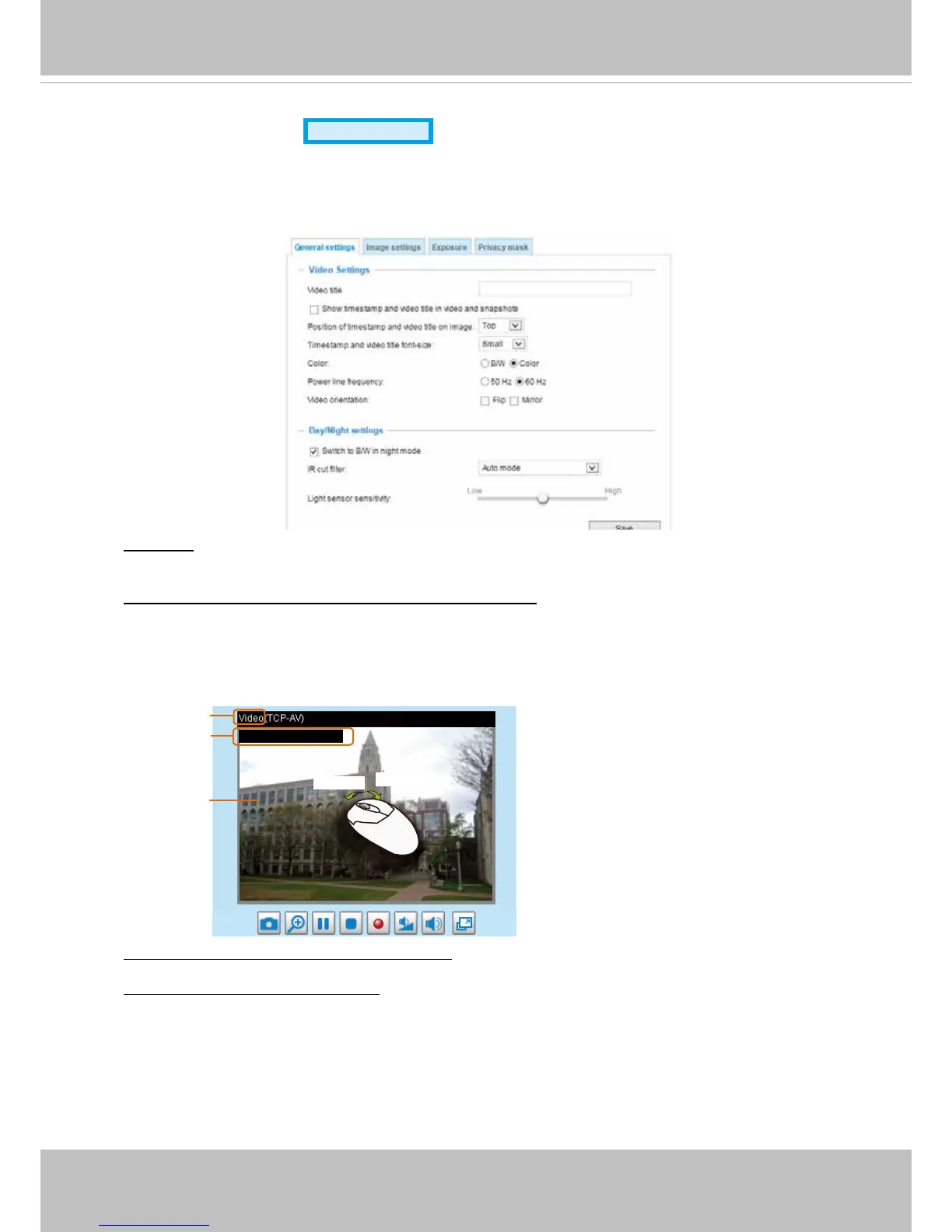
Video title: Enter a name that will be displayed on the title bar of the live video as the picture shown
below�
Show timestamp and video title in videos and snapshots: Select this checkbox if you prefer video
title and time stamp to display in videos and snapshots�
A zoom indicator will be displayed on the Home page when you zoom in/out on the live viewing
window as shown below� You may zoom in/out on the image by scrolling the mouse wheel inside
the live viewing window, and the maximum zoom in will be up to 12 times�
Video Title
Title and Time
Video 17:08:56 2012/06/09
2012/06/09 17:08:56
X2.1
Zoom Factor
Zoom In
Zoom Out
Position of timestamp and video title on image: Select the position of the timestamp on a screen.
Timestamp and video title font-size: Select a preferred font size for the information displayed on
screen�



 To Next Page