VIVOTEK
96 - User's Manual
PTZ
Mechanical PTZ Operation
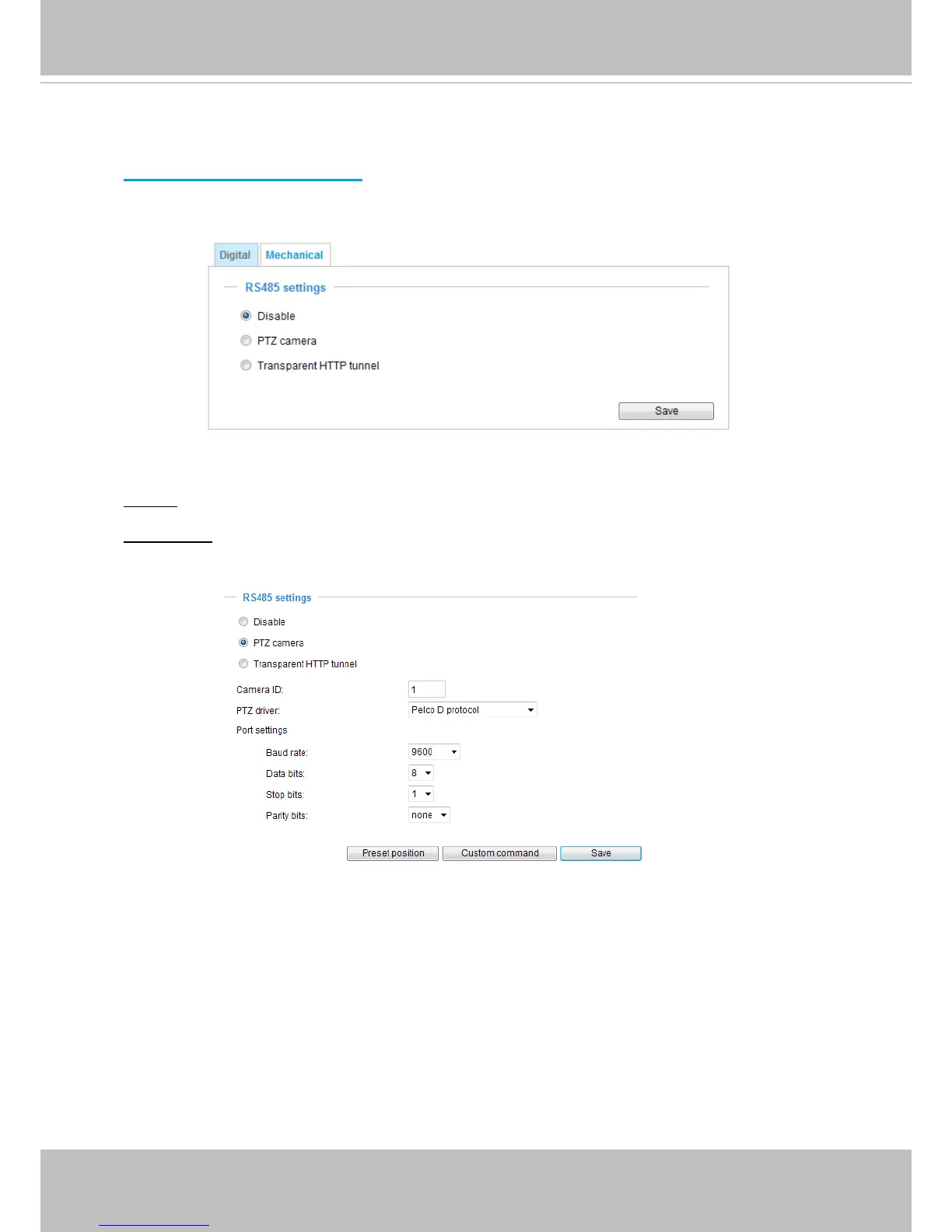
If you select “Mechanical“, the RS485 Settings section will be displayed as shown below:
RS485 Settings
Disable: Select this option to disable this function.
PTZ camera: Select this option to enable PTZ operation.
To utilize this feature, please connect the Network Camera to a PTZ driver or scanner via RS485
serial interface first� Then you can configure the PTZ driver and RS485 port with the following
settings�
VIVOTEK provides the following PTZ drivers: DynaDome/SmartDOME, Lilin PH-7x00, Pelco D,
Pelco P, and Samsung scc643 protocol� If your PTZ scanner does not support any of the drivers
above, please select Custom camera (scanner)� Please refer to the documentation of your PTZ
scanner to determine the Camera ID, PTZ driver, and Port settings� The Camera ID is necessary to
control multiple cameras� If you click Save to enable this function, the camera control panel will be
displayed on the main page� Please refer to the illustration on page 98�



 To Next Page