VIVOTEK
76 - User's Manual
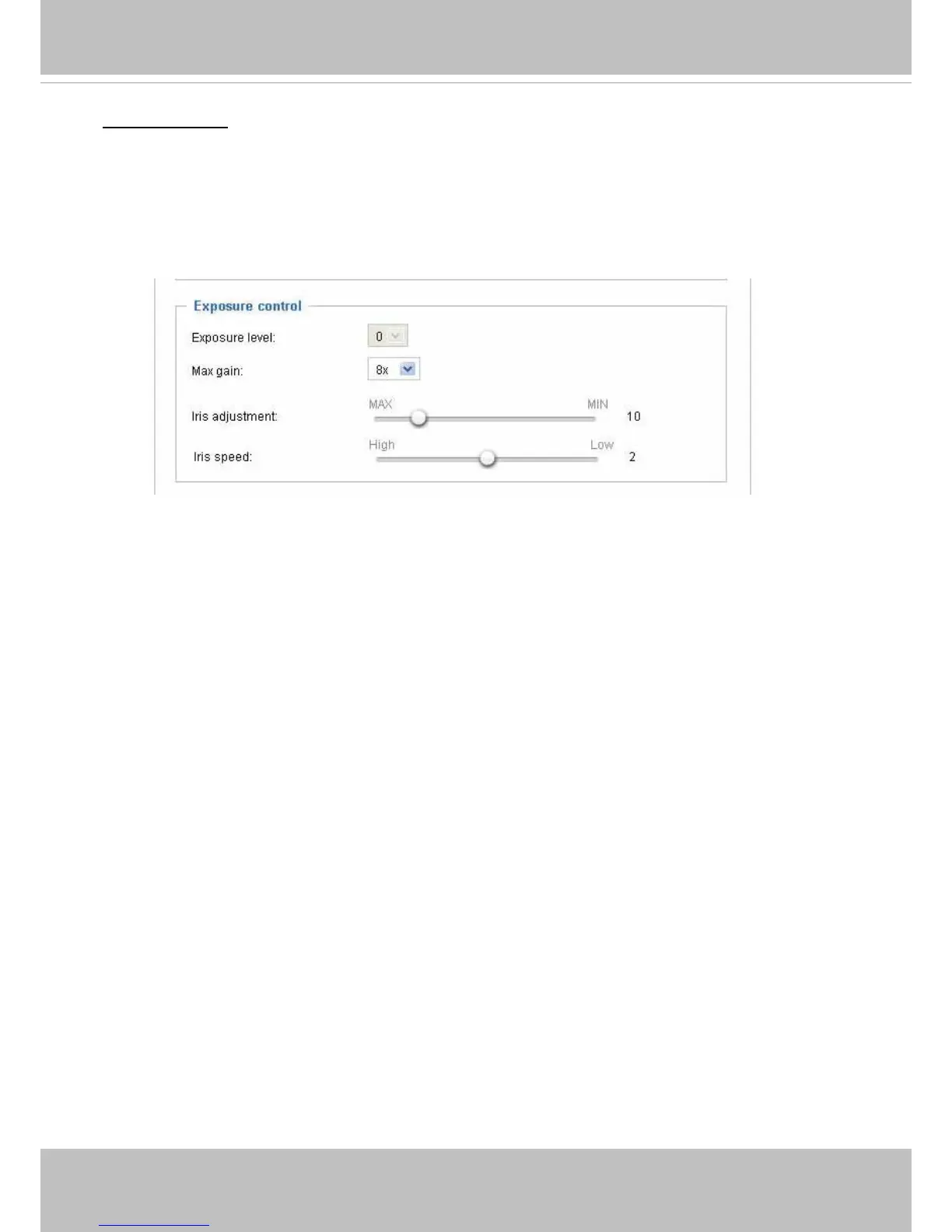
Exposure control:
■
Exposure level: You can manually set the Exposure level, which ranges from 0 to 8 (dark to bright)�
Note that if WDR function is enabled, the Exposure level menu will be disabled!
Higher
exposure rate improves image quality, but may come with the trade-off of motion blurs�
■
Max gain: Select the reasonable signal gain value exerted by the automated P-iris mechanism to
maintain a good imaging quality. Note that the gain control, depth of eld (related to the size of iris
opening), lighting conditions, and picture performance are closely related�
■
Iris Adjustment: The camera comes with a P-iris lens, which controls the iris opening with extreme
precision by its built-in stepping motor� Via software controls, the lens maintains the iris opening at an
optimal level at all times, resulting in superior sharpness and depth of eld as well as image quality.
You can manually tune the value of iris opening (aperture size), which can range from 1 to 100 (long
depth of eld).
• The smallest number, 1, means the iris is open as wide as possible (largest amount of light
received with shortest depth of eld)
�
• The largest number, 100, means the iris is narrowed down as much as possible (smallest amount
of light received with longest depth of eld)
�
Once set, the iris will stay at current position as long as the lighting condition allows� When external
lighting conditions exceed an acceptable range, the P-iris mechanism adjusts itself�
■ Iris speed:
The Iris speed slide bar is for adjusting the opening or closing speed of the iris from 1
(High) to 3 (Low) steps
� You can also adjust the Gain control and Exposure level according to the
ambient light�
You can click Preview to fine-tune the image, or click Restore to recall the original settings without
incorporating the changes� When completed with the settings on this page, click Save to enable the
settings�



 To Next Page