VIVOTEK
User's Manual - 7
2
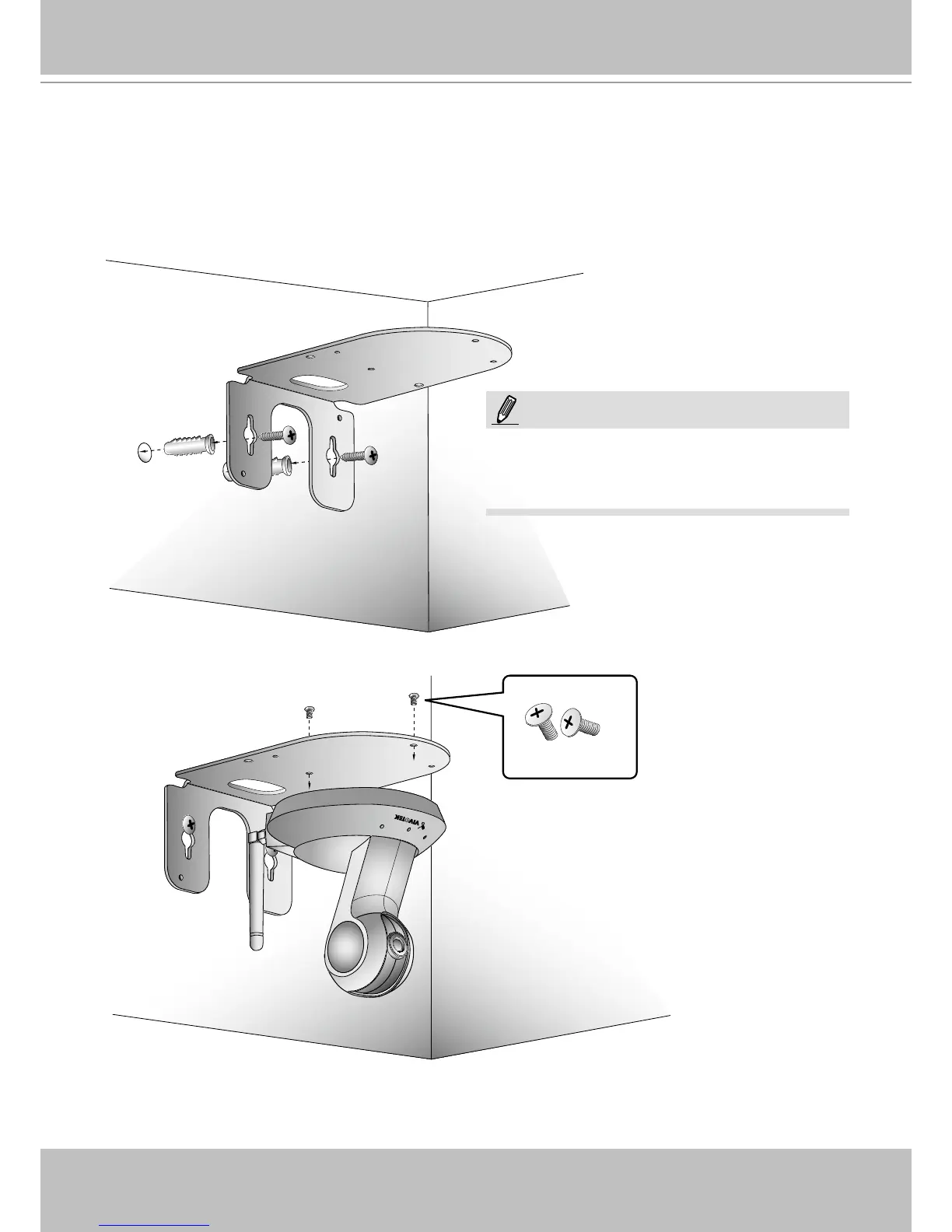
Mounting the Network Camera - Wall Mount
1. Use the holes on the mount bracket as a template to mark where holes will be drilled on the ceiling.
Drill two holes into the wall; and hammer in the plastic anchors.
2. Secure mount bracket to the wall using two included panhead screws.
3. Attach the Network Camera to the mount bracket using two athead screws.
4. You can now proceed with cabling.
If you prefer wireless conguration, you can
congure wireless connection before you mount
the camera to bracket.
NOTE:



 To Next Page