VIVOTEK
8 - User's Manual
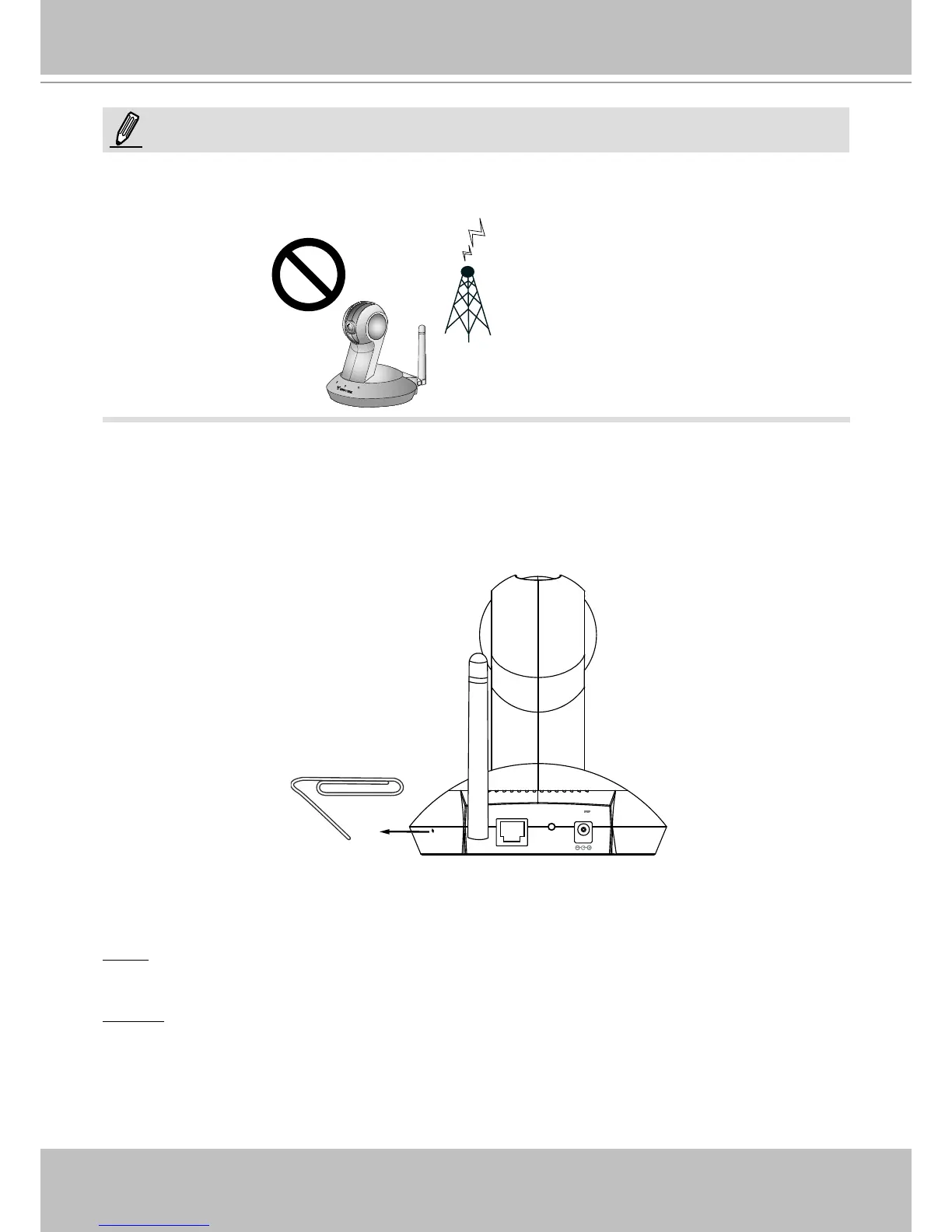
Hardware Reset
The reset button is used to reset the camera or restore the factory default settings. Sometimes
resetting the system can return the camera to normal operation. If the system problems remain
after rebooting, restore the factory default settings.
Reset: Press and release the recessed reset button with a straightened paper clip. Wait for the
Network Camera to reboot.
Restore: Press and hold the recessed reset button until the status LED rapidly blinks red and
green simultaneously. Note that all settings will be restored to factory default.
ETHERNET
12V
1.5A
WPS
► Keep away from interference source to make sure performance integrate, and avoid snow or
moiré patterning.
NOTE:



 To Next Page