VIVOTEK
User's Manual - 71
Sensor Settings
Advanced Mode
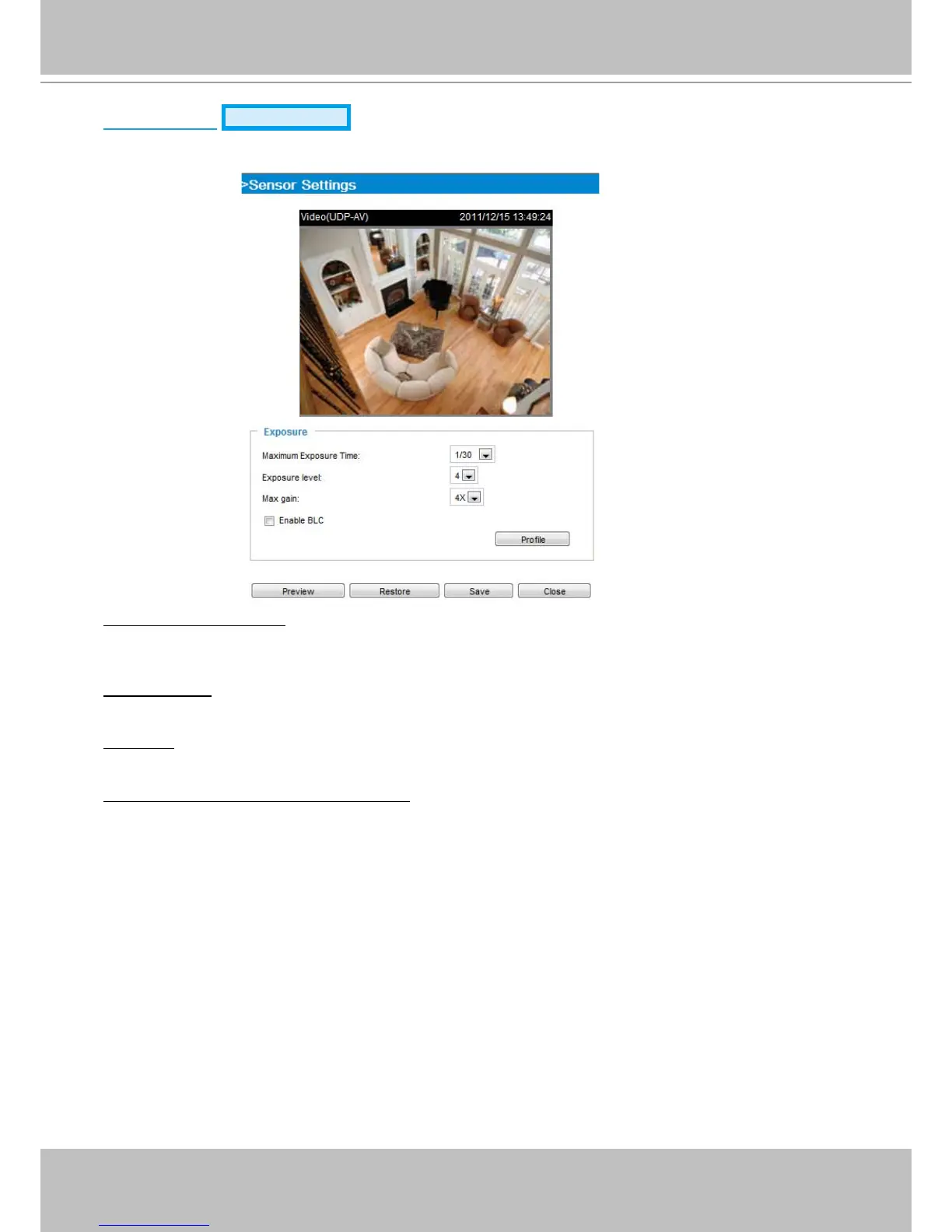
Click Sensor settings to open the Sensor Settings page. On this page, you can set the Maximum
Exposure Time, Exposure level, BLC settings, and an image prole for a different period of time.
Maximum Exposure Time: The default iris setting of the sensor is xed mode, and the AES option will be
1/30. There are several options for AES: 1/5, 1/15, 1/30, 1/60, 1/120, 1/240, and 1/480 second. Faster
electronic shutter would enable the Network Camera to capture fast-moving objects more clearly.
Exposure level: Select a value ranging from 1 to 8 to determine the exposure level depending on the
lighting condition of the installation site.
Max gain: Select 2X, 4X, or 8X for exposure gain values should the need arises for low lighting
conditions. While the signal gains increase, noises will also increase.
Enable BLC (Back Light Compensation): Select it when the object is too dark or too bright to be
recognized, e.g., an object of interest is posed against a bright background. It will give the captured
images the necessary light compensation.



 To Next Page