VIVOTEK
24 - User's Manual
Advanced Mode
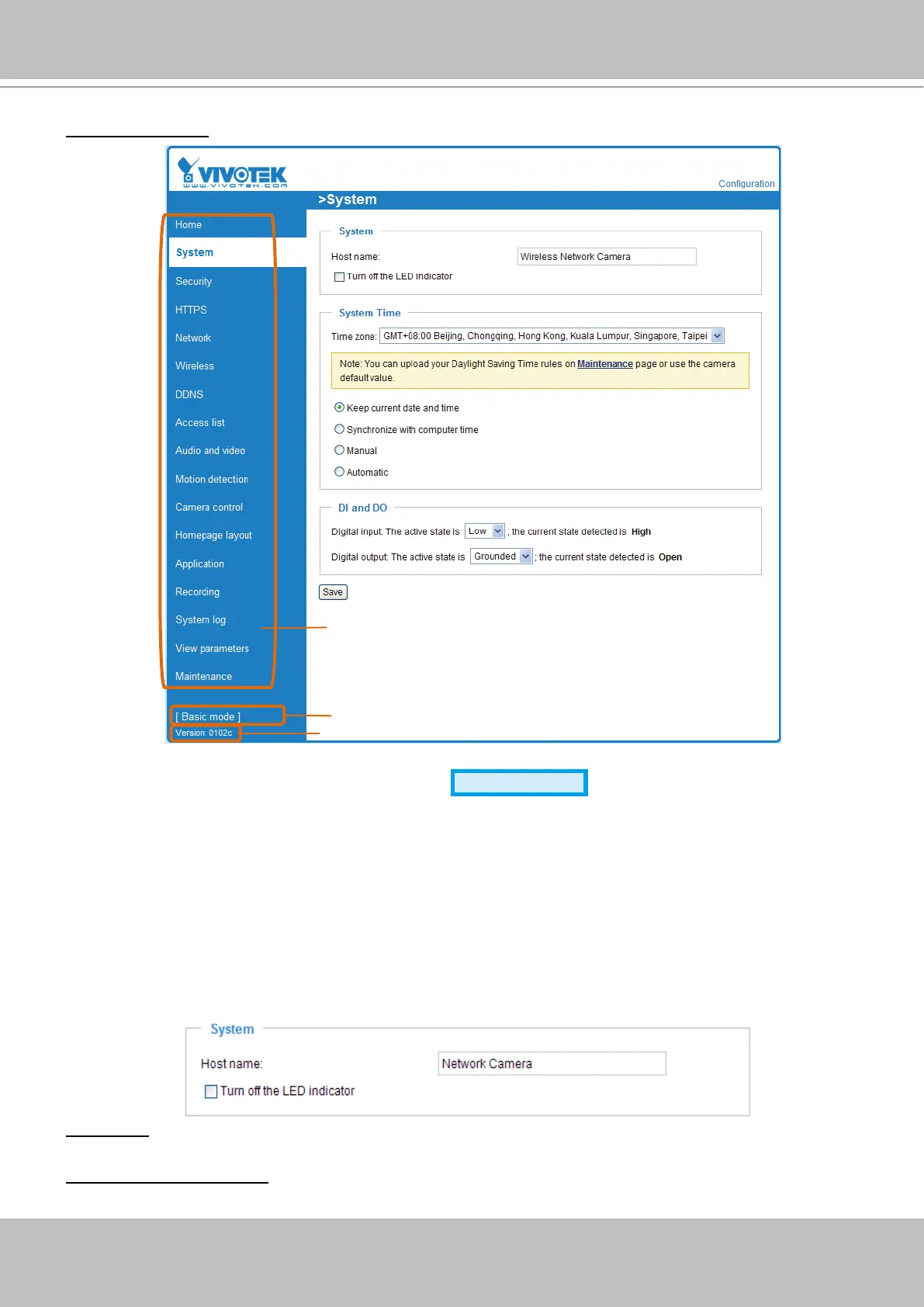
Each function on the conguration list will be explained in the following sections. Those functions that are
displayed only in Advanced Mode are marked with
Advanced Mode
� If you want to set up the advanced
functions, please click [Advanced Mode] on the bottom of the conguration list to quickly switch over.
System
This section explains how to configure the basic settings for the Network Camera, including
System, System Time, and DI/DO� When completed with the settings on this page, click Save at
the bottom of the page to enable the settings�
System
Host name: Enter the desired name for the Network Camera� The text will be displayed at the top of the
main page�
Turn off the LED indicators: If you do not want to let others know that the network camera is in operation,
you can select this option to turn off the LED indicators�
Click to switch to Basic mode
Firmware Version
Configuration list



 To Next Page