26
STRUCTURE - START-UP
3.4 FIRST STEPS
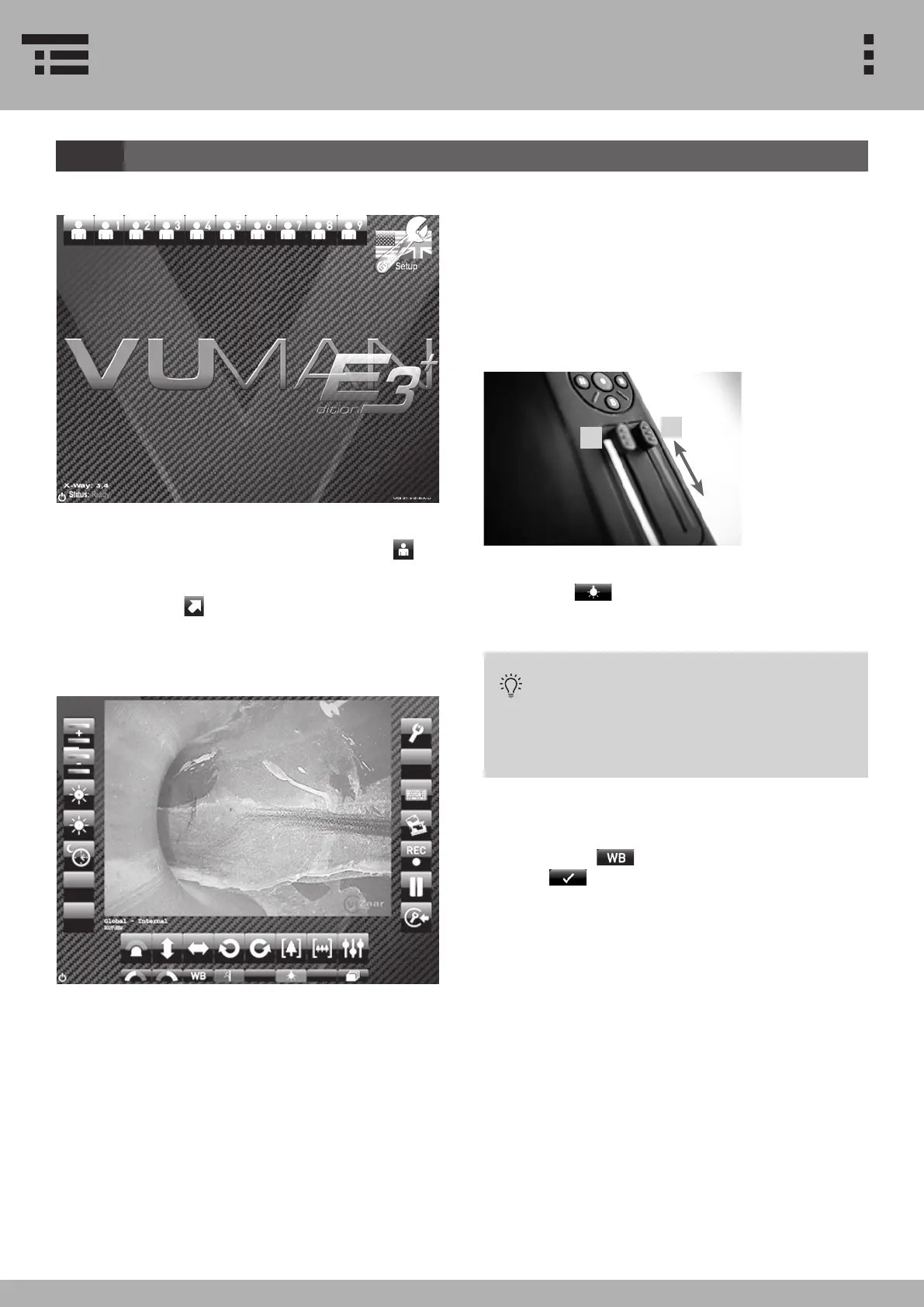
The rst screen setting will ask you to choose a user*
setting. For a quick start choose DEFAULT USER.
After selecting DEFAULT USER, enter the operation
menu by pressing
A rst image will appear when entering the operation
menu.
1. Setting the illumination slide bar to maximum, illu-
mination is set to AUTO. A position slightly below that
level will set illumination to maximum.
2. The Remte Focus slide bar is focussing the Image
from near focus to far focus.
3. Press LED ILLUMINATION for further control of the
illumination.
LED ILLUMINATION activated: Use
illumination slide bar to adjust
light intensity or to shut o LED
illumination. Exposure control is
still intact.
4. Point the probe at a white piece of paper and per-
form a white balance check by pressing the white
balance button . Conrm the process by
pressing . If not successful, please adjust white
balance again.
2
1
*Dierent users are only available for VUMAN E3+


 To Next Page