28
STRUCTURE - START-UP
3.4.2 SAVING IMAGES
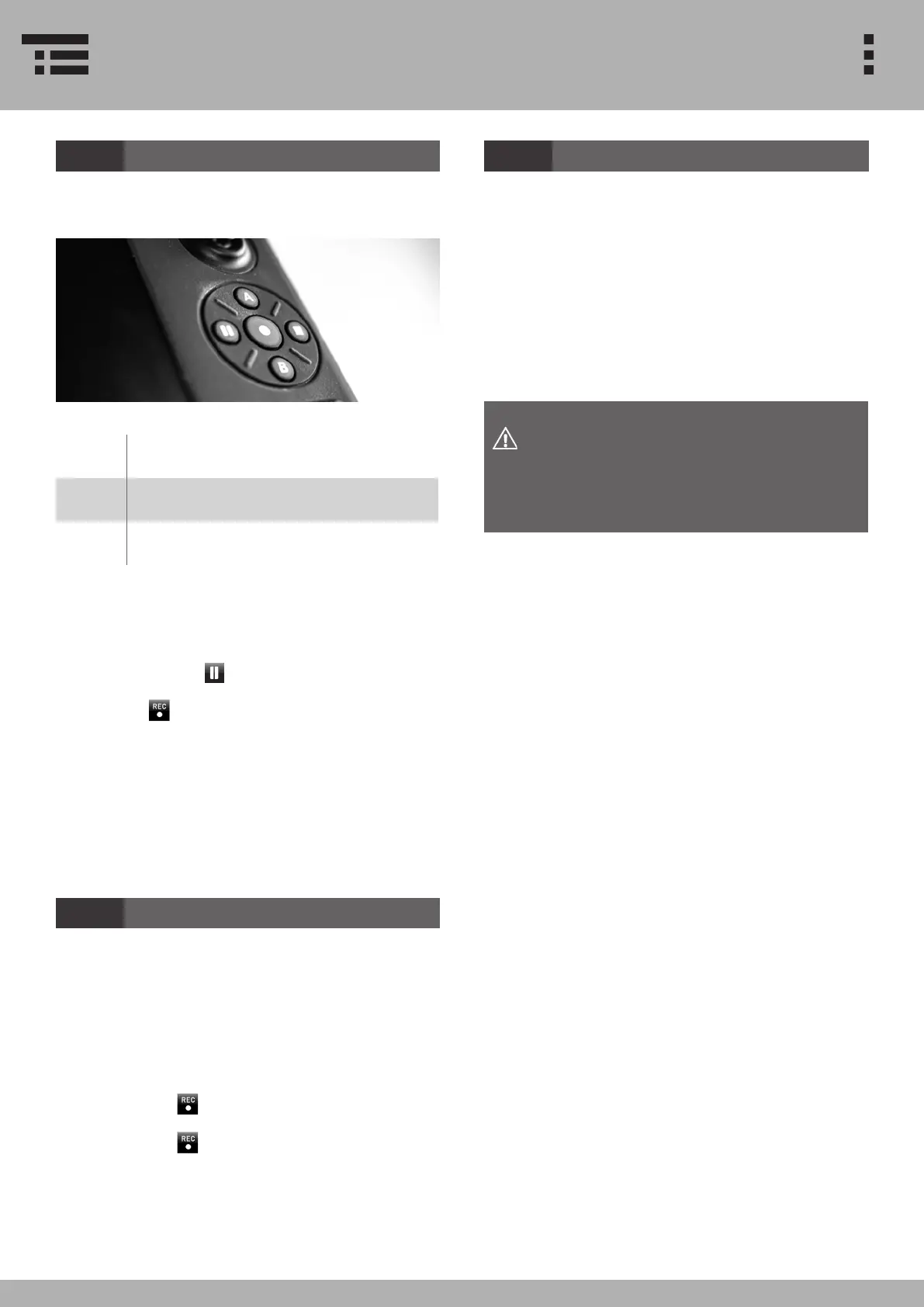
Save images via direct access button pad:
B Capture single image
II
1. Freeze / unfreeze image
l
2. Start / stop recording
To save an image via touch screen, please follow these
instructions:
1. Press FREEZE to freeze / unfreeze the image
2. Press to save the image.
The les are internally stored. The File Manager gives
you access to your stored les. You can also copy the
les to a USB memory stick.
3.4.3 SAVING VIDEOS
Save videos via direct access button pad:
l Start / stop recording
To save a video via touch screen, please follow further
instructions:
1. Press RECORD to start the video recording.
2. Press RECORD again to stop the video recording.
The internal memory of the VUMAN® E3 / E3+ allows
for several hours of high resolution video-recording or
f several thousand high quality screen shots. However,
if you reach the memory limit the system will give you a
short message:
3.4.4 MEMORY LIMIT
STRUCTURE - START-UP
In that case, please connect an external drive and
transfer your data. To make sure no data is lost, you
will have to manually delete the data on your system
after completing the data transfer process.
Avoid physical impacts on the USB-stick
when it is connected to the device. Other-
wise you might damage the USB drives or
the slot.


 To Next Page