28 29
STRUCTURE - START-UP STRUCTURE - START-UP
3.4.5 SYSTEM SHUTDOWN
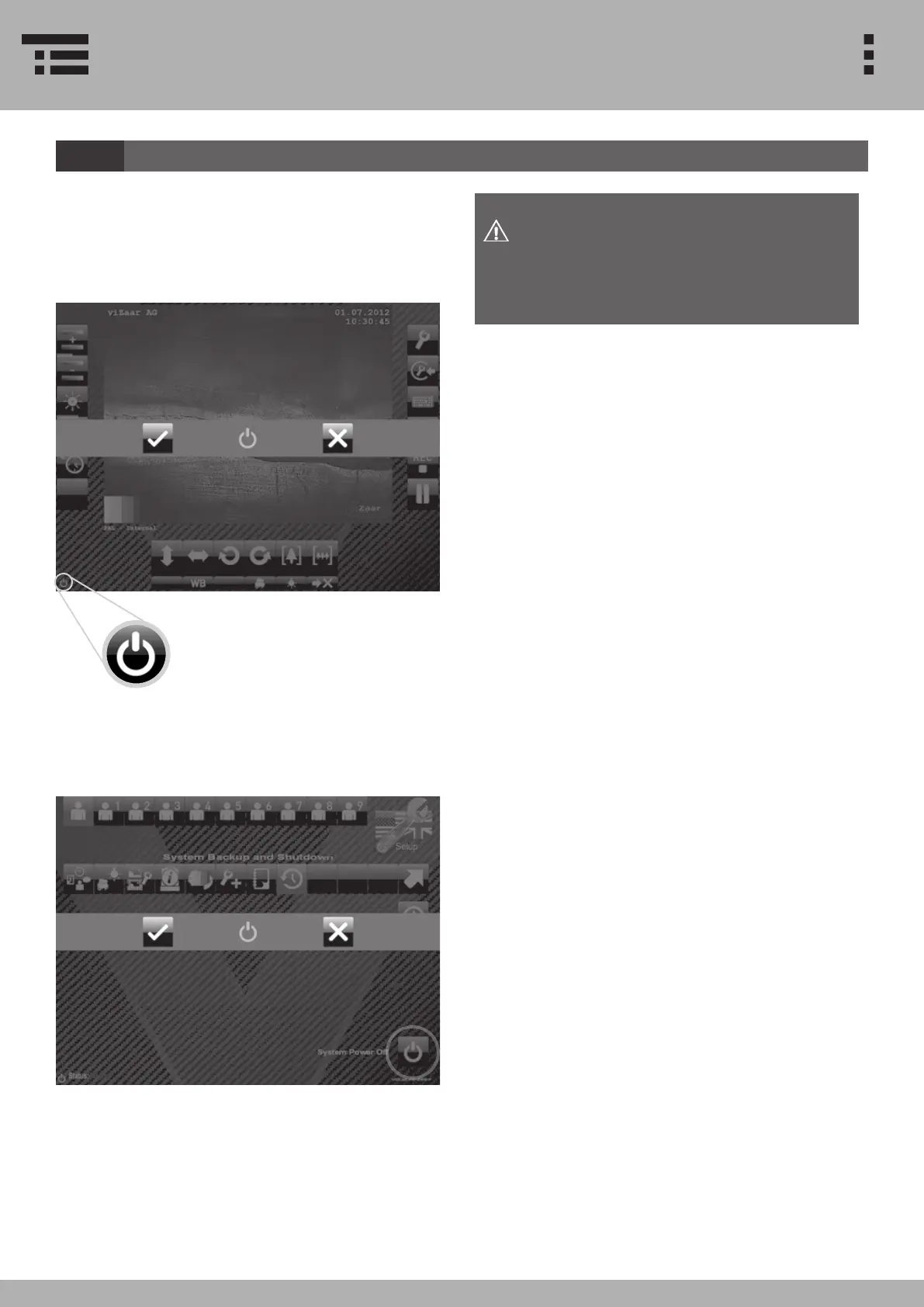
Please use the following steps to ensure a safe shut-
down of the system
1. Touch the OFF symbol on the screen (the OFF sym-
bol in located on the left bottom of every menu).
2. After pushing OFF, a menu
appears. Now select if you want to
turn o your system or return to
operation.
Press SYSTEM POWER OFF to turn o the system.
Always shut down the system as shown in
the operating instructions.
Non-observance of the instruction may
cause system failures and/or data loss!
If you want to turn o your system through the setup
menu, please go to System Backkup Menu


 To Next Page