2
CONNECTING AN AUDIO DEVICE - AUDIO CABLE TYPES
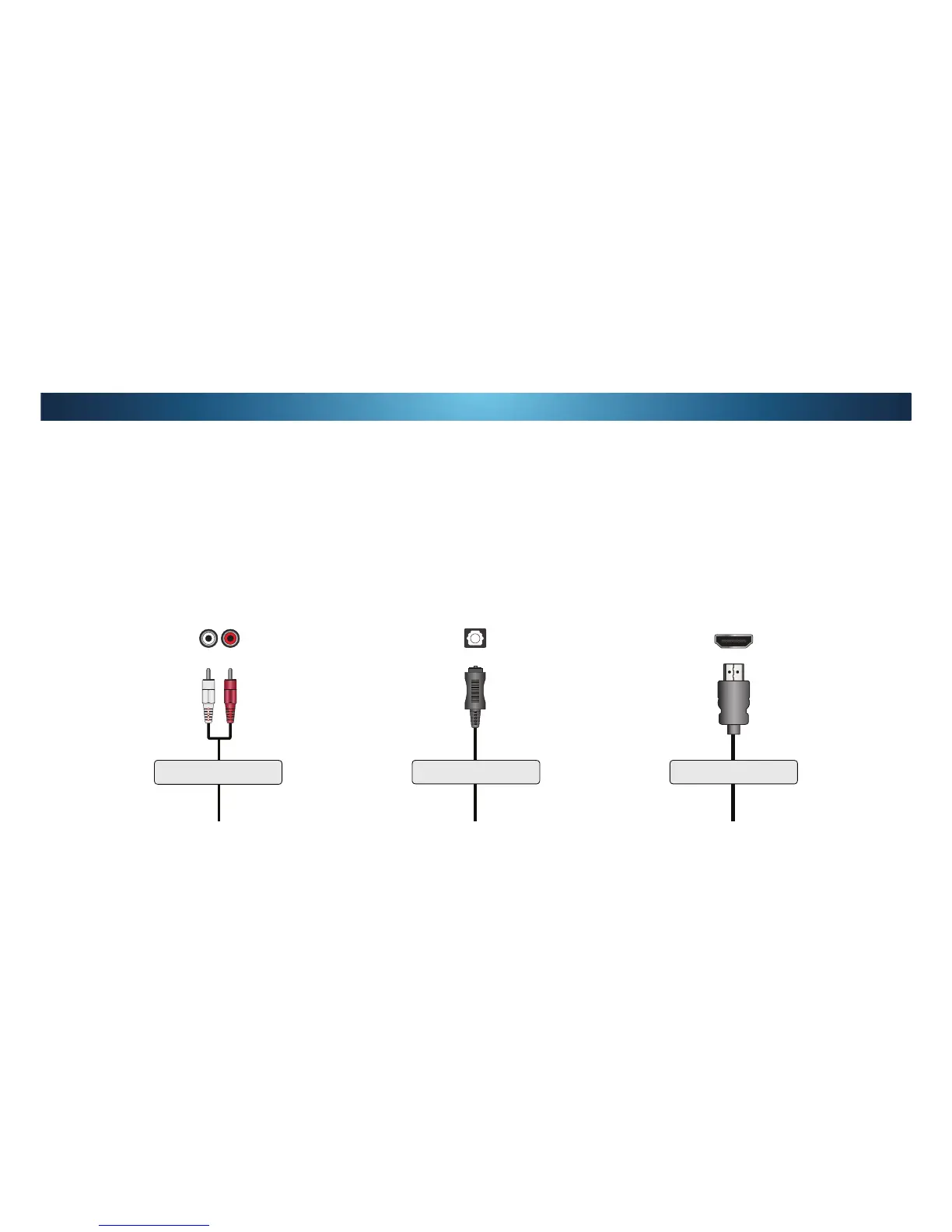
RCA CABLE
RCA cables (or Composite cables) are the
traditional way of connecting your devices to your
audio device. Audio signals are sent over the red
and white connectors.
• Quality Stereo Connection
• 2.0 Channel
• Analog Connection
• Audio Signal Only
237Ζ&$/63'Ζ)&$%/(
2SWLFDO63'Ζ) FDEOHV WUDQVPLW DXGLR VLJQDOV DV
pulses of light through a cable made of plastic
ȴEHUV $XGLR VLJQDOV DUH GLJLWDOO\ WUDQVPLWWHG
between devices.
• PCM Stream (Lossless)
• Dolby Digital 5.1 Channel
• DTS 5.1 Channel
• Digital Connection
• Audio Signal Only
HDMI CABLE
HDMI technology transmits crystal-clear digital
multi-channel surround audio through a single
HDMI cable. Audio Return Channel-enabled
(ARC) TVs allow audio to be sent over an already
connected HDMI cable, eliminating the need for
D VHSDUDWHDXGLR FDEOH6HH&RQQHFWLQJDQ$XGLR
'HYLFH$UFRQSDJH
• ARC 2-way Communication
(Auto setup)
• PCM, DTS, Dolby Digital
• 2.0 - 5.1 Scaleable Lossless
Digital Audio Connection
• Audio and Video Signals


 To Next Page