EasyManua.ls Logo

Vizio VA22LF - User Manual

Vizio VA22LF
52 pages
Print Icon
To Next Page IconTo Next Page
Loading...
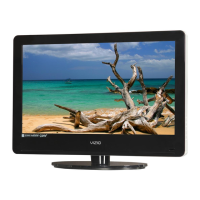
VIZIO VA22LF HDTV10T User Manual
Version 9/12/2008 1
www.VIZIO.com
Dear VIZIO Customer,
Congratulations on your new VIZIO VA22LF HDTV10T High Definition
LCD Television purchase. To get the maximum benefit from your HDTV,
read these instructions before making any adjustments, and retain them
for future reference. We hope you will experience many years of
enjoyment from your new HDTV.
For assistance, call (877) 698-4946 or e-mail us at
techsupport@VIZIO.com.
To purchase or inquire about accessories and installation services for
your HDTV, visit our website at www.VIZIO.com or call toll free at 888-
VIZIOCE (888-849-4623).
We recommend you register your HDTV either by visiting our website
(www.VIZIO.com) or by completing and mailing in your registration card.
For peace of mind and to protect your investment beyond the standard
warranty, VIZIO offers on-site extended warranty service plans. These
plans give additional coverage during the standard warranty period. Visit
our website or call us to purchase a plan.
Write down the serial number located on the back of your HDTV.
__ __ __ __ __ __ __ __ __ __ __ __ __ __
Purchase Date _____________________
VIZIO is a registered trademark of VIZIO, Inc. dba V, Inc.
HDMI logo and “High Definition Multimedia Interface” are registered
trademarks of HDMI Licensing LLC.
Manufactured under license from Dolby Laboratories.
Dolby and the double-D symbol are trademarks of Dolby Laboratories.
THE TRADEMARKS SHOWN HEREIN ARE THE PROPERTY OF THEIR RESPECTIVE OWNERS; IMAGES USED ARE FOR
ILLUSTRATION PURPOSES ONLY. BRAVO, VIZIO AND THE V LOGO AND WHERE VISION MEETS VALUE AND OTHER VIZIO
TRADEMARKS ARE THE INTELLECTUAL PROPERTY OF VIZIO INC. PRODUCT SPECIFICATIONS ARE SUBJECT TO
CHANGE WITHOUT NOTICE OR OBLIGATION. © 2008 VIZIO INC. ALL RIGHTS RESERVED.


Table of Contents

Questions and Answers

  • A
    Ann ColemanSep 9, 2025
    Why does the volume change on my Vizio VA22LF LCD TV when I switch inputs?
    • A
      Amy JamesSep 9, 2025
      Your Vizio LCD TV remembers the volume level from the last time you adjusted it. If the sound level is higher or lower from another input, then the volume will change when switching inputs.
  • T
    Travis CunninghamSep 12, 2025
    Why does my Vizio LCD TV have image quality issues?
    • L
      Laura DoyleSep 12, 2025
      Standard, analog TV will always be noticeably inferior to HD on your Vizio LCD TV because your digital flat panel TV has video that is many times better than older TVs. You will see interference and deficiencies you did not know you had. For best image quality, view HD wide screen programs where possible. If HD content is not available view “Standard Definition” from a digital source.
  • J
    Jennifer JohnstonSep 13, 2025
    Why is there noise on the screen of my Vizio VA22LF?
    • M
      Matthew Pacheco PhDSep 13, 2025
      When your Vizio LCD HDTV's digital capabilities exceed a digital broadcast signal, the signal is up-converted (increased) to match your HDTV's display capabilities. Up-converting can cause noise or trash on the screen.
  • L
    Linda RobbinsSep 15, 2025
    Why does the display image not cover the entire screen of my Vizio VA22LF?
    • J
      James FisherSep 15, 2025
      If you are in RGB mode (PC) on your Vizio LCD TV, make sure that H-Size and V.Position in the OSD are set correctly. Also, press WIDE on the remote control to scroll through the screen modes.
  • B
    Brian ChristensenSep 17, 2025
    Why does my Vizio LCD TV have pixels that are always dark or colored?
    • J
      josephguerreroSep 17, 2025
      Your Vizio LCD HDTV is manufactured using an extremely high level of precision technology. However, some pixels of your TV may not display. Pixel defects within industry specifications are inherent to this type of product and do not constitute a defective product.

Summary

Important Safety Instructions

Understanding Controls and Connections

VIZIO Remote Control

Covers remote functions, range, precautions, and setup.

Setting Up Your HDTV

Connecting Your Cable or Satellite Box

Connecting Coaxial (RF) Sources

Using Antenna or Digital Cable

Connects antenna or digital cable for TV reception.

Connecting Your DVD Player

Using HDMI (Best)

Connects DVD player via HDMI for best digital quality.

Connecting VCR, Camera, and Computer

Using Your HDTV for the First Time

Fine-Tuning the Picture

Using the On-Screen Display (OSD)

Advanced Settings and Adjustments

Adjusting Picture Settings

Controls for brightness, contrast, color, sharpness, and advanced video.

Adjusting Audio Settings

Controls for volume, bass, treble, balance, and surround sound.

Adjusting TV Settings

Configures tuner mode, auto search, MTS, and time zone.

Adjusting Setup Settings

Manages language, source, sleep timer, and closed captions.

Adjusting Parental Control Settings

Restricts channel and program viewing using passwords.

Maintenance, Troubleshooting, and Support

Troubleshooting Common Issues

Solves common problems like no signal, no power, or picture issues.

Warranty and Return Information

Vizio VA22LF Specifications

General IconGeneral
Screen Size22 inches
Display TypeLCD
Aspect Ratio16:9
Brightness250 cd/m²
Contrast Ratio1000:1
Response Time5 ms
HDMI Ports1
USB Ports1
Refresh Rate60 Hz
Speakers2 x 5W
InputsHDMI, USB, Composite, VGA
Viewing Angle178° (horizontal and vertical)

Related product manuals