Volt Time Source 2 Installation Guide - alternative entry
Connecting the cables
Power cable
1. Disconnect the AC Mains Power Connector from the 5
terminals L1, L2, L3, N, PE inside the product.
2. Cap off the 5 wires from the AC Mains Power Connector with a
wire nut, splicing connector or lustre terminal.
3. Strip 200mm off the sheath (AC-IN Mains cable).
4. Strip 12mm off the wires.
5. You can use stranded or solid cores. For stranded cores make
sure to use ferrules accordingly.
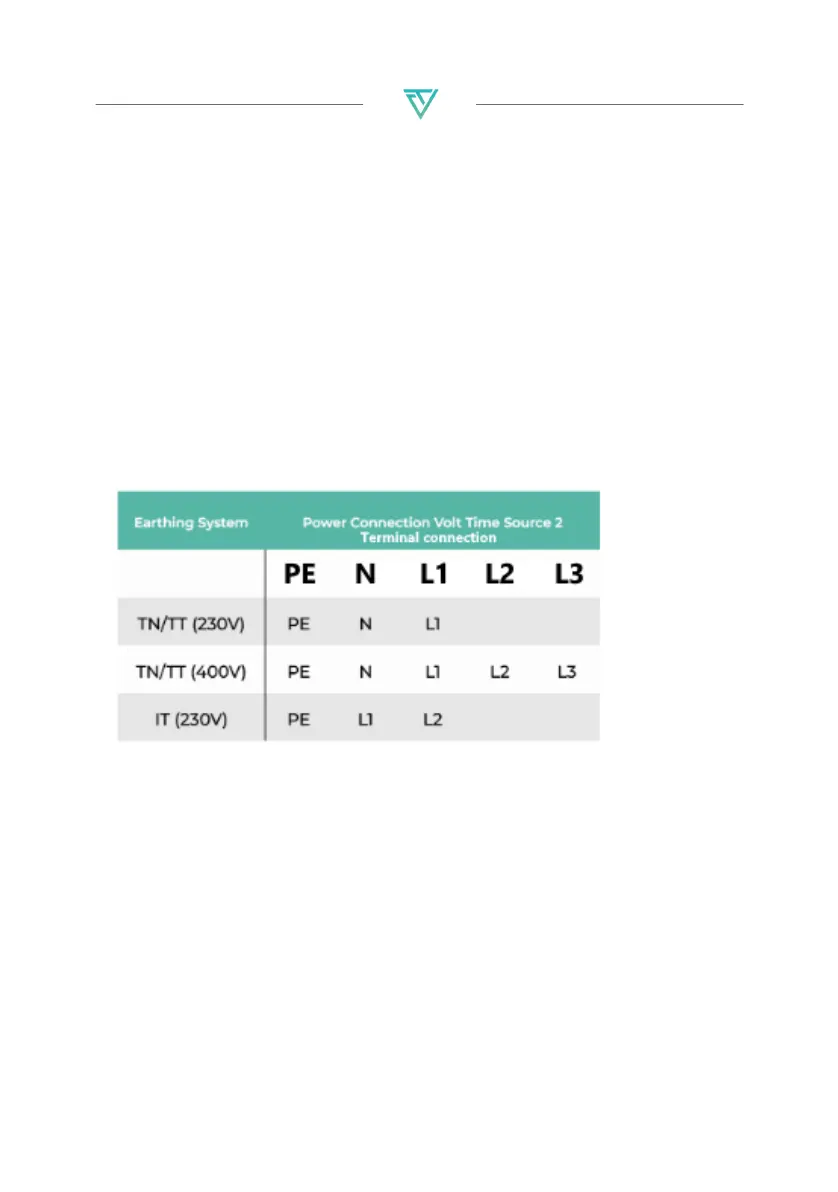
6. Connect the wires to the 5 terminals inside the product:
See next page for pictures


 To Next Page