Sonic Series
AC EV Charging Station
User Manual
- 23 -
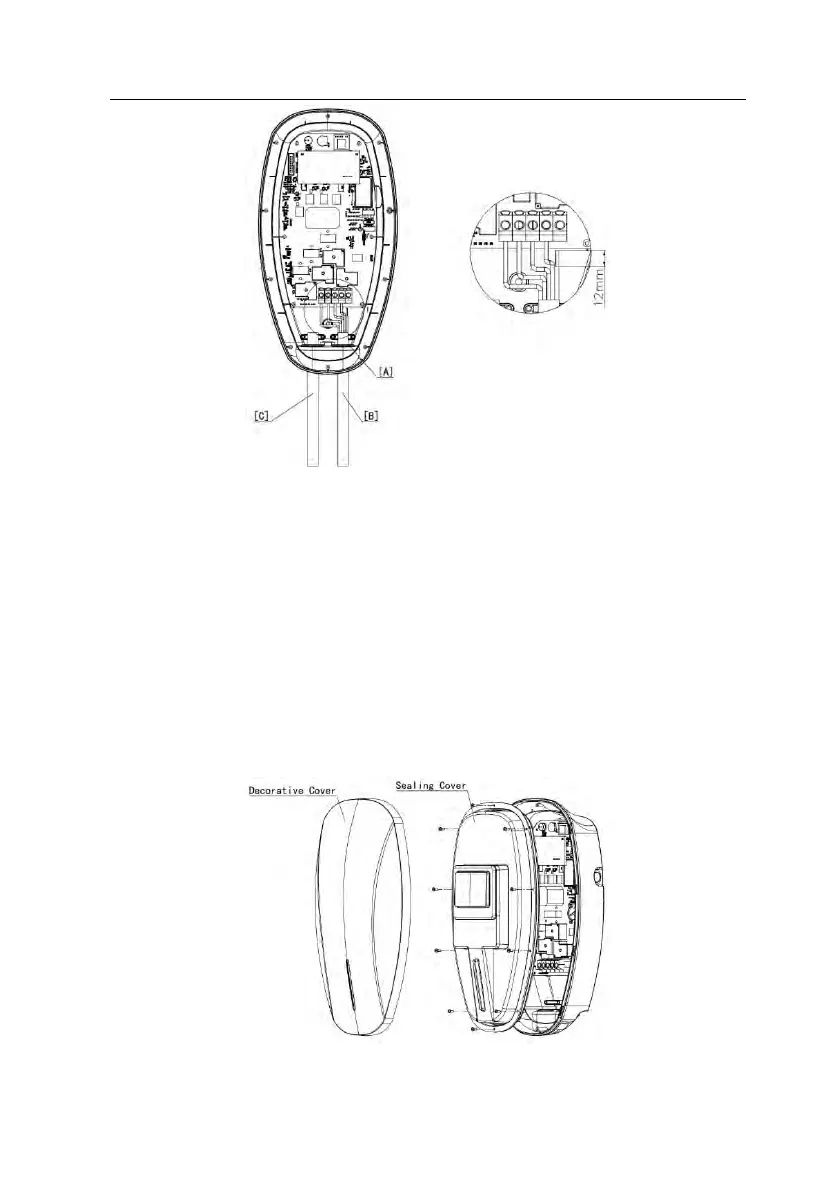
[A] Rubber grommet [B] Input power cable [c] Charging cable
Fig. 5-9 Wiring
As shown in Fig. 5-9,
1. Pass the prepared power cable through the rubber grommet [A];
2. Remove the 12mm insulation layer on the wire;
3. According to the label number on the terminal, insert the wire into the corresponding
terminal, and tighten the screws to ensure that each reliable connection between wires
and terminals.
◼ Step4:Close the lid
Fig. 5-10 Close the lid



 To Next Page