32
Series operation
In serial mode, you can use the outputs A and B to double the voltage. In this mode, the outputs A and B are
switched in series internally. Additional external switching is not required.
Disconnect consumers connected to outputs A and B.
Switch on the mains power unit at the power switch (1). The operating display (2) lights up and the cur-
rent and voltage display appears on the display.
Press the selection switch “series” (6). The red indicator above the switch is lit.
Set the parameters according to your specifications as described in the chapter “Commissioning”.
The current settings are made in combination with outputs A and B. The sum of both current indicators
(A and B) equals the output current.
The current settings can be made through outputs A or B.
Verify again that the output voltage has been set correctly.
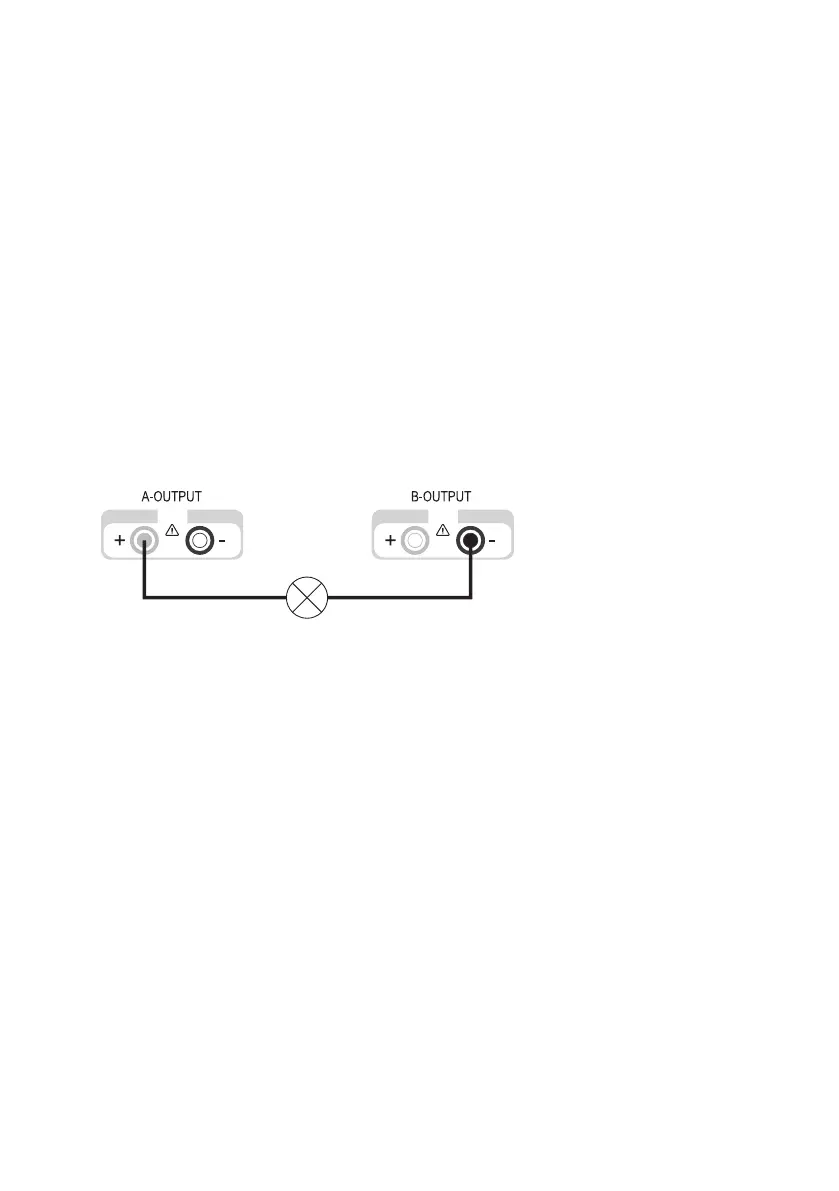
Connect the positive terminal (+) of the consumer with the red socket “+” (24) of output A and the nega-
tive terminal (-) with the blue socket “-” (16) of output B.
Now you can switch on the connected consumer.
The current consumption of the connected consumer is indicated on both displays simultaneously. The
current of one display corresponds to the output current.
The current setting controls of both outputs may not be located in the minimum
position (left stop), otherwise it is not possible to use the entire setting range for
the voltage.



 To Next Page