Display
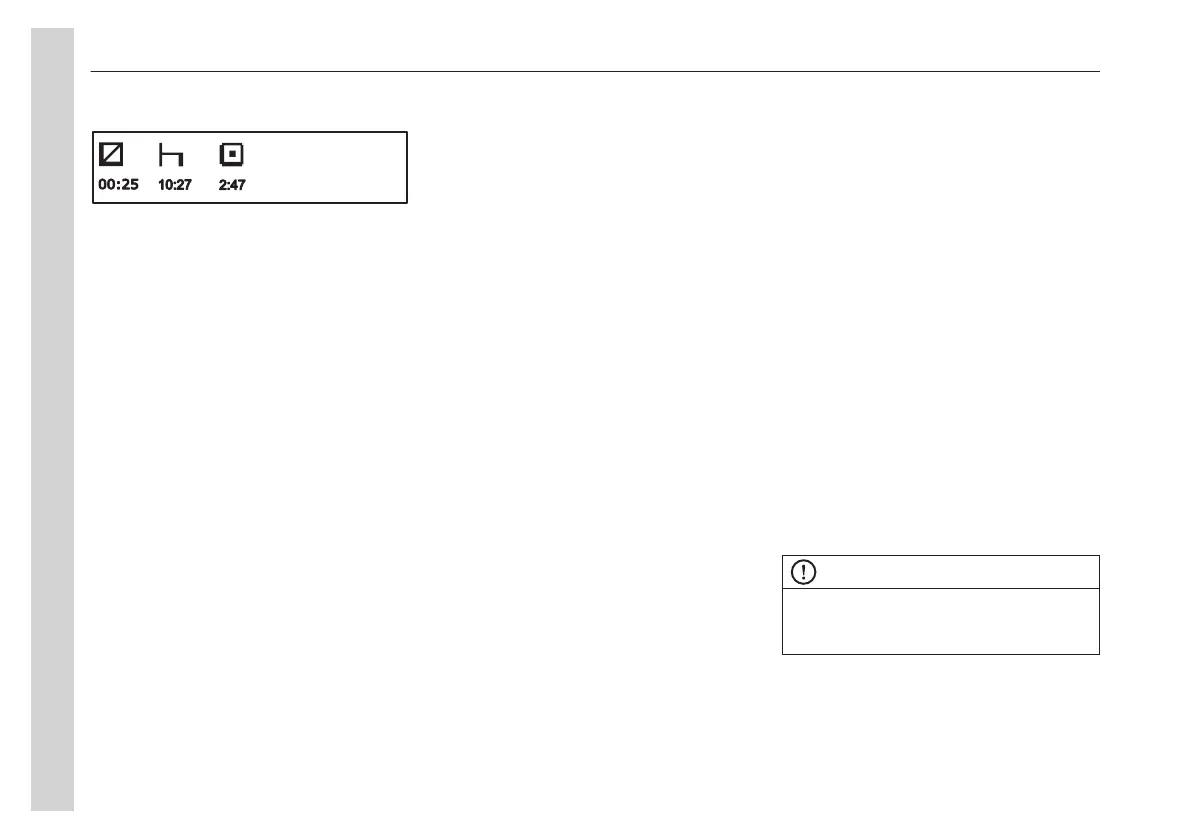
Right symbol indicates driving time.
Menu display
Black panel
When the black panel is activated only
the speedometer, tachometer and the
bottom line of the display are lit.
The following events lit the backlighting:
• a message is activate
• a button is depressed
• the tachometer's needle enters the
red zone of the tachometer.
Favourite display
Choose which measurement values,
gauges and functions are to be shown in
the favourite display.
To select Favourite Display:
1 Press enter on the menu option for
Favourite display, setting.
2 Press enter once more and the top
field becomes active. Select gauge
or function.
using the navigation buttons. Confirm
by pressing enter when the desired
gauge or function is shown.
3 Press enter once more to activate
the next field. Select gauge or
function using the navigation buttons.
Confirm by pressing enter when the
desired gauge or function is shown.
4 Press Enter or ESC until all fields are
active and the clock is shown.
Menu vehicle messages
If a message has appeared in the display
and then has been acknowledged with
the ESC button, a symbol is shown in the
status line. To see which messages have
been acknowledged without having been
acted on, enter the menu.
Menu display settings
Language
Select the desired language with the
display buttons.
Up to three languages can be stored.
Units
The right settings can be made for
following units with the display buttons:
• Distance
• Fuel used
• Temperature
• Time and date
Display light
• Contrast: Adjust the contrast with the
display controlbuttons.
• Backlight: In this menu, the display
lighting can be adjusted relative to
other instrument lighting using the
display buttons.
• Night Mode: This function is used to
switch between white text on black,
or black text on white using the
display buttons.
Menu vehicle settings
Traction control
Choose ON or OFF with the display
control buttons.
When the traction control function is
disengaged, the symbol for disengaged
TCS (Traction Control System) is shown
in the display when driving.
NOTE
Traction control is normally on. Only
workshop personnel or vehicle testing
centres are to disengage the function.
Lowering protection
Kneeling is not possible when lowering
protection is active. If there are special
circumstances where kneeling is
04
Instruments and controls
42


 To Next Page