Wheelchair lift
• Rotate the button in the clockwise to
close the emergency safety flap.
Fasten the button with the nut.
• Use the hand pump lever to raise the
platform 15 cm above the lift
compartment.
• Fold the rails, see page 73.
• Lower the platform level to the lift
compartment using the solenoid
valve.
• Push the platform into the lift
compartment using both hands.
• Return the switch on the electric box
next to the lift compartment to its
normal position.
NOTE
Use the hand lever when the platform is on
the ground and the solenoid valve when
the platform is higher than the
compartment.
More functions
Bridgeplate load sensor
The sensor switch is located in the
hydraulic line connected to the
bridgeplate hydraulic cylinder. It inhibits
raising or lowering of the platform when
detecting an object on the bridgeplate.
Threshold warning system
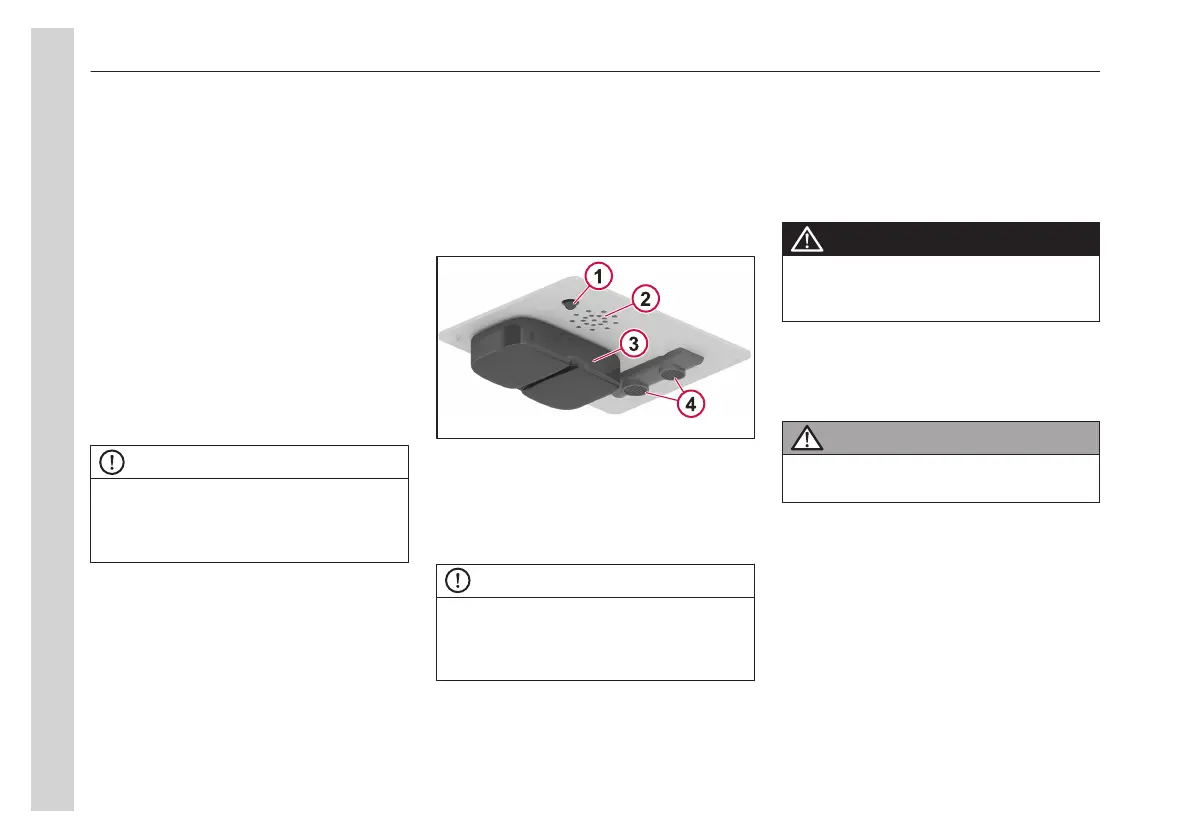
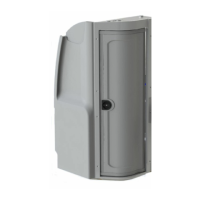
This module is installed above the lift
compartment. It has an indicator light
when it is on.
The acoustic sensors are enabled when
the door is open and the interlock system
requirements are met.
1 Status indicator
2 Buzzer
3 Flashing light
4 Acoustic sensors
NOTE
When someone is detected in the
threshold area and the platform is lower
than the floor, an audible buzzer and a
flashing red light are activated.
Lift cycle counter
The cycle counter is located near the
electronic controller, right above the
access panel. It is used to schedule
maintenance operations. The platform
must be fully stowed to view the cycle
counter display.
General safety precautions
DANGER
To avoid injury, always ensure that body
parts or clothing are not in the way of the
lift's movements.
• The wheelchair occupant must face
outward on platform when entering or
exiting the bus to minimise the
possibility of rear wheels rolling up.
WARNING
Do not stand in front of the lift while
deploying the platform.
05
Equipment
76



 To Next Page