||
INTERNET MAP
100
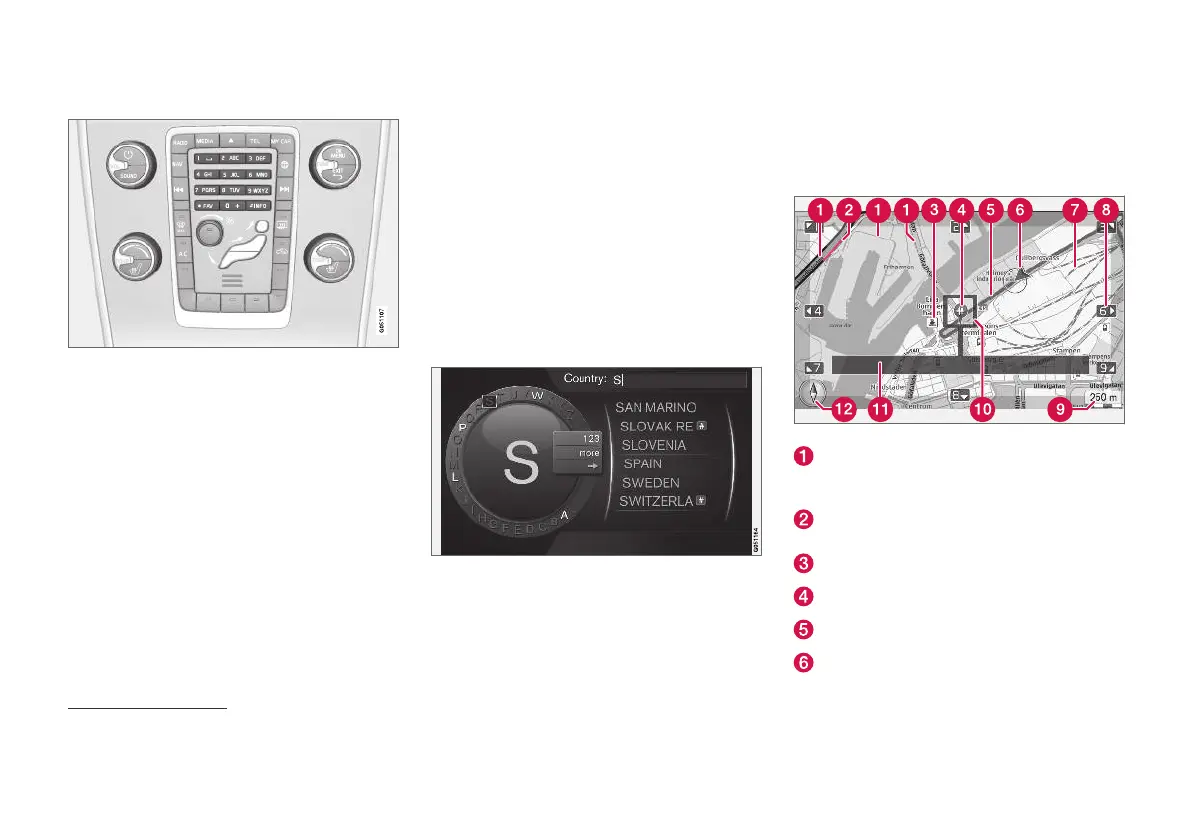
Enter with the numerical keyboard
Numerical keyboard.
Another way of entering characters is to use the
centre console's buttons 0-9, * and #.
When e.g. 9 is pressed, a bar appears with all
characters
4
under the buttons, e.g.
W, x, y, z and
9. Quick presses on the button move cursor
through these characters.
•
Stop with the cursor on the desired character
in order to select it - the character is shown
on the enter line.
•
Delete/change using EXIT.
To enter a number, hold in the corresponding
number key.
More options
Additional options that, amongst other things,
provide more characters as well as numbers are
available in the character wheel's inset menu:
•
123/ABC + OK - the character wheel
switches between numbers and characters.
•
MORE + OK - alternative characters are
shown in the wheel.
•
=> + OK - moves the cursor to the list on the
right-hand side of the screen where selec-
tions can be made with OK.
List with options
List that matches the entered characters.
When searching for countries, available options
are listed based on the letters entered. No list is
shown for other search fields but instead the
search is performed when search is activated.
Internet map
5
- text and symbols on
the screen
Explanation of text and symbols that can be
shown on the map.
Road types - size and colour vary depending
on the size of the road and the selected map
scale and map colour
Traffic information (p. 107) - highlighted with
a line in the edge of the road.
Points of interest (p. 104)
Symbol for destination/final destination
Planned route - blue
The car's current position
4
The character for each button may vary depending on market/country/language.
5
Applies to certain markets.



 To Next Page