INTERNET MAP
}}
101
Railway
Scrolls/moves the map in the direction of the
arrow using the corresponding number on
the numerical keyboard (p. 99)
Map scale
Focus box with crosshair in the centre
Current road/street name or coordinates or
information about point of interest (POI)
Compass (p. 107)
Internet map
6
- scroll menu
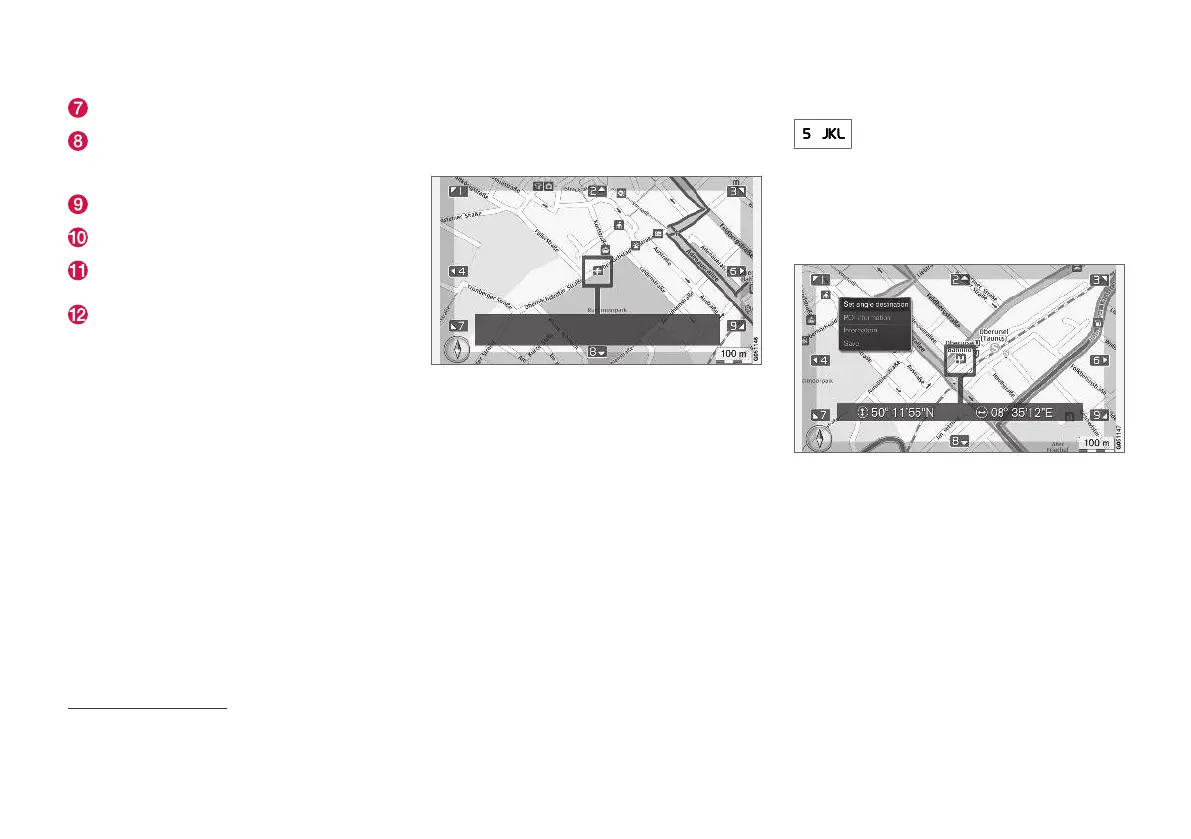
In Scroll mode the map image is moved with the
centre console (p. 98) numeric keys.
Scroll mode with crosshair
7
.
To activate Scroll mode in normal map
mode
•
Press one of the numeric keys 0-9.
To scroll
•
Press one of the numeric number keys
1-2-3-4-6-7-8-9- a directional arrow is
shown in the margins, combined with the
number to be used to move the map in the
desired direction.
To zoom
•
Turn the TUNE knob.
Numeric key "5"
Pressing the number 5 in Scroll mode
centres the map around the car's posi-
tion.
To exit from Scroll mode
•
Press EXIT or NAV.
Crosshair
Press OK once to show a menu for the point on
the map, which the centre of the crosshair points
to:
•
Set single destination - Deletes any previ-
ous destinations in the itinerary and starts
guidance on the map.
•
POI information - shows name and address
on the screen for the POI closest to the
crosshair. For more information on POI, see
(p. 104).
6
Applies to certain markets.
7
Select whether the position of the crosshair/cursor should be shown with name or GPS coordinates, see map options (p. 107).



 To Next Page