INTERNET MAP
103
For information about display options regarding
POI options, see map options (p. 107).
Examples of symbols for different POI options,
see (p. 104).
Stored location
Collected here are destinations and locations
that have been stored with the "
Save" menu
option.
Saved destination and location respectively can
be adjusted:
•
Set single destination
•
Edit
•
Delete
•
Delete all.
Previous destinations
Previously used destinations are stored here.
Highlight one of them + OK and then choose
between:
•
Set single destination
•
Information
•
Save
•
Delete
•
Delete all.
Post code
Search destination by post code.
NOTE
Presentation of post code may differ between
different markets/areas.
Latitude and longitude
Enter destination with GPS coordinates.
First decide which method to use to enter the
GPS coordinates by highlighting
Format: + OK.
Then highlight one of the following options + OK:
•
DD°MM'SS'' - position with Degrees,
Minutes and Seconds.
•
Decimal - position with Decimals.
Following which, enter the GPS coordinates and
then select one of the following options:
•
Set single destination
•
Save
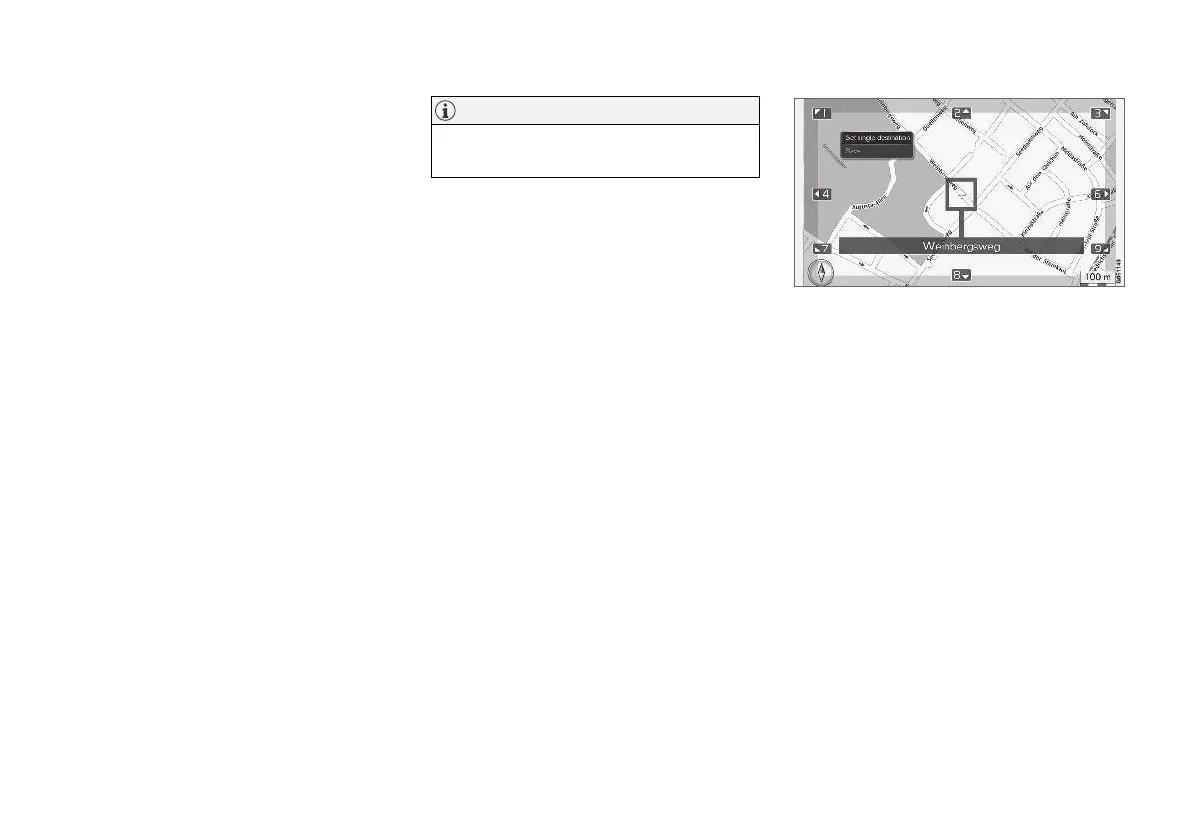
Point on the map
Shows the map with current location indicated
with a cursor.
Turn TUNE to change the map scale.
1. Move (scroll) the map with the numeric keys,
see (p. 101).
2. When the desired location has been found -
Press OK.
Cursor position is indicated with name.
Then choose between the following options and
activate with OK:
•
Set single destination
•
Save
Related information
•
Internet map - operation (p. 98)



 To Next Page