AUDIO AND MEDIA
}}
57
Removing a Bluetooth
®
device
It is possible to remove (deregister) a Bluetooth
®
device from the car. The car will then not locate
the device automatically.
Removing a media device
In the normal view for the Bluetooth
®
media
source, press OK/MENU and select
Change
device
Delete device.
Removing a phone
In the normal view for the phone source, press
OK/MENU and select
Change phone
Delete device.
Related information
•
Audio and media - operating the system
(p. 28)
•
Connecting and disconnecting a Bluetooth
®
device (p. 53)
•
Media Bluetooth
®
(p. 53)
•
Bluetooth
®
handsfree phone (p. 57)
Bluetooth
®
handsfree phone
A mobile phone equipped with Bluetooth
®
can
be connected wirelessly to the car.
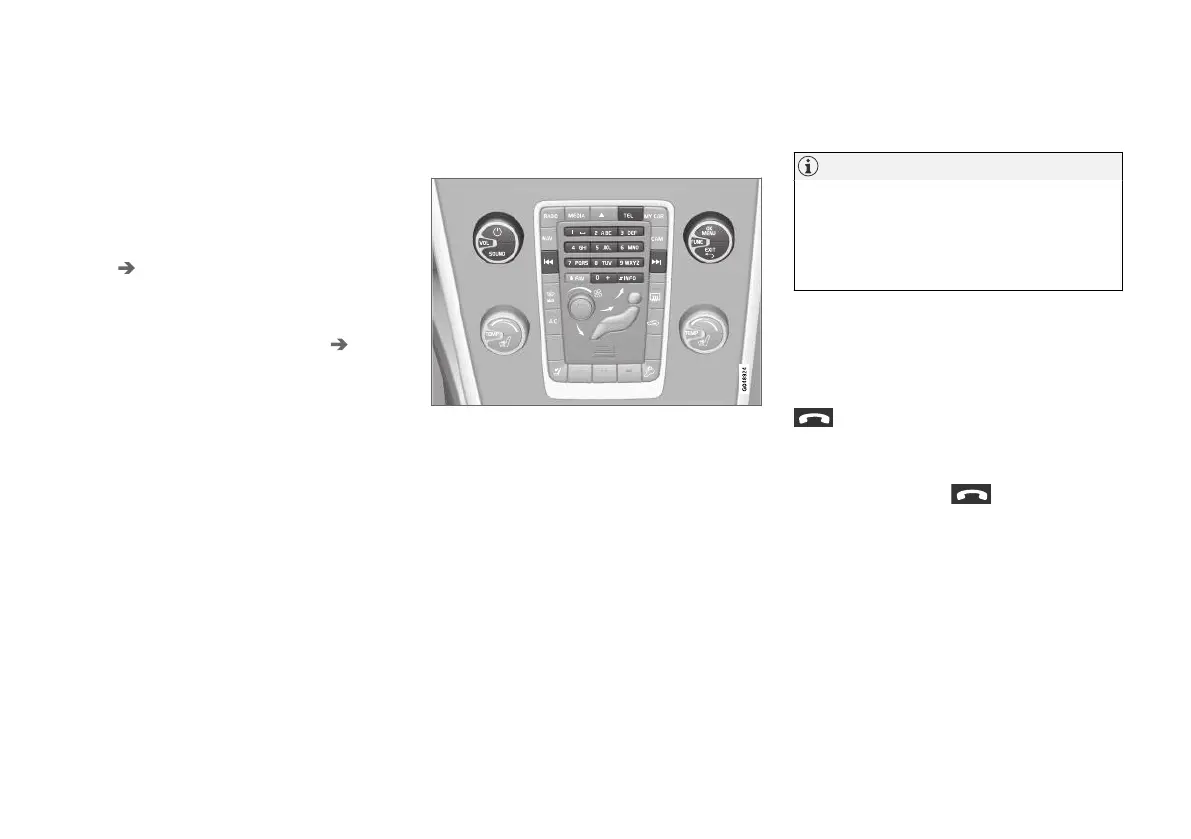
Phone functions, controls overview.
The device must first be registered and con-
nected to the car (p. 54).
The audio and media system acts as handsfree,
with the facility to remotely control a selection of
the mobile phone's functions. The mobile phone
can still be operated with its own keys when it is
connected to the car.
When a mobile phone is connected to the car, it
is also possible to simultaneously stream audio
files from the phone or other Bluetooth
®
-con-
nected media device, see Media Bluetooth
®
(p. 53). Change between the main sources TEL
and MEDIA to manage each source's functions.
NOTE
Only a selection of mobile phones are fully
compatible with the handsfree function. Volvo
recommends that you seek assistance from
an authorised Volvo dealer for information on
compatible phones.
Activate
A short press on TEL activates last connected
phone. If a phone is already connected, and TEL
is pressed, a shortcut menu is shown with com-
monly used menu options for the phone. The
symbol indicates that a phone is con-
nected.
To call
1.
Make sure that the symbol appears at
the top of the screen and that the handsfree
function is in phone mode.
2. Dial the number required, or in normal view
turn TUNE to the right to access the phone
book (p. 60) and to the left for the call reg-
ister (p. 59) for all calls.
3.
Press OK/MENU to call the selected con-
tact or number from the call register.
The call is interrupted with EXIT.



 To Next Page