SEATS AND STEERING WHEEL
}}
* Option/accessory.
181
2.
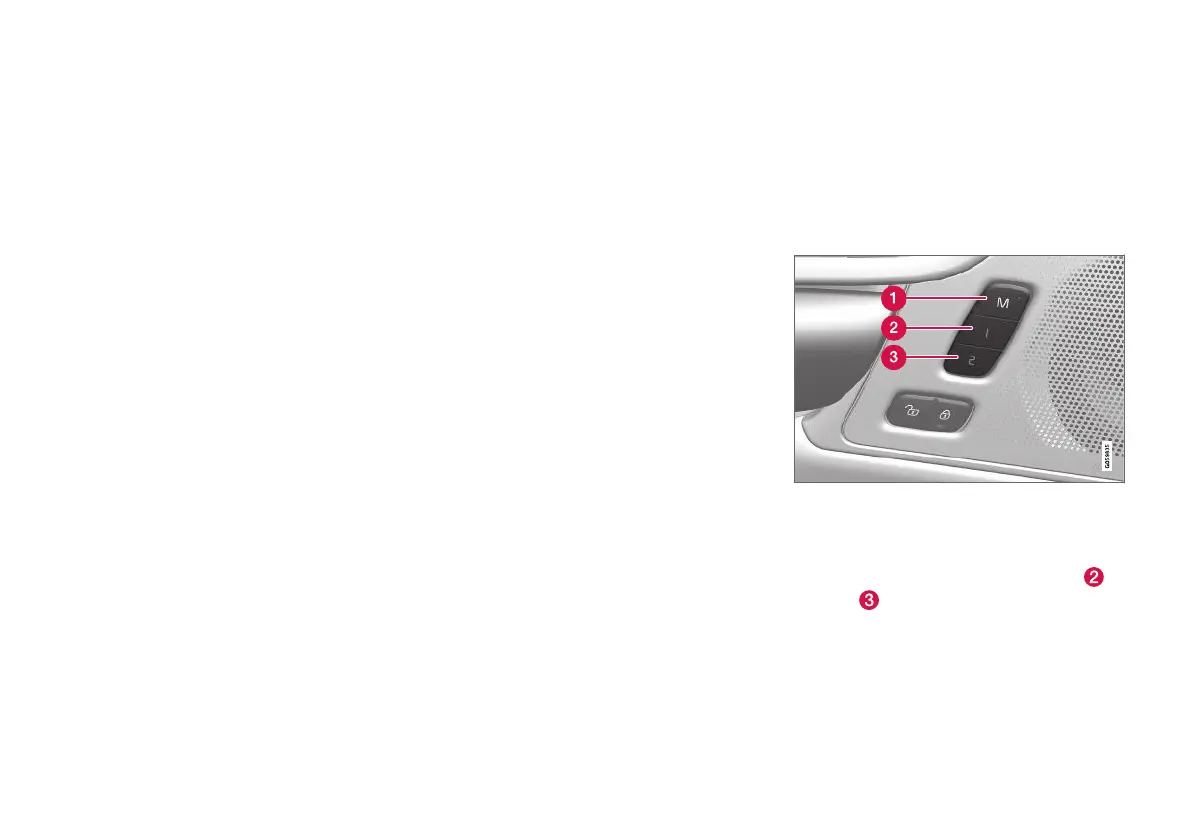
Press and hold the M button depressed. The
light indicator in the button illuminates.
3.
Within three seconds, press and hold the 1
or 2 button.
> When the position has been stored in the
selected memory button, an acoustic sig-
nal can be heard and the light indicator in
the M button extinguishes.
If none of the memory buttons is depressed
within three seconds then the M button extin-
guishes and no storing takes place.
The seat, the door mirrors or the head-up-display
must be readjusted before a new memory can be
set.
Related information
•
Manual front seat (p. 178)
•
Power* front seat (p. 179)
•
Adjusting the power* front seat (p. 179)
•
Using a stored position for seat, door mirrors
and head-up display* (p. 181)
•
Adjusting massage settings* in the front seat
(p. 183)
•
Adjusting* the length of the seat cushion in
the front seat (p. 184)
•
Massage settings* in the front seat (p. 182)
•
Adjusting the side support* in the front seat
(p. 185)
•
Adjusting the lumbar support* in the front
seat (p. 186)
•
Adjusting the passenger seat from the driv-
er's seat* (p. 187)
•
Angling the door mirrors (p. 165)
•
Settings for head-up display* (p. 138)
Using a stored position for seat,
door mirrors and head-up display*
If the positions for the power* seat, the door mir-
rors and the head-up display* have been stored,
they can be activated simply by using the mem-
ory buttons.
Using a stored setting
A stored setting can be used with the front door
either open or closed:
Open front door
–
Depress one of the memory buttons 1 ( )
or 2 (
) with a short press. Power seat,
door mirrors and head-up display move and
then stop at the positions stored in the
selected memory button.



 To Next Page