VA41620/VA41630 Evaluation Board User’s Manual
V1.0
27
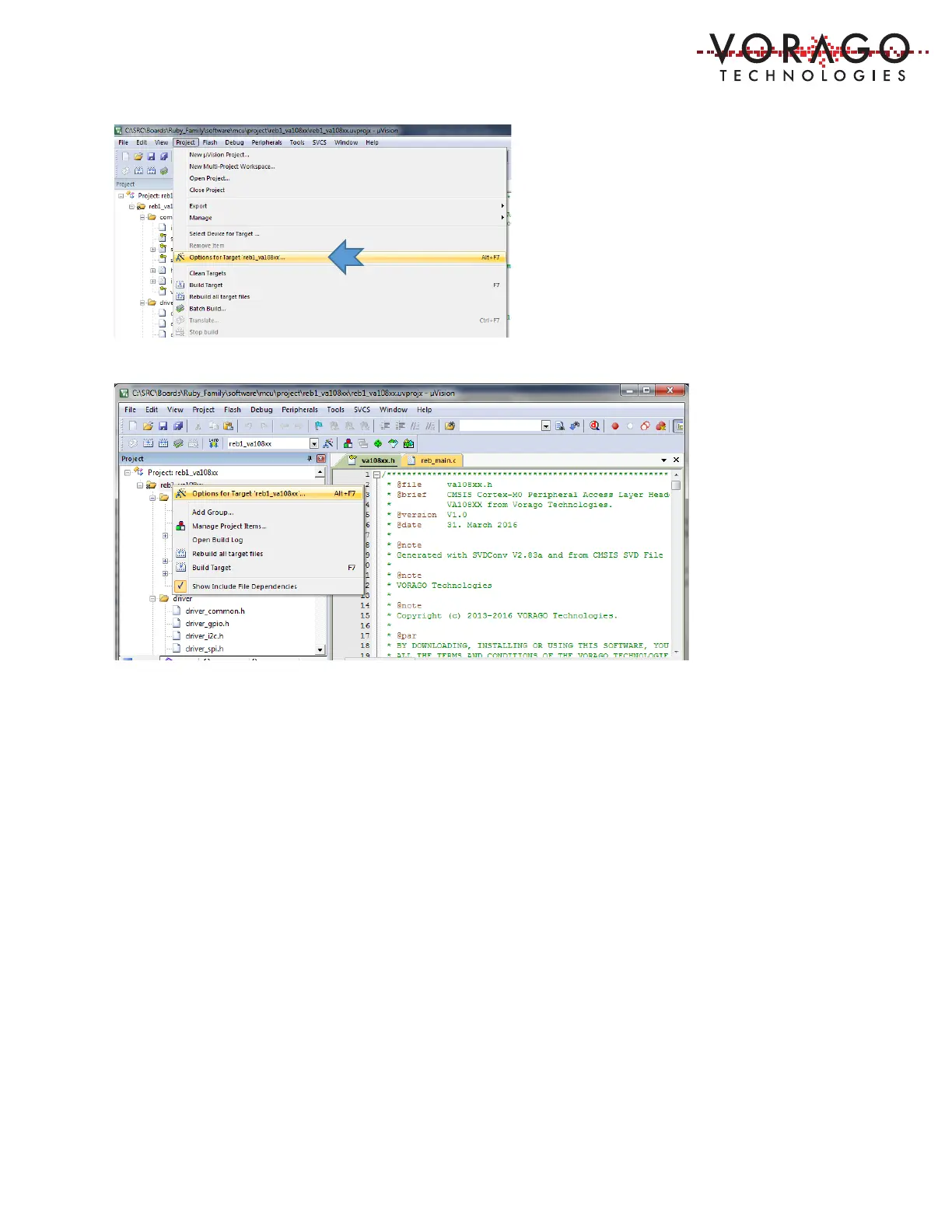
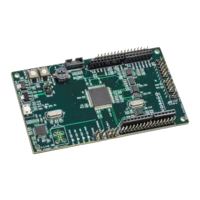
An options window with 10 pull-down menus will open.
5.1.4 Debug options
The Keil IDE supports many forms of interfaces. The default debug connection is the ULINK2
from Keil. The PEB1 board has a built in SWD interface called Segger J-Link OB. The IDE must
be told which interface is used. See below for screen captures on how to do this. First use the
pull-down menu of the Debug options window to select “J-LINK/J-TRACE Cortex”. Note that
there is no special selection for J-LINK OB.


 To Next Page