VA41620/VA41630 Evaluation Board User’s Manual
V1.0
28
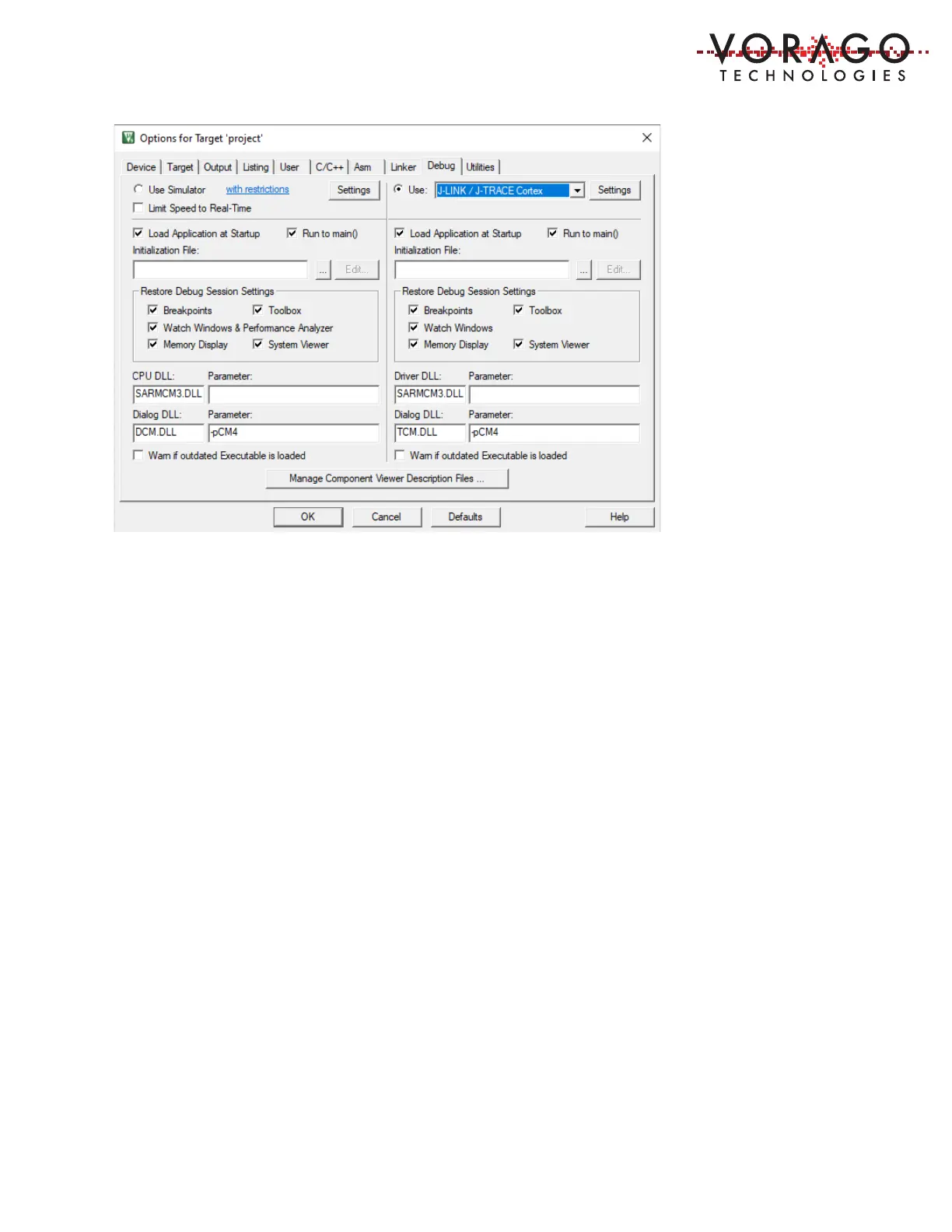
Second, set the J-Link to use the SWD connection. Click the Settings button and select “SWD”
in the Port Window. The “Max Clock” selection can be anything up to 5 MHz. The board should
be connected to a PC prior to setting up the Debugger. This will allow the tool to identify the J-
LINK OB and the IDCODEs of the MCU’s TAP controllers.
Note: An error message may be displayed stating the J-Link does not recognize the MCU. If
that occurs, hit “ok” and select the generic Cortex M4 in the subsequent dialogue box. This
error message should only occur on the first attachment to the board with the MDK.


 To Next Page