18
USE OF PRODUCT
10 USE OF PRODUCT
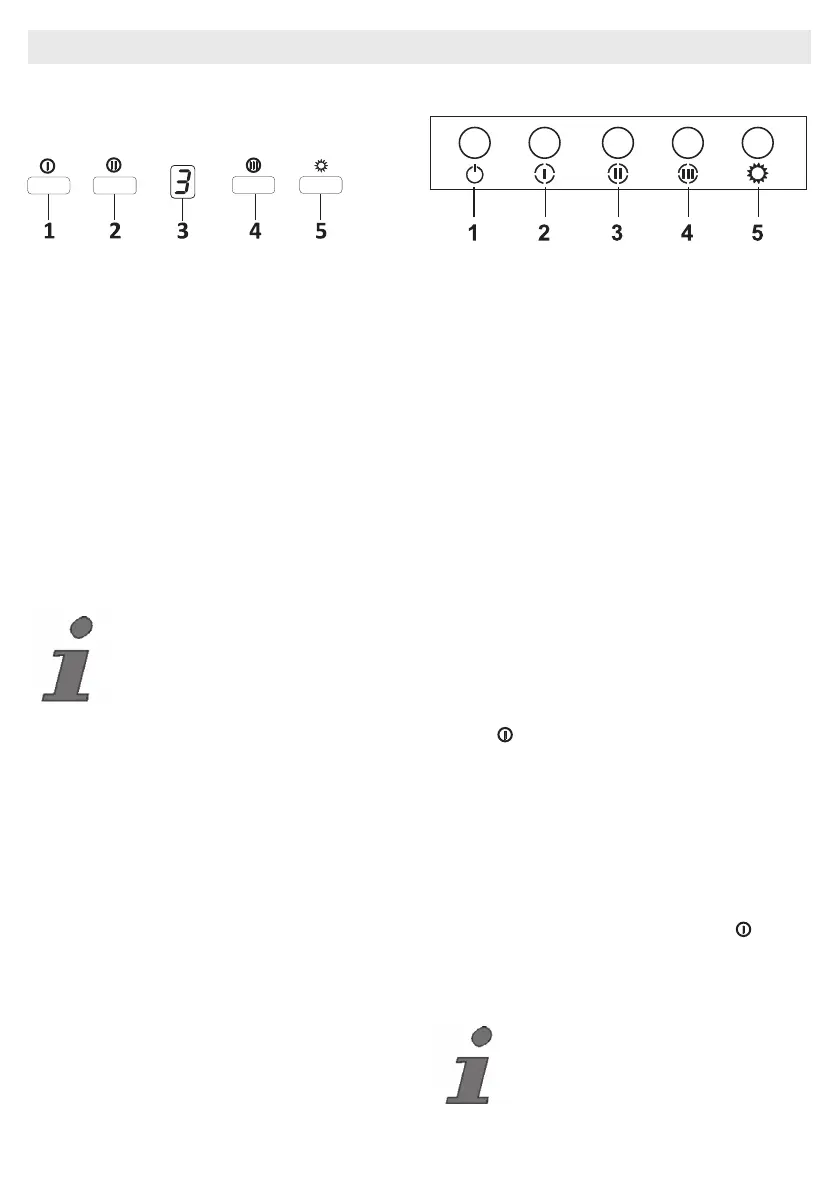
10.1 On Glass 3 Spd Touch Button
Fig. 11: Touch Button
1. Press this button to turn on the product.
When this button is pressed, product will also
operate at speed level 1 (Fig.11).
2. When this button is pressed, product will
operate at speed level 2 (Fig.11).
3. Dgt Display: You can see the operation rate
of product on this screen (Fig.11).
4. When this button is pressed, product will
operate at speed level 3 (Fig.11).
5. Press this button to turn on or off the lamp
(Fig.11).
To activate timer function, press and hold any of
buttons 1, 2 and 3 for 3 seconds. Then, 15 mi-
nute timer function will be activated and the pro-
duct will turn off automatically after 15 minutes.
All active functions operated prior to activation
of timer function will be deactivated after 15 mi-
nutes. All active functions operated after activa-
tion of timer function will be reactivated after 15
minutes.
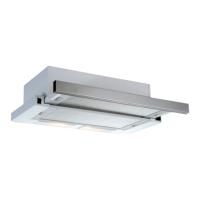
10.2 Push Button
Fig. 12: Push Button
1. Press this button to reset the product.
2. When this button is pressed, product will
operate at speed level 1.
3. When this button is pressed, product will
operate at speed level 2.
4. When this button is pressed, product will
operate at speed level 3.
5. Press this button to turn on or off the lamp.
Cleaning Periods
of the Metal Filter:
The lters must be cleaned when “C” signal ap-
pears on the display or (depending on usage)
after every 2-3 weeks. When the filters are
cleaned and mount-ed in their places, press
button ( ) for more than 3 seconds in order to
delete “C” signal (when the product is inactive).
Letter “E” will appear on the display, and the
product will switch to nor-mal operation. If it is
desired to
go on operation without deleting “C” signal, ac-
tive rate will appear for 1sec when ( ) button
is pressed and then, “C” signal will reappear
and motor will continue to operate.
“C” mark will appear at the end of the
product’s usage period of 60 hours.


 To Next Page